PyTorch implementation of the paper "Ultra Fast Structure-aware Deep Lane Detection".
Updates: Our paper has been accepted by ECCV2020.

The evaluation code is modified from SCNN and Tusimple Benchmark.
Caffe model and prototxt can be found here.
Please see INSTALL.md
First of all, please modify data_root and log_path in your configs/culane.py or configs/tusimple.py config according to your environment.
data_rootis the path of your CULane dataset or Tusimple dataset.log_pathis where tensorboard logs, trained models and code backup are stored. It should be placed outside of this project.
For gpu training, run
python -train.py --params configs/culane.yamlTo visualize the log with tensorboard, run
tensorboard --logdir log_path --bind_allWe provide two trained Res-18 models on CULane and Tusimple.
| Dataset | Metric paper | Metric This repo | Avg FPS on GTX 1080Ti | Model |
|---|---|---|---|---|
| Tusimple | 95.87 | 95.82 | 306 | GoogleDrive/BaiduDrive(code:bghd) |
| CULane | 68.4 | 69.7 | 324 | GoogleDrive/BaiduDrive(code:w9tw) |
自己训练了一个,mobilenetv2骨干网络,输入size 256512,Fmeasure 66.19% 较resnet18 288800分辨率精度降低3个点,速度在板卡上快了3-4倍
For evaluation, run
mkdir tmp
# This a bad example, you should put the temp files outside the project.

python test.py configs/culane.py --test_model path_to_culane_18.pth --test_work_dir ./tmp

python test.py configs/tusimple.py --test_model path_to_tusimple_18.pth --test_work_dir ./tmp
Same as training, multi-gpu evaluation is also supported.
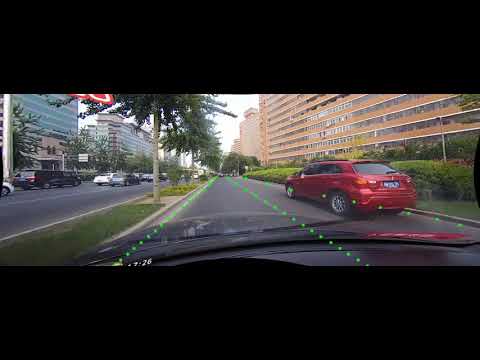
We provide a script to visualize the detection results. Run the following commands to visualize on the testing set of CULane and Tusimple.
python demo.py configs/culane.py --test_model path_to_culane_18.pth
# or
python demo.py configs/tusimple.py --test_model path_to_tusimple_18.pth
Since the testing set of Tusimple is not ordered, the visualized video might look bad and we do not recommend doing this.
To test the runtime, please run
python speed_simple.py
# this will test the speed with a simple protocol and requires no additional dependencies

python speed_real.py
# this will test the speed with real video or camera input
It will loop 100 times and calculate the average runtime and fps in your environment.
@InProceedings{qin2020ultra,
author = {Qin, Zequn and Wang, Huanyu and Li, Xi},
title = {Ultra Fast Structure-aware Deep Lane Detection},
booktitle = {The European Conference on Computer Vision (ECCV)},
year = {2020}
}
Thanks zchrissirhcz for the contribution to the compile tool of CULane, KopiSoftware for contributing to the speed test, and ustclbh for testing on the Windows platform.