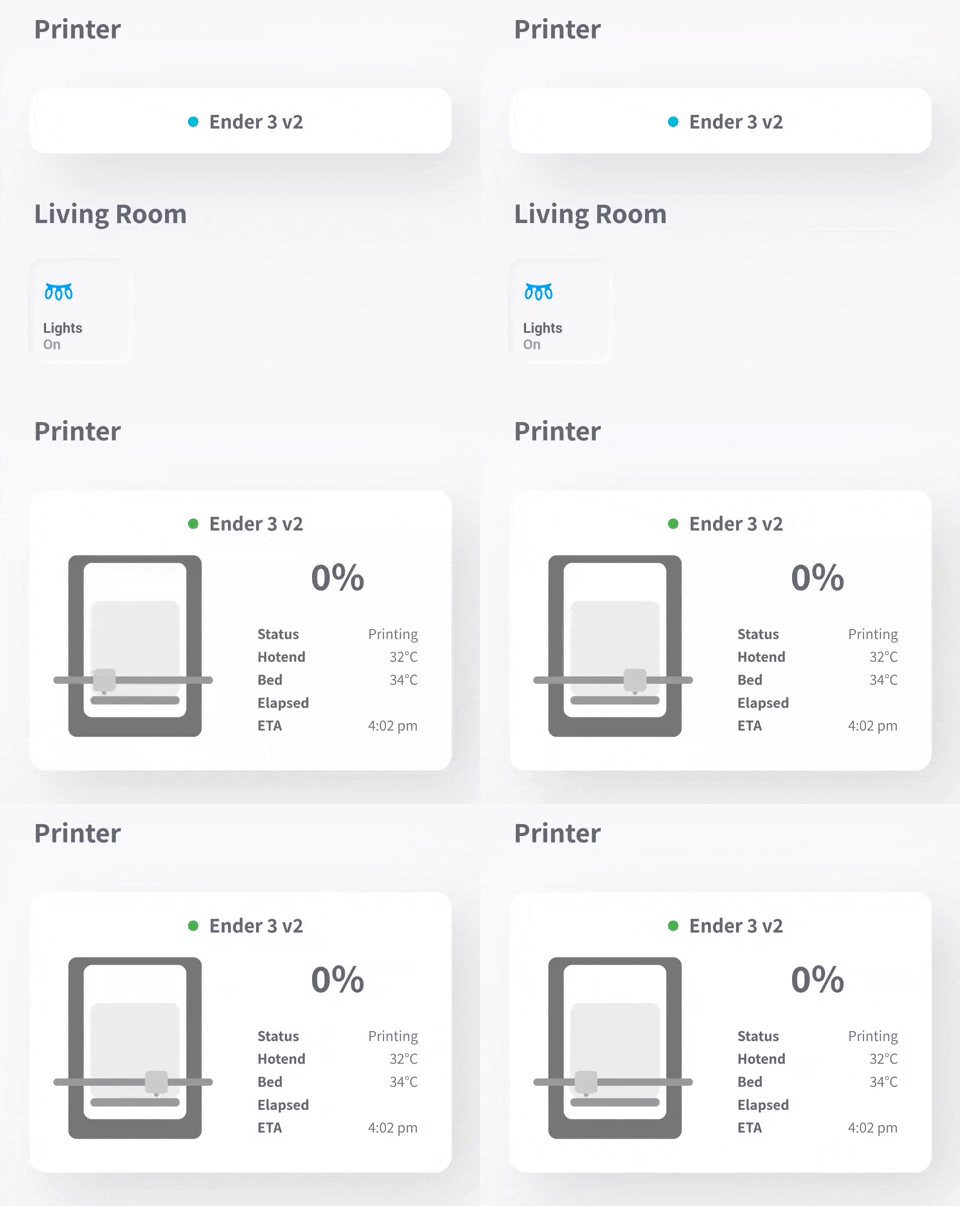
- Live animation of 3D printer
- Live camera view
- Current states of various OctoPrint sensors
- Tap to show/hide when printer is idle
- Power button for a switch entity
- Light button for a switch entity
- Adjustable 3D printer graphic scale
- Themes
- Home Assistant instance
- Expose the required data to homeassistant.
Installation
- Open HACS and navigate to Frontend Section
- Open the Overflow Menu (⋮) in the top right corner and click on Custom repositories
- Paste
https://github.com/xZetsubou/ha-threedy-cardinto the input field and selectLovelacefrom the dropdown - Click the Install Button on the highlighted Card titled threedy
- Download
threedy-card.jsfrom the releases section. - Either:
- Move to the
wwwfolder of your Home Assistant instance - Or copy the ffle's contents via the file editor.
- In the Resources section of Lovelace (
Configuration -> Lovelace Dashboards -> Resources), add/local/threedy-card.jsas aJavaScript Module. - Save
- Add a manual card to your lovelace dashboard using the configuration instructions below.
- Restart Server management
- Reload Browser

type— Always'custom:threedy-card'base_entity—not needed if gonna reconfig ALL sensorsTake the beginning of one of the OctoPrint sensors of your printer. Example: forsensor.ender_3_v2_current_stateit would besensor_ender_3_v2.name— Can be whatever you want!printer_type— Use a printer style:'I3' | 'Cantilever'monitored— A list of values to monitor throughout the print; gets displayed to the right of the printer.
-
theme— Theme of the card:'Default' | 'Neumorphic'. Screenshots listed below. -
font— Specify the font used in the card. By default it issans-serif. -
scale— The scale factor of the animated 3D printer view. Try different values until you find one you like. -
round_time— Specify whether to round durations of time. Defaults to false.true | false -
round_temperature— Specify whether to round decimal numbers for temperatures. Defaults to false.true | false -
temperature_unit— Specify which unit of temperature measurement to convert to.'F' | 'C' -
use_24hr— Use 24 hour time format instead of 12 hour. -
use_mqtt— Use MQTT integration instead of OctoPrint API. -
printer_config— Use in withprinter_typeto set a custom printer style. If omitted, the default for the type will be used. Use this tool to create a custom value. -
camera_entity— Specify the entity ID of the camera entity you want to display when the printer graphic is clicked. -
light_entity— Specify the entity ID of a light you want to toggle for the printer. -
power_entity— Specify the entity ID of a power switch you want to toggle for the printer. -
always_show— Override the auto collapse of the card. -
camera_rotate— Rotate camera 180deg.default: false -
camera_mirror— Mirror camera.default: false -
sensors— Override any sensor rather then depend on base_entity by sepcify Sensor property >name,entityandattribute.Main Sensors options:
Progress, Status, ETA, Elapsed, Remaining, Hotend and BedYou can add new custom sensor if you want ex
monitored:
  - FileName
sensros:
  FileName:
    name: FileName
    entity: sensor.octoprint_print_file
Customize sensors should allow you to run the card for moonraker etc...
Example Sensors w/ override Sensors
# << configs
# Rather then specify 'base_entity' you can config each sensor.
type: 'custom:threedy-card'
base_entity: '' # You can use it if you want to override some of sensors and let some use base_etntity
name: 'Ender 3 Pro'
printer_type: I3
monitored:
  - Status
  - ETA
  - Elapsed
  - Remaining
  - Hotend
  - Bed
sensors:
  Progress: # return the print progress | 0 - 100
    entity: sensor.octoprint_print_progress
  Elapsed: # return how much time have been since print starts - Require Status to be defined | number
    entity: sensor.octoprint_print_progress
    attribute: printTime
  Remaining: # return how much time left to finish print - Require Status to be defined | number
    entity: sensor.octoprint_print_progress
    attribute: printTimeLeft
    name: Rem
  ETA: # return how much time left to finish print - Require Status to be defined | number
    entity: sensor.octoprint_print_progress
    attribute: printTimeLeft
  Status: # return the state of printer | ( printing, stopped etc.. )
    entity: sensor.octoprint_print_status
  Hotend: # Return the temperature of hotend | number
    entity: sensor.octoprint_tool_0_temperature
  Bed: # Return the temperature of Bed | number
    entity: sensor.octoprint_bed_temperature
Moonraker Example
# Rather then specify 'base_entity' you can config each sensor.
type: 'custom:threedy-card'
base_entity: '' # You can use it if you want to override some of sensors and let some use base_etntity
name: 'Ender 3 Pro'
printer_type: I3
camera_entity: camera.ender_3_pro_camera
power_entity: switch.ender3pro_plug
light_entity: light.ender3_printer
always_show: true
monitored: # by the order you want.
  - Status
  - FileName
  - ETA
  - Elapsed
  - Remaining
  - Hotend
  - Bed
sensors:
  Progress: # return the print progress | 0 - 100
    entity: sensor.ender_3_pro_plus_progress
  Status: # return the state of printer | ( printing, stopped etc.. )
    entity: sensor.ender_3_pro_current_print_state
  Elapsed: # return how much time have been since print starts - Require Status to be defined | number
    entity: sensor.ender_3_pro_print_duration # Ensure that the unit of measurement of this entity is Seconds "moonraker default is min".
  Remaining: # return how much time left to finish print - Require Status to be defined | number
    entity: sensor.ender_3_pro_print_eta
  ETA: # return how much time left to finish print - Require Status to be defined | number
    entity: sensor.ender_3_pro_print_eta
  Hotend: # Return the temperature of hotend | number
    entity: sensor.ender_3_pro_extruder_temperature
  Bed: # Return the temperature of Bed | number
    entity: sensor.ender_3_pro_bed_temperature
  FileName:
    name: FileName
    entity: sensor.ender_3_pro_plus_filename
Example Config
# required
type: 'custom:threedy-card'
base_entity: 'sensor.ender_3_v2'
name: 'Ender 3 Pro'
printer_type: I3
monitored:
  - Status
  - ETA
  - Elapsed
  - Remaining
  - Hotend
  - Bed
# optionals
theme: 'Default'
font: 'Roboto'
scale: 1.0
round: false
always_show: true
Custom Theming
Custom theming can be accomplished using lovelace-card-mod's mod-card.
Some styles may require the css keyword !important to override the inline style.
Example usage as follows:
type: 'custom:mod-card'
style: |
  threedy-card > div {
    box-shadow: none !important;
  }
card:
  type: 'custom:threedy-card'
    .
    .
    .
    <card config>