MoUI is a multi-platform MoonBit GUI framework prototype for building
declarative UI apps with shared platform-neutral app logic. Native host cores
own windows, events, services, and lifecycle, then receive concrete renderers
through platform renderer provider packages. The recommended mainline is native
Skia raster plus the single Web wasm-gc + window/web + browser WebGPU host imports path; native WGPU remains available as an experimental diagnostic
route while the MoonBit WGPU ecosystem matures.
The runtime pipeline is explicit:
View[Msg] -> internal view tree -> ElementTree -> LayoutTree -> RenderTree -> DrawCommand -> renderer
Current P0/P1 foundations include component state subscriptions, keyed component-scoped effects with cleanup, scoped saveable string/bool/int state, an advanced custom child layout delegate, environment accessibility signals, gesture/action command primitives, a typed host-service bridge, Linux backend readiness tracking, and app-framework helpers for routing, forms, and devtool snapshots.
Detailed notes live in:
- Architecture
- Development
- Platform notes
- Text system
- Renderer capability report
- View catalog
- Non-render component cookbook
- App templates
- Examples
- Markdown Editor
- Testing
- AI collaboration
- 2026 roadmap
- Release readiness
The example suite is intentionally small: Showcase is the visual catalog and now
contains the Counter and Todo interaction patterns, the WYSIWYG Markdown editor
remains a separate practical editing demo, and PDF Workbench exercises
document reading/light editing on the native Skia route with a lightweight UI
shell, a separate pdflite adapter package for real PDF model/writeback checks,
and a native-only PDFium adapter for real page bitmap rasterization. The
root website/ workspace is the MoUI-built bilingual homepage and Web demo
surface.
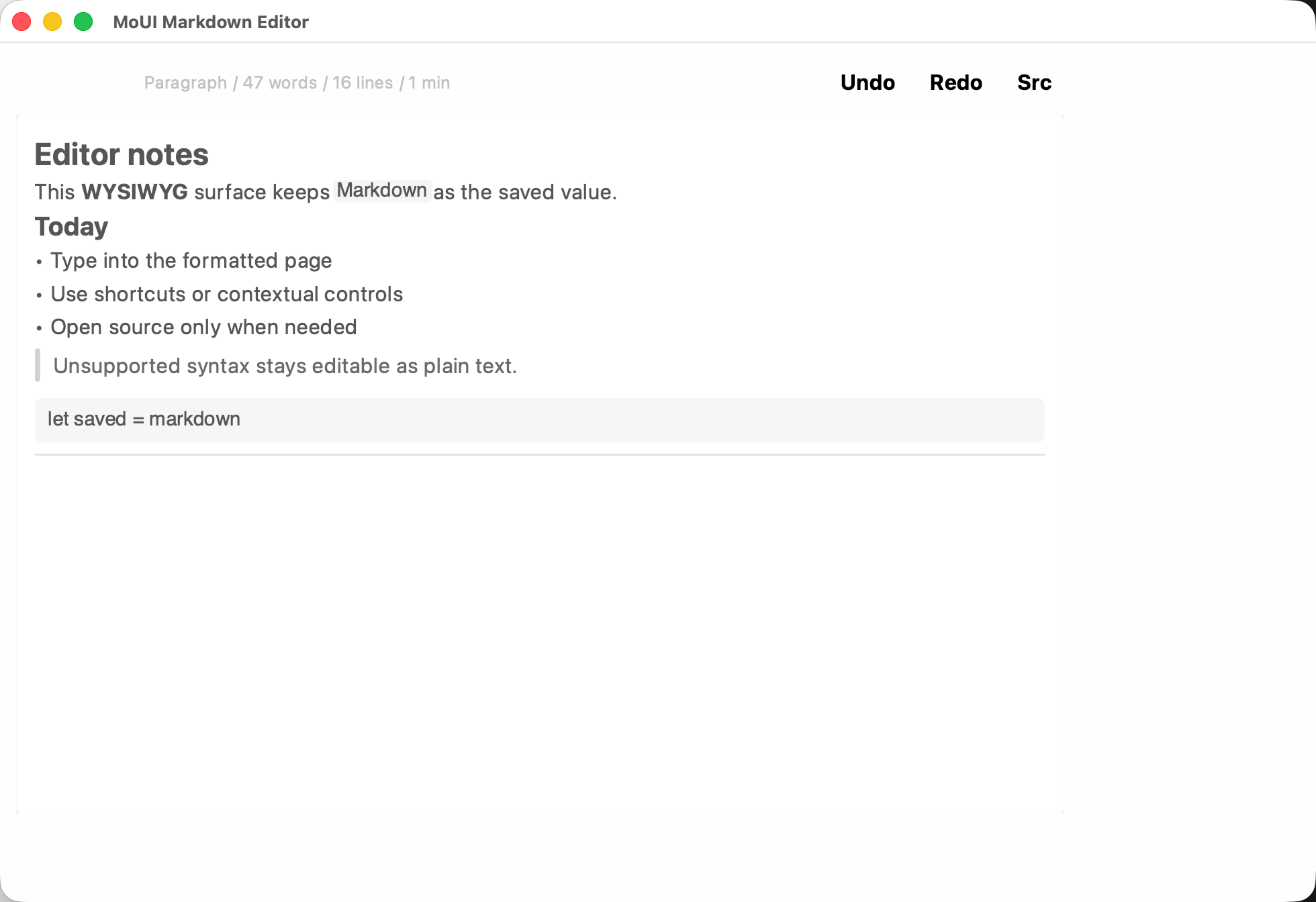
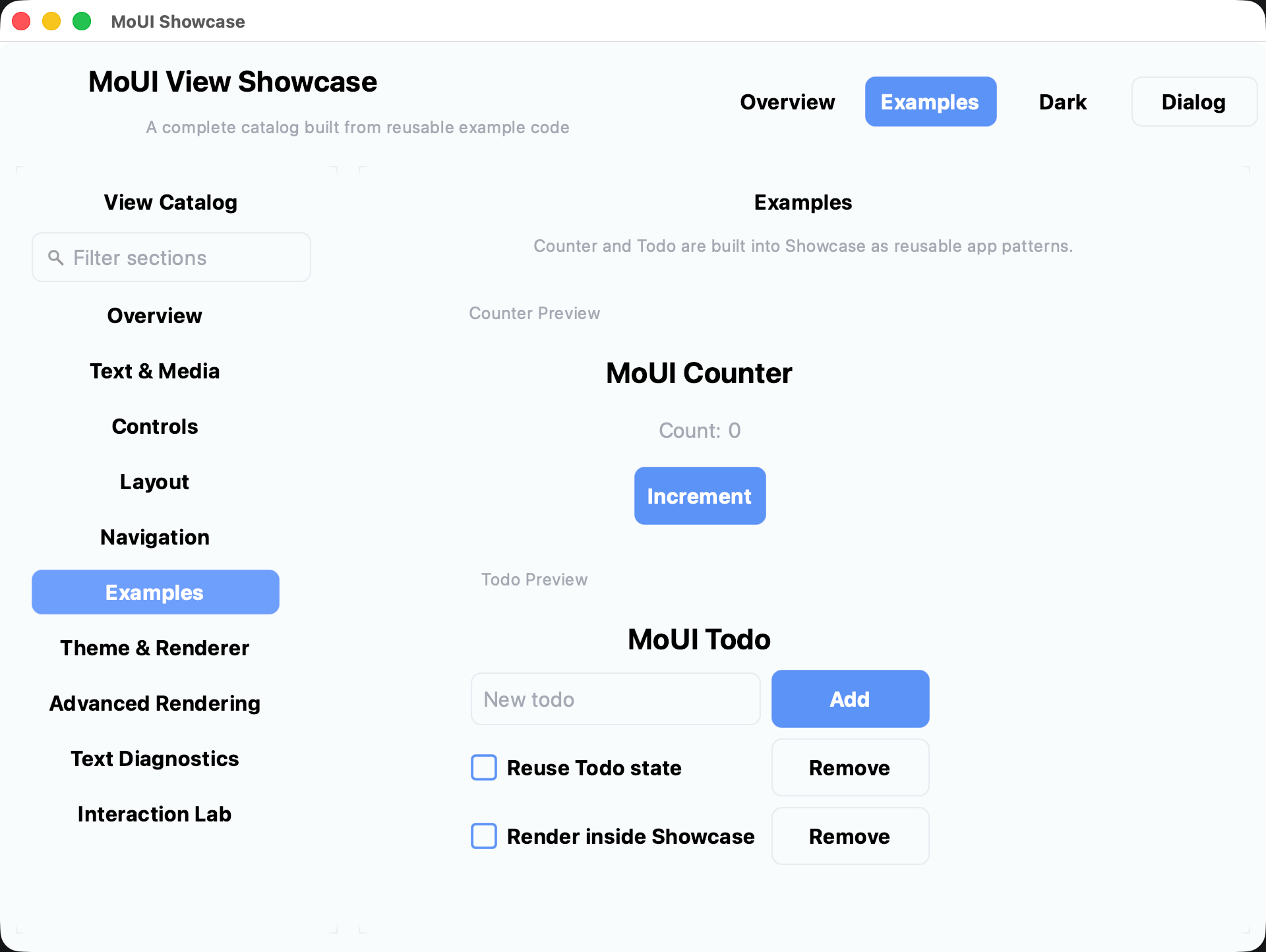
core/owns the platform-neutral runtime, state, layout, input, semantics, draw command model, typed events,Program,Effect, andSubscription.style/owns visual tokens and style aliases during the split fromcore.views/exposes public view constructors returning opaque@core.View[Msg].backend/host/defines shared host contracts; platform backends normalize window and input events intoHostEvent.backend/<platform>/skiaselects the native Skia raster mainline provider;backend/<platform>/wgpukeeps the native WGPU experimental provider available for diagnostics. Host-core packages do not import concrete renderer implementations.render/provides the renderer facade, with native Skia raster, WebGPU adapter, and experimental native wgpu implementations underrender/skia/,render/webgpu_adapter/, andrender/wgpu/.examples/*/app/contains shared app logic, while platform subpackages are thin entrypoints.website/is a root workspace member for the MoUI homepage, with shared app logic inwebsite/app/and a Web wasm-gc entrypoint inwebsite/web_wasm/.
Set up the local wzzc-dev/window and wzzc-dev/moui_skia checkouts, then run
the bounded development check:
sh scripts/setup-local-deps.sh
sh scripts/check-local-deps.sh
sh scripts/dev-check.sh
The local dependency check verifies the window fork's MoUI smoke/evidence
surface and the moui_skia binding workspace's platform status and native
capability contracts via moui_skia/scripts/verify-platform-status.sh
and moui_skia/scripts/verify-native-capability-contract.sh. Those
Skia guards prove the provider lock, fallback parity, FFI ownership/borrow
metadata, native smoke marker coverage, and binding-level evidence wiring are
present; renderer pixels and platform runtime behavior still come from the
opt-in Skia smoke or matching-host example runs.
For current-host backend/provider evidence, run:
sh scripts/dev-check.sh --platform-examples-test
sh scripts/conformance-check.sh --platform-services
--platform-services also writes and validates
artifacts/conformance/platform-runtime-evidence.json, the schema v2
matching-host evidence contract for Web, macOS, Windows, and Linux runtime
claims. Entries start as pending until a matching host records passed or failed
observations before a preview handoff. The checked-in manifest currently marks
macOS status=passed from local matching-host AppKit/Skia artifacts with every
runtime and native IME observation set to yes plus
skiaEvidence.status=passed; a non-skipped manual GitHub Actions dispatch also
recorded the macOS platform runtime evidence with github-actions provenance
and uploaded the matching artifact bundle. Windows and Linux remain pending
until their matching hosts record equivalent platform-runtime artifacts. Native
passed entries include the window fork's monitor/cursor probe as
monitorCursor=yes; Web browser-session evidence may leave that field pending
because CDP does not prove native monitor/current-monitor or cursor behavior. A
passed entry must carry provenance from either a non-skipped successful GitHub
Actions job/run, including run URL, workflow, job, runner, and uploaded
artifacts, or a local matching-host artifact bundle. For Web, the fold derives
this from the browser-session presentation manifest and the environment that
performed the fold. Skipped CI jobs, build-only/package-only jobs, and
provider/preflight checks cannot be used as passed runtime evidence. See
docs/release-readiness.md for the recorded GitHub Actions macOS-only evidence
run, the latest all-green MoUI CI run, and their head-SHA boundaries.
For release-oriented screenshot and benchmark handoffs, use
sh scripts/conformance-check.sh --golden and
sh scripts/conformance-check.sh --bench; these write validated capture
manifests under artifacts/conformance/. The benchmark handoff also validates
the static Web runtime delivery chain for Showcase and Markdown Editor with
node scripts/validate-web-runtime-handoff.mjs, while browser WebGPU/canvas
presentation evidence is collected separately with
node scripts/record-web-runtime-presentation.mjs and validated with
node scripts/validate-web-runtime-presentation-manifest.mjs. A passed
artifacts/conformance/web-runtime-presentation.json proves the named browser
session reached WebGPU startup, wasm app startup, sized canvas, resize/input
event-bridge delivery, Markdown Editor text input, clean target close, clean
console, and nonblank screenshot thresholds. Fold the browser artifact into
artifacts/conformance/platform-runtime-evidence.json with
node scripts/record-platform-evidence-manifest.mjs artifacts/conformance/platform-runtime-evidence.json web --web-presentation-manifest artifacts/conformance/web-runtime-presentation.json
so Web platform claims cite one validated evidence manifest and browser-session
artifact provenance. A failed browser manifest records failed Web platform
evidence; a missing browser manifest keeps the Web platform entry pending.
Build and serve the MoUI homepage:
moon build website/web_wasm --target wasm-gc
python3 -m http.server 8080 --bind 127.0.0.1
Open:
http://127.0.0.1:8080/website/web_wasm/index.html
Build and serve the visual showcase:
moon build examples/showcase/web_wasm --target wasm-gc
python3 -m http.server 8080 --bind 127.0.0.1
Open:
http://127.0.0.1:8080/examples/showcase/web_wasm/index.html
Build and serve the WYSIWYG Markdown editor:
moon build examples/markdown_editor/web_wasm --target wasm-gc
python3 -m http.server 8080 --bind 127.0.0.1
Open:
http://127.0.0.1:8080/examples/markdown_editor/web_wasm/index.html
Native macOS examples use the platform window backend; the recommended mainline entrypoints select the native Skia raster provider. Cold builds can be noticeably slower than package tests or Web wasm-gc example builds, so they are kept out of the default development check.
For macOS moon run linker errors, see
Platform notes.
Build the visual showcase on the Skia mainline:
moon build examples/showcase/macos_skia --target nativeThe examples/showcase/macos_wgpu and examples/showcase/macos_wgpu_cosmic entrypoints
remain available as native WGPU diagnostics:
moon build examples/showcase/macos_wgpu --target native
moon build examples/showcase/macos_wgpu_cosmic --target native
Build and run the WYSIWYG Markdown editor on the Skia mainline:
moon build examples/markdown_editor/macos_skia --target native
./_build/native/debug/build/examples/markdown_editor/macos_skia/macos_skia.exe
Build and run PDF Workbench on the Skia mainline:
MOUI_PDFIUM_DISABLE_PREBUILD_PDFIUM=1 moon test examples/pdf_workbench/app --target native
MOUI_PDFIUM_DISABLE_PREBUILD_PDFIUM=1 moon test examples/pdf_workbench/pdflite_adapter --target native
moon test examples/pdf_workbench/pdfium_adapter --target native
moon build examples/pdf_workbench/macos_skia --target native
./_build/native/debug/build/examples/pdf_workbench/macos_skia/macos_skia.exe
The WGPU Markdown editor entrypoint is still available for diagnostics:
moon build examples/markdown_editor/macos_wgpu --target native
./_build/native/debug/build/examples/markdown_editor/macos_wgpu/macos_wgpu.exe
Wrap a native example as a local .app bundle:
sh scripts/package-macos-app.sh \
  --package examples/showcase/macos_skia \
  --name "MoUI Showcase" \
  --bundle-id dev.wzzc.moui.showcase \
  --version 0.1.0
The bundle includes and validates a schema version 1 moui-package.json
manifest under Contents/Resources.
Windows native examples use the MSVC toolchain and vcpkg zlib:x64-windows.
The recommended mainline entrypoints select native Skia raster. Native WGPU
entrypoints still use wgpu_mbt dynamic mode with the official MSVC
wgpu_native.dll release, but they are experimental diagnostics rather than the
default validation route.
Setup, build, and package the default Showcase:
winget install --id Microsoft.VisualStudio.2022.BuildTools -e
powershell -ExecutionPolicy Bypass -File .\scripts\windows\setup_msvc_deps.ps1 -InstallZlib
powershell -ExecutionPolicy Bypass -File .\scripts\windows\build_windows_msvc.ps1 `
  -Package examples/showcase/windows_skia `
  -BuildOnly
powershell -ExecutionPolicy Bypass -File .\scripts\windows\package_windows_app_msvc.ps1 `
  -Package examples/showcase/windows_skia `
  -AppName MoUIShowcase `
  -Version 0.1.0
The Showcase also has Windows WGPU/Cosmic diagnostic entrypoints:
powershell -ExecutionPolicy Bypass -File .\scripts\windows\build_windows_msvc.ps1 `
  -Package examples/showcase/windows_wgpu `
  -BuildOnly
powershell -ExecutionPolicy Bypass -File .\scripts\windows\build_windows_msvc.ps1 `
  -Package examples/showcase/windows_wgpu_cosmic `
  -BuildOnly
Build the WYSIWYG Markdown editor with the same MSVC helper:
powershell -ExecutionPolicy Bypass -File .\scripts\windows\build_windows_msvc.ps1 `
  -Package examples/markdown_editor/windows_skia `
  -BuildOnly
The WGPU Markdown editor entrypoint remains available for diagnostics:
powershell -ExecutionPolicy Bypass -File .\scripts\windows\build_windows_msvc.ps1 `
  -Package examples/markdown_editor/windows_wgpu `
  -BuildOnly
To run a Windows entrypoint directly, import the MSVC environment in the same
PowerShell process. The helper routes .c native stubs through C11 atomics and
keeps Skia .cpp stubs on their own C++ standard flags:
powershell -ExecutionPolicy Bypass -Command "& { . .\scripts\windows\msvc_env.ps1; moon run examples/showcase/windows_skia --target native }"
powershell -ExecutionPolicy Bypass -Command "& { . .\scripts\windows\msvc_env.ps1; moon run examples/markdown_editor/windows_skia --target native }"
The MSVC package is written under dist\windows-msvc\MoUIShowcase and includes
run.cmd and the vcpkg zlib runtime DLL. WGPU diagnostic packages additionally
include wgpu_native.dll, WGPU release metadata, and a run.cmd wrapper that
sets MBT_WGPU_NATIVE_ROOT to the bundled WGPU release.
When Visual Studio's bundled vcpkg refuses direct classic installs, run the
setup helper from the repository root; it creates an ignored manifest workspace
under .tools\vcpkg-msvc and installs zlib:x64-windows there.
Linux native examples use the local fork-owned window/linux Wayland backend.
The recommended mainline entrypoints select native Skia raster and present CPU
pixel frames through Wayland wl_shm. Run them on a Linux host with a Wayland
compositor and configured real Skia link flags:
moon run examples/showcase/linux_skia --target native
moon run examples/markdown_editor/linux_skia --target native
The examples/showcase/linux_wgpu and examples/showcase/linux_wgpu_cosmic entrypoints
remain available as native WGPU diagnostics when a Vulkan/WGPU stack is
configured.
For headless validation, use a compositor such as Weston headless and set
WAYLAND_DISPLAY to its socket before running the examples. The WGPU Linux
text path composes the fontconfig/FreeType provider with Moon Cosmic fallback;
that provider currently has a narrow native color-emoji path for explicit emoji
family runs, while general text still falls back to Cosmic. linux_wgpu_cosmic
selects Moon Cosmic directly.