

A unified system monitoring and management tool for Linux
PULS combines resource monitoring with system administration capabilities. It allows control over system services, boot configurations, and logs directly from a TUI also lets you monitor your system results everything in one place.
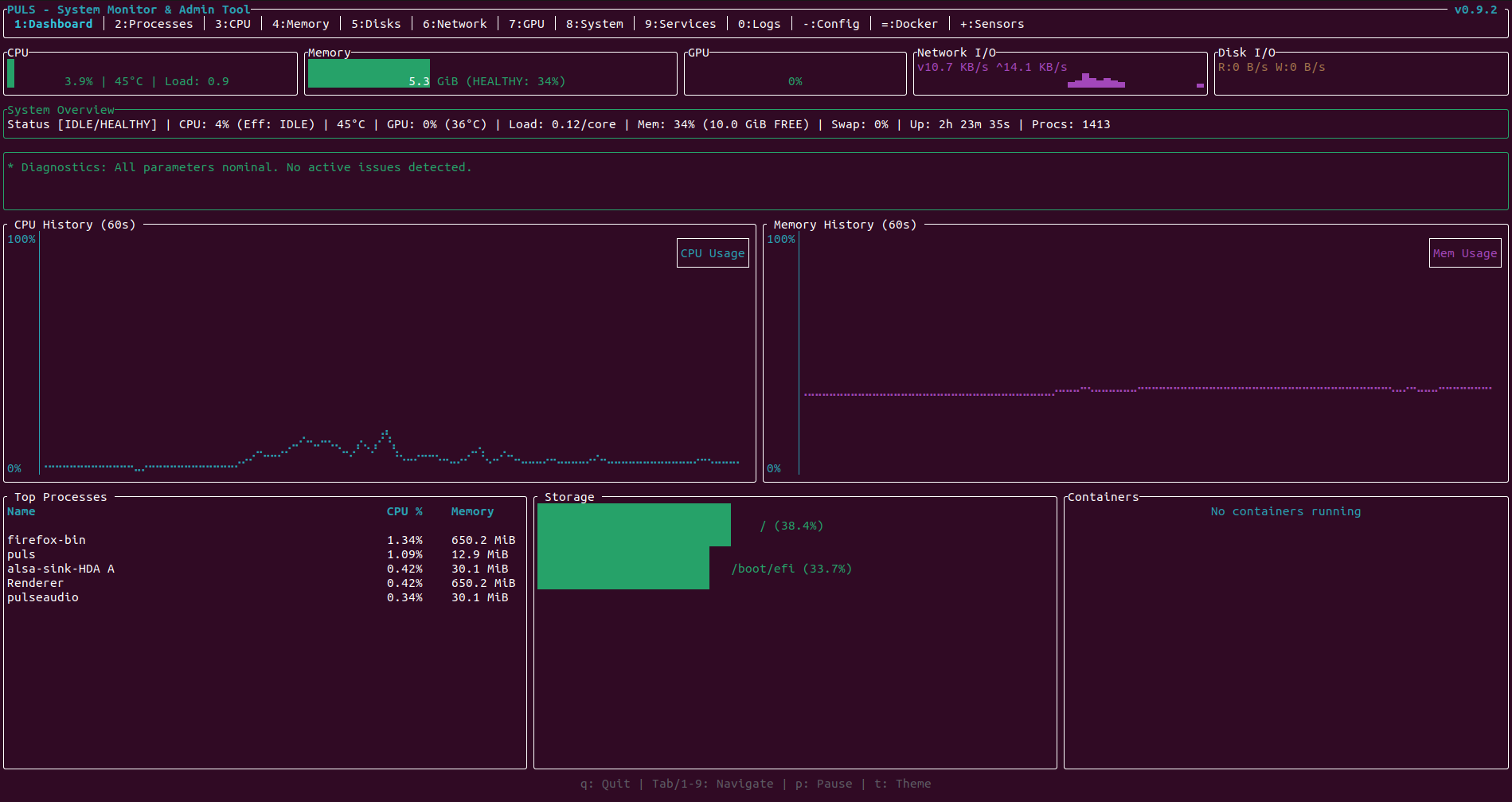
PULS built with Rust, using ratatui for the interface and leverages native Linux APIs and binaries for system interaction:
- Monitoring: Uses
sysinfofor host metrics,nvidia-smifor NVIDIA GPUs, and a native DRM parser for AMD/Intel GPU telemetry. Supports multi-GPU configurations. - System Control: Interfaces directly with
systemd(viasystemctl) andjournald(viajournalctl) for service and log management. - Process Management: Advanced sorting logic including a "General" resource usage score combining CPU and Memory usage.
- Configuration: Parses and modifies
/etc/default/gruband other system files with backup generation. Changes are staged in memory and only written after explicit confirmation.
- CPU & Memory: Per-core visualization with L1/L2/L3 cache info and memory page breakdown.
- Disk I/O: Read/Write monitoring per partition.
- Network: Real-time upload (
^) / download (v) rates for selected interfaces. - NVIDIA, AMD & Intel GPUs: Multi-vendor support with utilization, VRAM usage, temperature, and power telemetry. GPU summary shown directly on the Dashboard.
- Process Tree: Sortable process list exposing PID, user, priority, and resource consumption. Press
/to filter by name in real-time. - Container Engine Integration: Connects to the local Docker socket to monitor container lifecycles, resource usage (CPU/Mem limits), and health status.
PULS provides control over systemd units:
- State Control: Start, Stop, Restart services.
- Boot Persistence: Enable or Disable services at startup.
- Status Inspection: View full service definition and validation states.
- Log Viewer: Press
gto display the last 50journaldlog lines for any selected service.
- Aggregated Logs: View
journaldlogs directly within the TUI. - Filtering: Filter logs by specific system services, priority levels (Error/Warning), or specific boot sessions.
- Transactional Editing: Edit GRUB parameters in-memory. Press
uto review a full diff of all pending changes before anything is written to disk. - Safety Backup: A timestamped backup (e.g.,
/etc/default/grub.bak.<timestamp>) is created automatically before applying changes. - Requires sudo: Write operations are blocked for non-root users.
- Dashboard Panel: Inline anomaly detection for high CPU temperature, memory pressure, and critical storage.
- Language Detection: Automatically selects Turkish or English based on
LANG/LC_ALLat launch.
The recommended way to run PULS on any Linux distribution (Debian, Fedora, Arch, Alpine) is using the statically linked MUSL binary. This avoids glibc version mismatches.
wget -O puls https://github.com/word-sys/puls/releases/latest/download/puls
chmod +x puls
sudo mv puls /usr/local/bin/pulsThis method is the easiest installation path for Linux distributions.
-
Download the latest
.debpackage from the GitHub Releases page. The file will typically be named something likepuls_0.9.2-1_amd64.deb.[!TIP] Use version 0.9.2 for the most stable experience: look for
puls_0.9.2-1_amd64.debon the releases page. -
Open a terminal in the directory where you downloaded the
.debfile. -
Run the following command to install the package:
sudo apt update
sudo apt install ./puls_0.9.2-1_amd64.deb
(Note: Replace
puls_0.9.2-1_amd64.debwith the exact filename you downloaded if different.) -
If you encounter a dependency error during installation, try running the following command to fix missing dependencies:
sudo apt --fix-broken install
-
Once installation is complete, you can launch PULS from your application menu or terminal.
To build the portable static binary:
-
Dependencies:
musl-tools(Debian/Ubuntu) ormusl-gcc(Fedora) ormusl(Arch).rustup target add x86_64-unknown-linux-musl
-
Build:
cargo build --release --target x86_64-unknown-linux-musl
To create a Debian package compatible with older systems (Debian Buster/Bullseye, Ubuntu 20.04+):
-
Install cargo-deb:
cargo install cargo-deb
-
Build: This uses the static
muslbuild to ensure compatibility.rustup target add x86_64-unknown-linux-musl cargo deb --target x86_64-unknown-linux-musl
The
.debfile will be created intarget/x86_64-unknown-linux-musl/debian/.
PULS operates in different modes depending on the privileges and flags provided:
| Command | Capabilities |
|---|---|
puls |
Read-only: Monitoring of user processes, CPU/GPU, and Containers. |
sudo puls |
Read/Write: Full access to System Services (systemctl), Journals, and GRUB editing. |
puls --safe |
Safety Mode: Explicitly disables write capability, preventing accidental edits. |
For release notes and updates, please visit the GitHub Releases page. Verified on Ubuntu 20.04+ and Arch Linux.