Lightning-fast YouTube experience without distractions
A powerful userscript that removes bloat, optimizes performance, and gives you full control over your YouTube interface.




Modern YouTube is overloaded: heavy animations, unnecessary UI blocks, endless recommendations, visual effects, codec-heavy streams and background scripts that eat CPU and RAM. The original idea of “just watching videos” is buried under noise.
Open YouTube Optimizer 3.0 takes it even further — now with codec control, FPS limiting, quality range locking, language switching in UI, better UX for settings and much more reliable & comfortable experience.
Focus remains the same:
- ⚡ Maximum performance on any device
- 🧹 Clean, distraction-free interface
- 🎛️ Total control over playback and behavior
- Disable CSS animations and transitions
- Throttle background JavaScript timers safely
- Optimize image and thumbnail loading
- Fix common YouTube memory leak patterns
- Block non-H.264 codecs (VP8/VP9/AV1) — force H.264 for significantly lower CPU usage (blockNonH264)
- Limit FPS to 30 — block high-framerate streams, great for low-power devices & laptops (limitFps30)
- Remove unnecessary UI blocks
- Remove blur and heavy visual effects
- Hide notification badges and visual noise
- Switchable color themes (red / blue) with live preview
- Smaller, more compact settings window for better usability
- Search across all settings — quickly find any option
- Unsaved changes indicators — yellow dot on tabs + “!” next to modified options
- Warning when trying to close settings with unsaved changes
- Tooltips for language switcher, indicators and key elements
- Clicking tab name now also toggles the checkbox (more convenient)
- Remove Shorts from homepage, sidebar and recommendations
- Hide comments section by default
- Remove trending and promotional blocks
- Hide live chat overlays on streams
- Remove YouTube promo elements
- More reliable autoplay disable
- Limit maximum video quality
- Set minimum quality + lock quality range — menu items outside your range become disabled (minQuality)
- Remove gradients and visual overlays
- Disable cards, annotations, and end screens
- Hide player watermarks and branding overlays
- Pause video on page load — video auto-pauses until you interact with player (pauseOnLoad)
- In-interface language switching (EN / RU) — change language directly in settings panel without reload
- Bilingual support with tooltips and clear labels
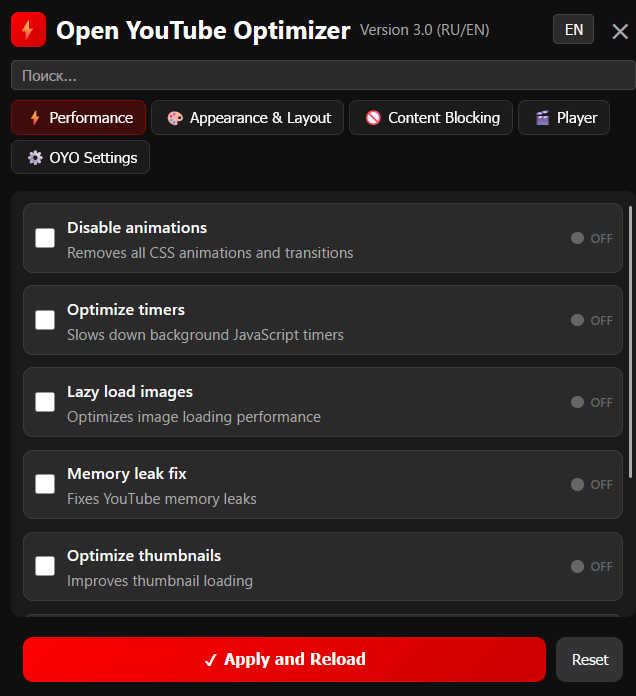
UI Screenshot (EN ver. — 3.0 settings panel)
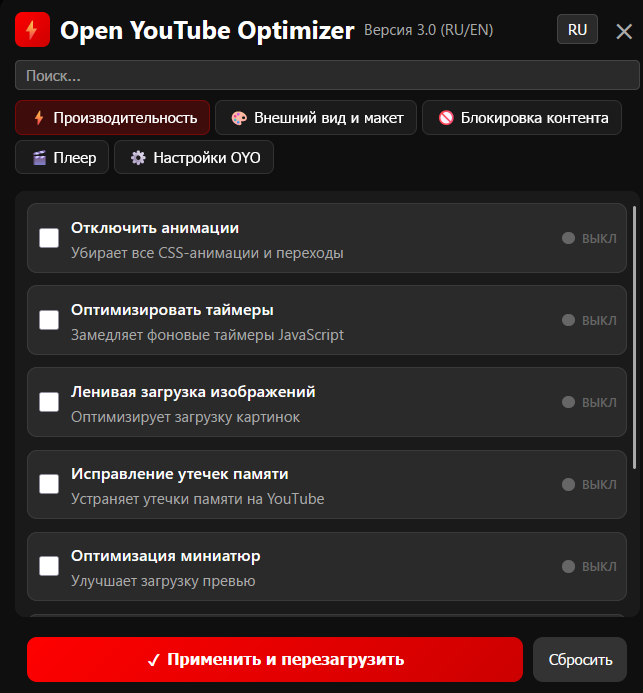
UI Screenshot (RU ver. — 3.0 settings panel)
- ✅ Chromium-based browsers (Chrome, Edge, Brave, Vivaldi, Opera)
- ✅ Firefox
⚠️ Safari (not tested, may require additional configuration)
- Tampermonkey (Recommended)
- Violentmonkey
- Greasemonkey
Method 1 (Recommended):
- Go to the latest release / raw script file on GitHub
- Click the link → browser / manager will offer to install
- Confirm
Method 2 (Manual):
- Copy the entire script code
- Open your userscript manager
- Create new script
- Paste and save
The script activates automatically on youtube.com.
- Open YouTube
- Click the ⚡ floating button in the bottom-right corner
- Configure options in the settings panel (use search, switch language/theme, set quality/FPS/codec rules…)
- Click Apply & Reload
- Enjoy lightning-fast, clean and controlled YouTube
P.S. Settings also available via userscript manager menu (right-click Tampermonkey/Violentmonkey icon).
Contributions are welcome!
- 🐛 Report bugs via GitHub Issues
- 💡 Suggest features or improvements
- 🔧 Open pull requests
- 🧪 Test on different devices/browsers
If YouTube updates break something — please report with details.
- Special thanks to: Diforz, RetroMac11 (Joey JTS), CY Fung, DeepSeek 🐳 & ChatGPT 🤖
💬 "Enjoy a faster, cleaner YouTube experience!"