Securely share and control your Home Assistant smart home devices on any HTML or WordPress page
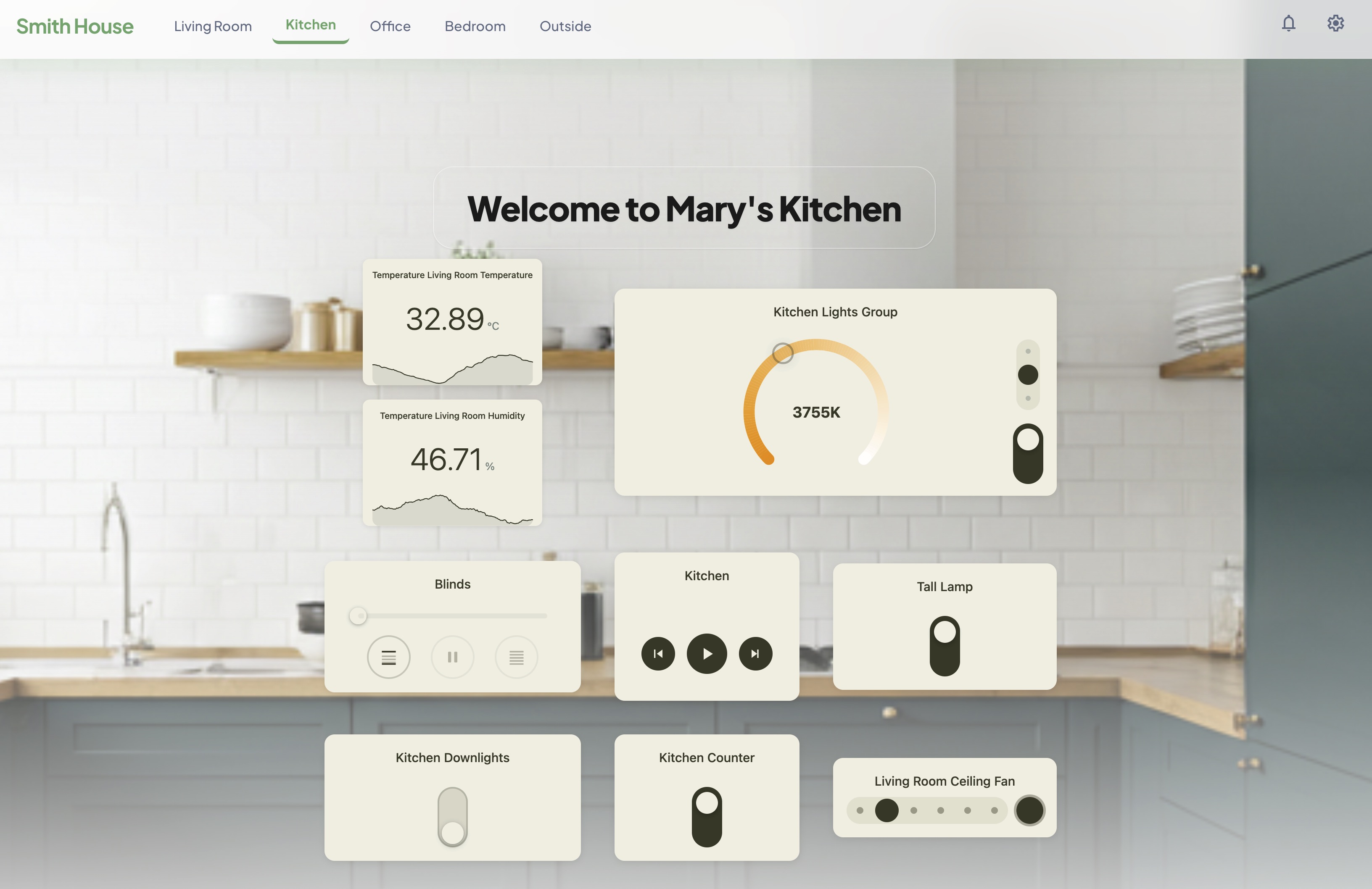
HArvest creates a secure bridge between your Home Assistant instance and any webpage. You create a widget token in the HArvest panel, pick the entities you want to expose, paste a snippet into your page, and visitors see live entity states updated in real time. Where you allow it, they can control things too - toggle lights, adjust temperature, play media, and more. Each token has its own access rules, origin restrictions, expiry, and activity log.
- 16 dedicated renderers - purpose-built cards for lights, fans, climate, media players, sensors, covers, badges, timers, and more
- Real-time WebSocket updates - no polling, no refresh
- Scoped token access - each widget exposes only the entities you choose, with origin restrictions, HMAC signing, and instant revocation
- WordPress plugin - shortcode-based embedding, no HTML required
- Custom themes and renderer packs - full CSS variable control, or replace the default card UI entirely
- Minimal resources required - compact, zero dependencies, native Web Components
- Home Assistant 2024.1 or later
- HTTPS remote access to your HA instance
- HACS
After restarting, go to Settings > Devices and Services > Add Integration, search for HArvest, and select it. The HArvest panel appears in your sidebar.
Embedding a light card on an HTML page:
<script src="https://ha.example.com/harvest_assets/harvest.min.js"></script>
<script>HArvest.config({ haUrl: "https://ha.example.com", token: "hwt_..." })</script>
<hrv-card entity="light.bedroom_main"></hrv-card>
The widget JS is served by the integration itself, so it always matches your running HArvest version. The wizard generates this snippet for you.
For WordPress, install the HArvest WordPress plugin and use a shortcode:
[harvest token="hwt_..." entity="light.bedroom_main"]
The HArvest wizard generates the exact snippet you need.
Already have a Lovelace dashboard? Check out our Tools to learn about our dashboard conversion tool. It connects to your HA instance, pulls the dashboard config, creates tokens for each tab, and generates a complete HTML file preserving your layout, sections, and badges. No external dependencies required.
Full documentation: sfox38.github.io/HArvest