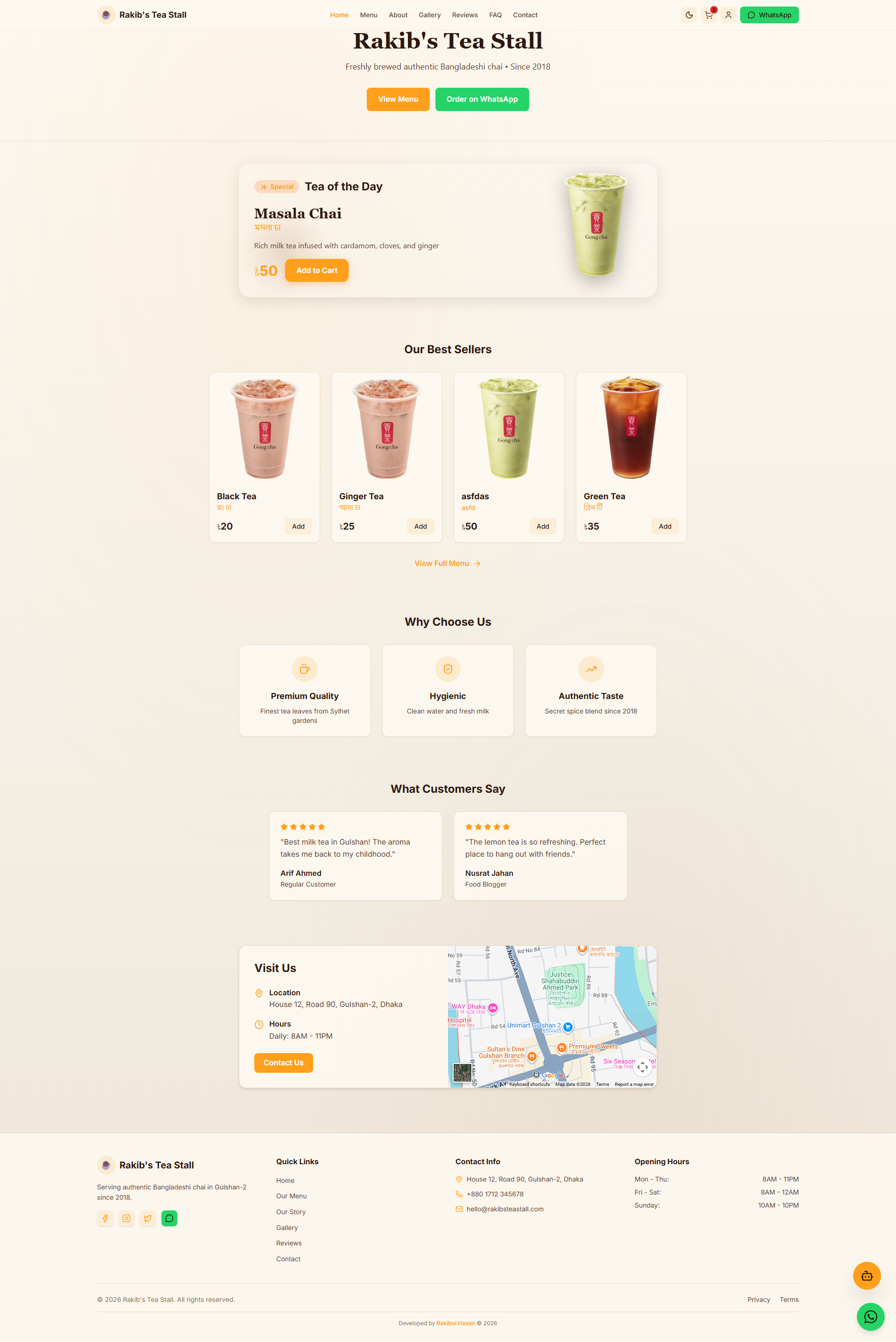
A modern tea stall e-commerce website built with React, TypeScript, SQLite, and Express.js


| Feature | Description |
|---|---|
| 🧋 Menu Management | Add, edit, delete tea items via Admin Panel |
| 💳 Payment Methods | bKash, Nagad, Visa cards support |
| 📱 WhatsApp Ordering | Direct order via WhatsApp for guests |
| 🛒 Shopping Cart | Persistent cart with localStorage |
| 💰 Checkout System | Works for both logged-in and guest users |
| 🌙 Dark/Light Theme | Proper contrast design with gold accent |
| 🤖 AI Chai Bot | Gemini-powered tea assistant |
| 📊 Admin Dashboard | Secure admin panel with authentication |
| 🔐 Customer Accounts | Optional login for returning customers |
| 🌊 Ocean Animation | Beautiful bioluminescent background (dark mode) |
| 🖼️ Gallery | Photo gallery with tea images |
| ⭐ Reviews | Submit and view reviews with star ratings |
| 📝 Contact Form | Send messages to admin |
- Frontend: React 19 · TypeScript · Vite
- Styling: Tailwind CSS v4 · Framer Motion
- Backend: Express.js · SQLite (better-sqlite3)
- AI: Google Gemini
- Icons: Lucide React
- Route-based Code Splitting (React.lazy)
- Mobile Optimized Animations
- Accessibility:
prefers-reduced-motionsupport - Image Lazy Loading
- Fast Initial Bundle Size
- Node.js 18+
- npm or yarn
# Clone the repository
git clone https://github.com/rbkhan007/Rakib-s-Tea-Stall.git

# Navigate to project directory
cd Rakib-s-Tea-Stall

# Install dependencies
npm install

# Create environment file
cp .env.example .env.local

# Start development server
npm run dev
The app will be available at http://localhost:8080
Create a .env.local file with the following:
# Required
GEMINI_API_KEY=your_gemini_api_key
VITE_WHATSAPP_NUMBER=8801700000000

# Optional (for Supabase)
VITE_SUPABASE_URL=your_supabase_url
VITE_SUPABASE_ANON_KEY=your_supabase_key| Route | Description |
|---|---|
/ |
Home - Hero, featured teas, animations |
/menu |
Full menu with search & filter |
/cart |
Shopping cart |
/checkout |
Multi-step checkout |
/about |
Our story & team |
/gallery |
Photo gallery |
/contact |
Contact form |
/reviews |
Customer reviews |
/faq |
FAQ |
/profile |
Customer profile |
/privacy |
Privacy policy |
/terms |
Terms of service |
/admin/login |
Admin login |
/admin |
Admin panel |
Default Credentials:
- Username:
admin - Password:
rakib123
Security Features:
- PBKDF2 password hashing
- Session-based auth (24h expiry)
- Rate limiting (5 attempts/min)
- Input validation & sanitization
tea_stall.db
├── admins           # Admin users
├── admin_sessions  # Admin sessions
├── menu_items     # Tea menu items
├── orders         # Customer orders
├── contact_messages # Contact submissions
└── reviews        # Customer reviews
# Build for production
npm run build

# Preview production build
npm run preview
Production files will be in the dist/ folder.
# Run API tests
python test.pysrc/
├── components/
│ ├── ChaiBot.tsx # AI chat widget
│ ├── Footer.tsx # Footer
│ ├── Navbar.tsx # Navigation
│ └── ReviewModal.tsx # Review modal
├── context/
│ ├── AdminContext.tsx # Admin auth
│ ├── CartContext.tsx # Shopping cart
│ ├── CustomerContext.tsx # Customer auth
│ └── ThemeContext.tsx # Theme
├── pages/
│ ├── Home.tsx # Homepage
│ ├── Menu.tsx # Menu page
│ ├── Cart.tsx # Cart page
│ ├── Checkout.tsx # Checkout
│ ├── About.tsx # About page
│ ├── Gallery.tsx # Gallery
│ ├── Contact.tsx # Contact form
│ ├── Reviews.tsx # Reviews
│ ├── FAQ.tsx # FAQ
│ ├── Profile.tsx # User profile
│ ├── Privacy.tsx # Privacy
│ ├── Terms.tsx # Terms
│ ├── AdminLogin.tsx # Admin login
│ ├── AdminPanel.tsx # Admin dashboard
│ └── AdminMessages.tsx # Admin messages
├── lib/
│ ├── supabase.ts # Supabase client
│ └── utils.ts # Utilities
└── index.css # Global styles
- Fork the repository
- Create your feature branch (
git checkout -b feature/amazing-feature) - Commit your changes (
git commit -m 'Add amazing feature') - Push to the branch (
git push origin feature/amazing-feature) - Open a Pull Request
This project is licensed under the MIT License - see the LICENSE file for details.
Developed with ❤️ by Rakibul Hasan
© 2024-2026