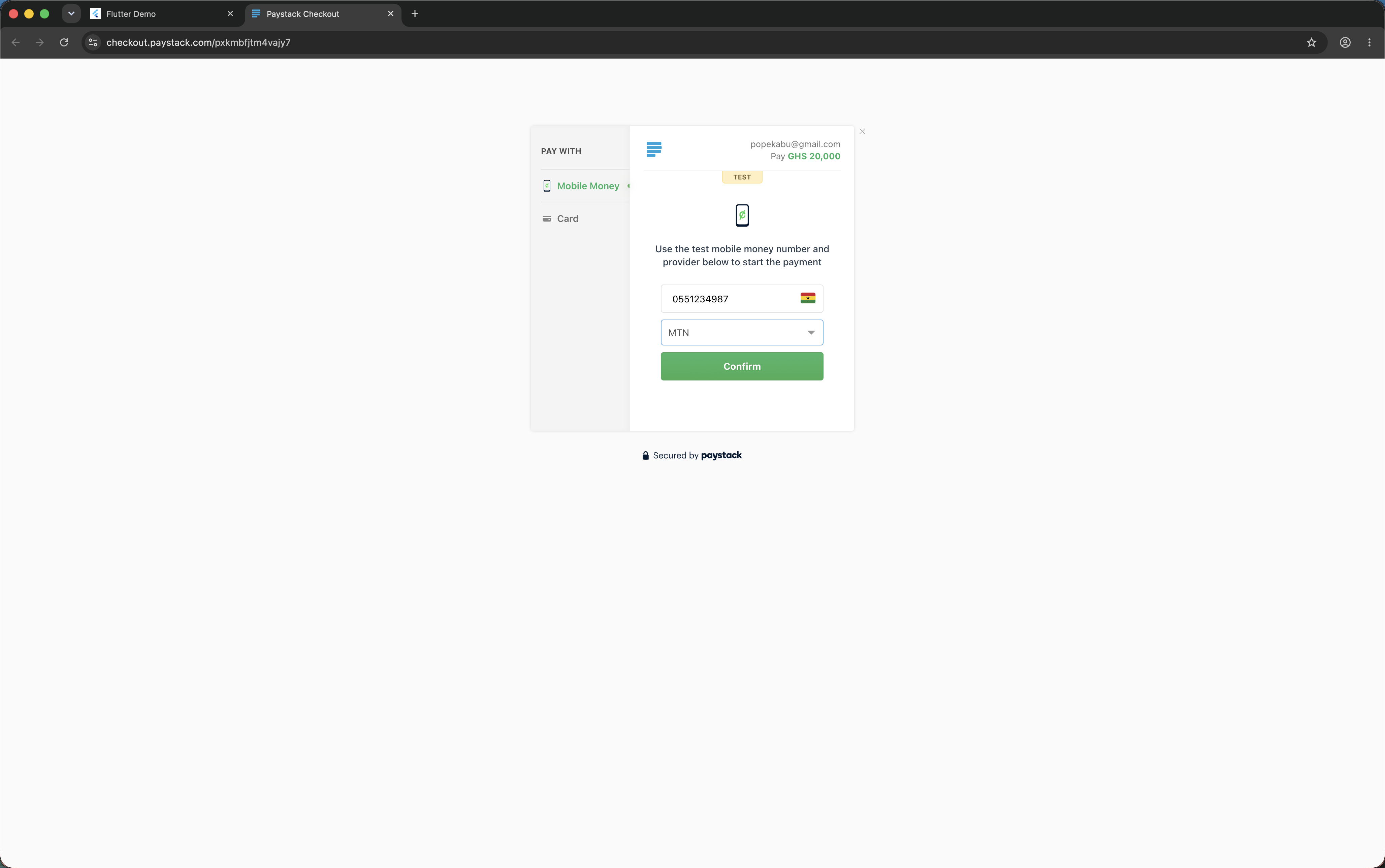
- Mobile Money
- VISA / Mastercard / Verve
- Bank
- Bank Transfer
- USSD
- QR
- EFT
Update android/app/build.gradle:
android {
    compileSdkVersion 34  // use latest

    defaultConfig {
        minSdkVersion 19
    }
}No extra configuration required.
Call PayWithPayStack.configure() once at app startup to set shared defaults so you
don't have to repeat secretKey, currency, and callbackUrl on every call:
import 'package:flutter/foundation.dart';
import 'package:pay_with_paystack/pay_with_paystack.dart';

void main() {
  PayWithPayStack.configure(PaystackConfig(
    secretKey: 'sk_live_xxxxxxxxxxxxxxxxxxxx',
    currency: 'GHS',
    callbackUrl: 'https://my-app.com/payment/callback',
    enableLogging: kDebugMode, // logs requests in debug, silent in release
    timeout: const Duration(seconds: 30),
  ));
  runApp(const MyApp());
}
Once configured, the three fields can be omitted on individual calls:
await PayWithPayStack().now(
  context: context,
  customerEmail: '[email protected]',
  reference: PayWithPayStack().generateUuidV4(),
  amount: 50.00,
  transactionCompleted: (data) => print('Paid!'),
  transactionNotCompleted: (reason) => print('Failed: $reason'),
);| PaystackConfig field | Type | Default | Description |
|---|---|---|---|
secretKey |
String |
— | Your Paystack secret key |
currency |
String? |
null |
ISO 4217 currency code |
callbackUrl |
String? |
null |
Redirect URL after checkout |
enableLogging |
bool |
false |
Print request/response to console (debug only) |
timeout |
Duration |
30s |
Max wait time for Paystack API |
import 'package:pay_with_paystack/pay_with_paystack.dart';

final ref = PayWithPayStack().generateUuidV4();

await PayWithPayStack().now(
  context: context,
  secretKey: 'sk_live_XXXXXXXXXXXXXXXXXXXXX',
  customerEmail: '[email protected]',
  reference: ref,
  currency: 'GHS',
  amount: 50.00,          // GHS 50.00 — converted to pesewas automatically
  callbackUrl: 'https://your-callback.com',
  transactionCompleted: (PaymentData data) {
    print('[OK] Paid ${data.amountInMajorUnit} ${data.currency}');
    print('   Reference : ${data.reference}');
    print('   Channel   : ${data.channel}');
    print('   Customer  : ${data.customer?.fullName}');
  },
  transactionNotCompleted: (String reason) {
    print('[FAIL] Payment not completed: $reason');
  },
  transactionCancelled: () {
    print('[CANCELLED] User closed checkout without paying');
  },
);Use the PaystackChannel enum instead of raw strings:
channels: [
  PaystackChannel.card,
  PaystackChannel.mobileMoney,
  PaystackChannel.bankTransfer,
],| Enum value | API string |
|---|---|
PaystackChannel.card |
card |
PaystackChannel.bank |
bank |
PaystackChannel.ussd |
ussd |
PaystackChannel.qr |
qr |
PaystackChannel.mobileMoney |
mobile_money |
PaystackChannel.bankTransfer |
bank_transfer |
PaystackChannel.eft |
eft |
Use the PaystackCurrency enum to avoid typos in currency codes:
await PayWithPayStack().now(
  // ...
  currency: PaystackCurrency.ghs.value, // 'GHS'
);| Enum value | ISO code | Currency |
|---|---|---|
PaystackCurrency.ngn |
NGN |
Nigerian Naira |
PaystackCurrency.ghs |
GHS |
Ghanaian Cedi |
PaystackCurrency.zar |
ZAR |
South African Rand |
PaystackCurrency.usd |
USD |
United States Dollar |
PaystackCurrency.kes |
KES |
Kenyan Shilling |
PaystackCurrency.xof |
XOF |
West African CFA Franc |
PaystackCurrency.egp |
EGP |
Egyptian Pound |
PaystackCurrency.rwf |
RWF |
Rwandan Franc |
Pre-fill the customer's name and phone on the checkout form so they don't have to type it themselves:
PayWithPayStack().now(
  // ...
  customerFirstName: 'Daniel',
  customerLastName: 'Asare',
  customerPhone: '+233244000000',
);
These are automatically added as custom_fields in the transaction metadata so
they also appear on your Paystack Dashboard.
Attach a typed list of cart line items to the transaction. These appear in the transaction metadata on your Paystack Dashboard:
PayWithPayStack().now(
  // ...
  cartItems: [
    PaystackCartItem(name: 'Wireless Headphones', amount: 15.00, quantity: 1),
    PaystackCartItem(name: 'Phone Case', amount: 2.50, quantity: 2),
    PaystackCartItem(name: 'Charging Cable', amount: 5.00),
  ],
);
Amounts are in the major currency unit (e.g. GHS 15.00). The plugin converts to pesewas / kobo automatically.
Add custom fields that appear on the Paystack Dashboard when viewing the transaction:
PayWithPayStack().now(
  // ...
  customFields: [
    PaystackCustomField(
      displayName: 'Order ID',
      variableName: 'order_id',
      value: '#ORD-1234',
    ),
    PaystackCustomField(
      displayName: 'Delivery Zone',
      variableName: 'delivery_zone',
      value: 'Accra Central',
    ),
  ],
);Route a portion of a payment to a subaccount or a pre-defined split group.
PayWithPayStack().now(
  // ...
  subaccount: 'ACCT_xxxxxxxxxx',   // your subaccount code
  bearer: PaystackBearer.account,  // main account bears fees (default)
);PayWithPayStack().now(
// ...
subaccount: 'ACCT_xxxxxxxxxx',
transactionCharge: 5.00, // GHS 5.00 flat fee goes to main account
bearer: PaystackBearer.subaccount, // subaccount bears Paystack fees
);PayWithPayStack().now(
// ...
splitCode: 'SPL_xxxxxxxxxx',
);| Parameter | Type | Description |
|---|---|---|
subaccount |
String? |
Subaccount code (ACCT_xxx) to split payment |
splitCode |
String? |
Pre-defined split group code (SPL_xxx) |
transactionCharge |
double? |
Flat fee (major unit) for main account |
bearer |
PaystackBearer? |
Who bears Paystack fees |
PayWithPayStack().now(
  // ...
  plan: 'PLN_xxxxxxxxxx',
  invoiceLimit: 12,  // charge 12 times then stop
);Distinct from transactionNotCompleted, the transactionCancelled callback fires
when the user explicitly closes the checkout WebView without attempting any
payment:
PayWithPayStack().now(
  // ...
  transactionCancelled: () {
    // e.g. log the abandonment or show a nudge
    print('User closed checkout without paying');
  },
);Control timeouts and request logging per call (or set defaults via PaystackConfig):
PayWithPayStack().now(
  // ...
  timeout: const Duration(seconds: 15),  // override the 30s default
  enableLogging: true,                   // print request/response to console
  onTimeout: () {
    // called instead of transactionNotCompleted when the request times out
    ScaffoldMessenger.of(context).showSnackBar(
      const SnackBar(content: Text('Request timed out. Please try again.')),
    );
  },
);| Parameter | Type | Default | Description |
|---|---|---|---|
timeout |
Duration? |
30s |
Max wait time for Paystack API |
enableLogging |
bool? |
false |
Log requests/responses via debugPrint |
onTimeout |
VoidCallback? |
null |
Called on timeout; if null, transactionNotCompleted('timeout') is called |
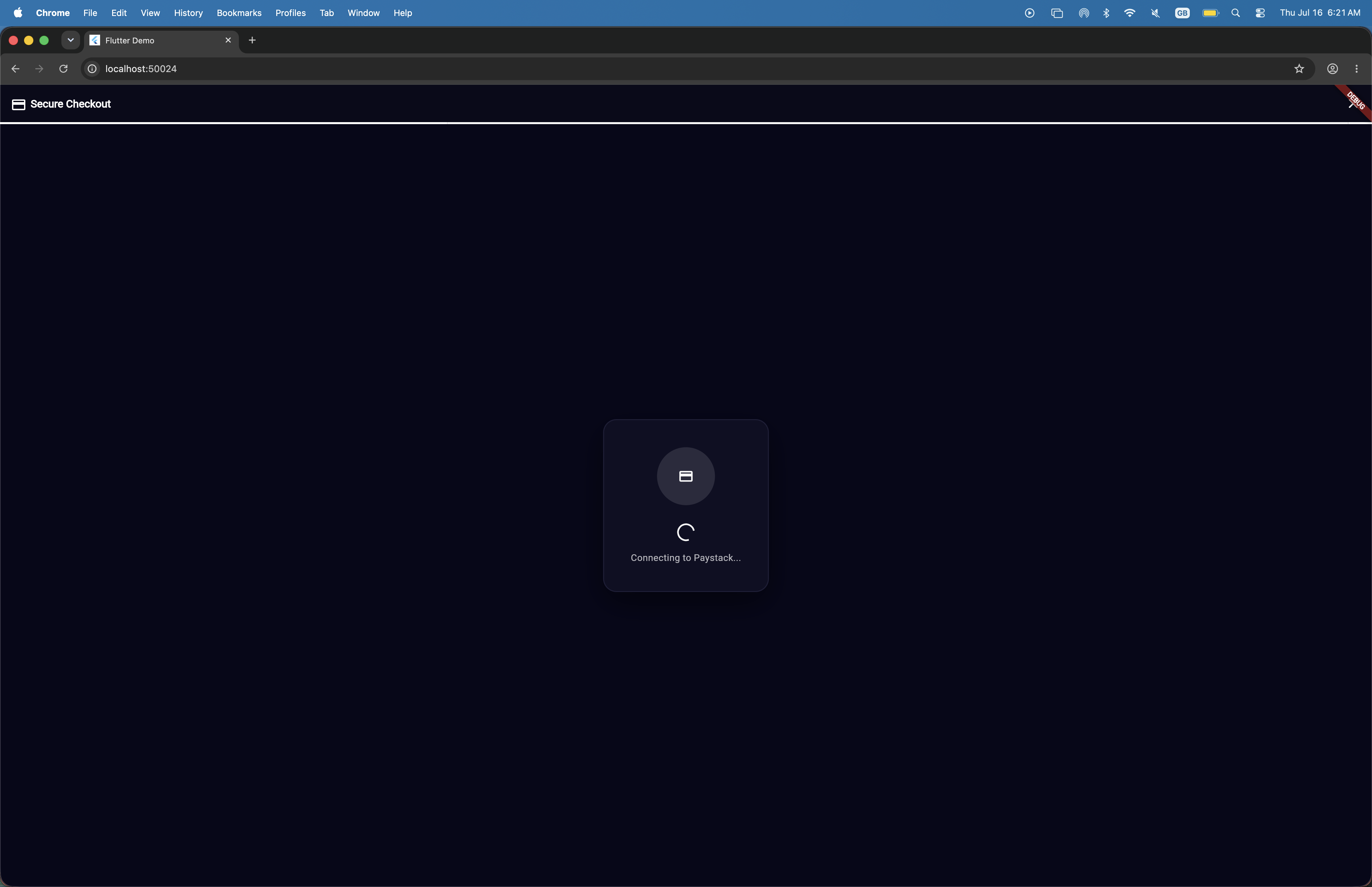
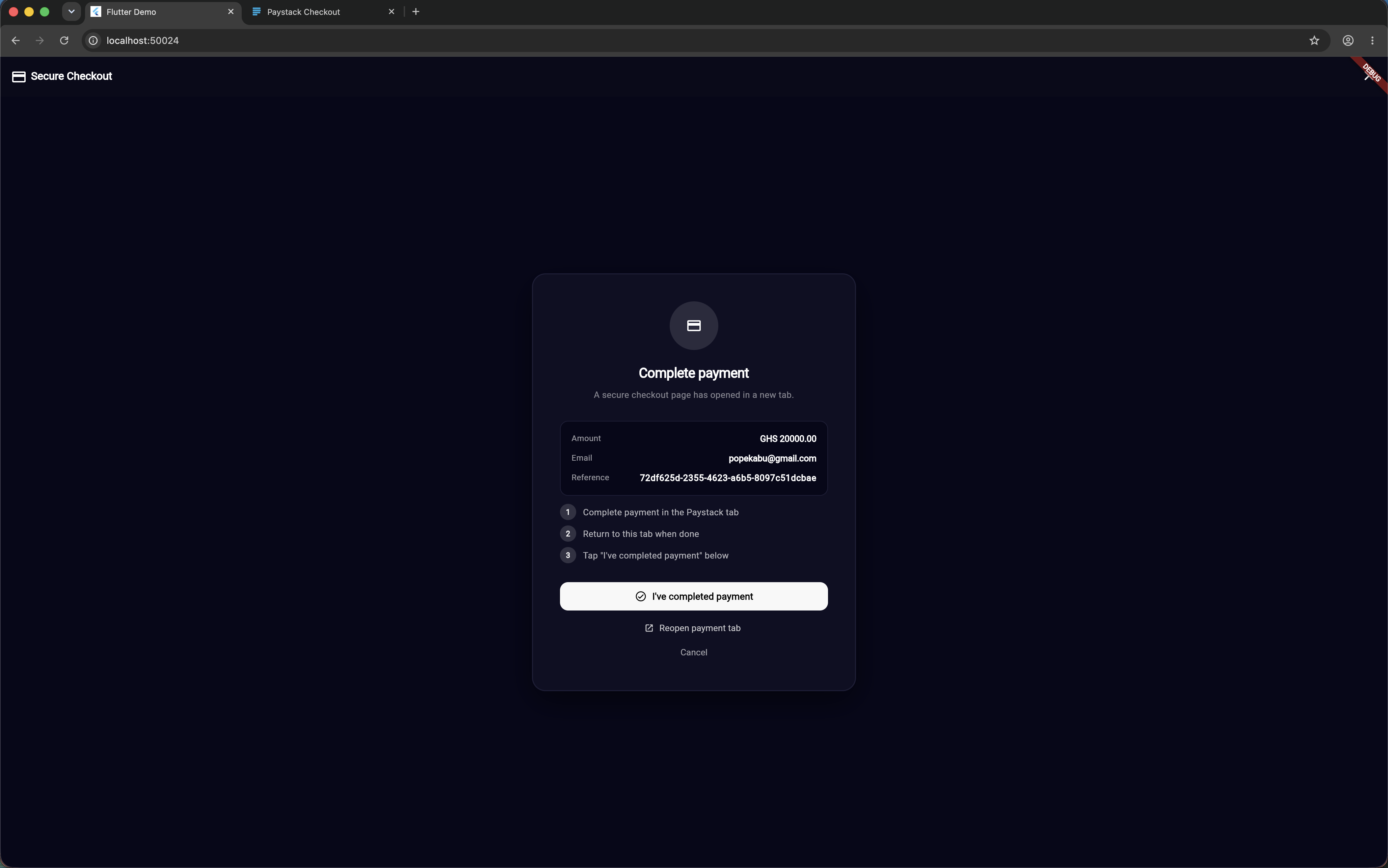
Customize the look, colors, and display texts of your checkout (especially on Flutter Web where the full checkout waiting state is rendered within your app UI):
PayWithPayStack().now(
  context: context,
  // ...
  showAppBar: true,
  appBarTitle: 'Pay Now',
  appBarColor: const Color(0xFF0A0A1A),
  appBarTextColor: Colors.white,

  // Accent color for loading spinner, progress bar, and "Try Again" button
  progressColor: const Color(0xFF00C386),
  progressBackgroundColor: const Color(0xFF1E1E2E),

  // Web background and card containers customisation
  backgroundColor: const Color(0xFF07071A),
  cardBackgroundColor: const Color(0xFF0F0F24),
  cardBorderColor: const Color(0xFF1E1E38),
  primaryTextColor: Colors.white,
  secondaryTextColor: Colors.white70,
  buttonTextColor: Colors.black,

  // Web text overrides
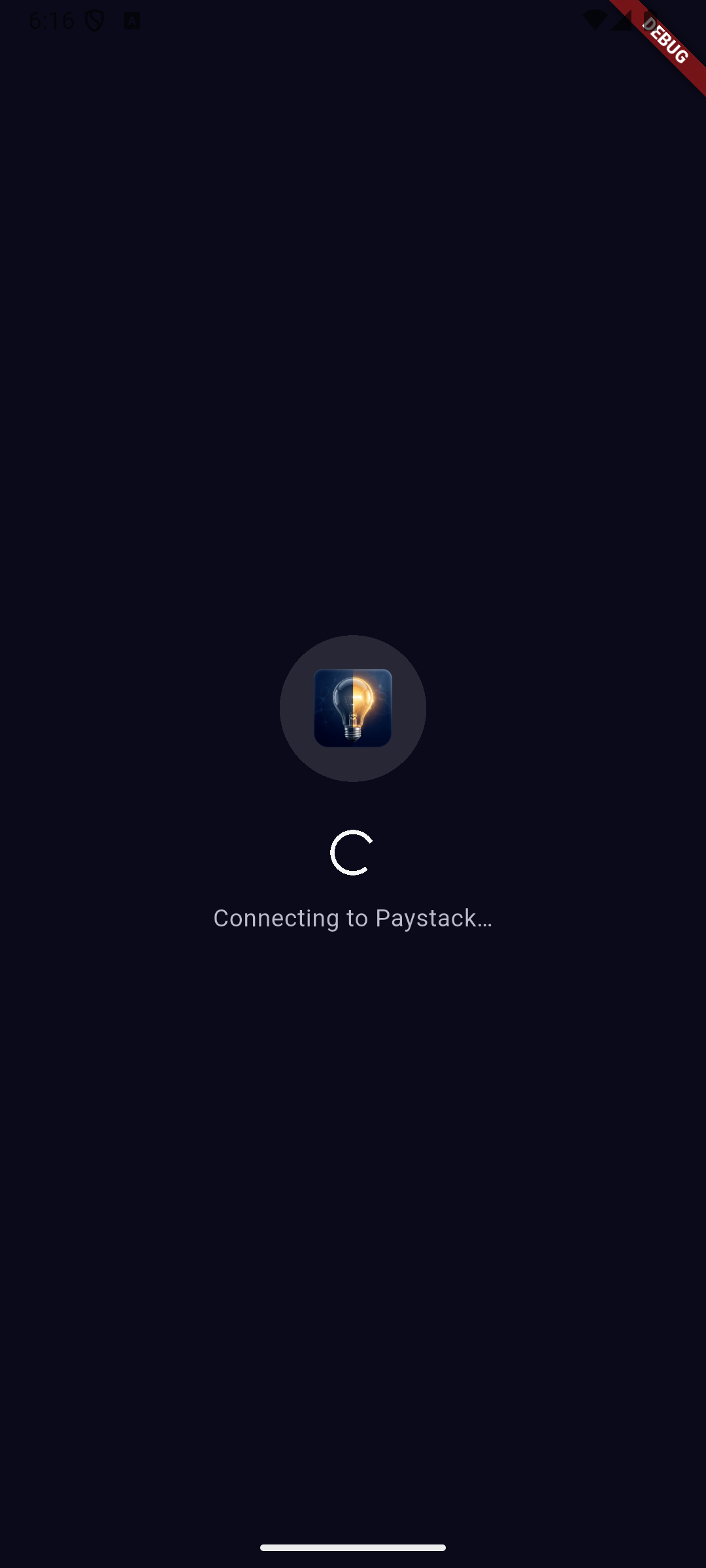
  connectingText: 'Connecting to Paystack...',
  waitingTitleText: 'Complete your payment',
  waitingSubtitleText: 'A checkout page has opened in a new tab.',
  step1Text: 'Complete payment in the new tab',
  step2Text: 'Return here when done',
  step3Text: 'Tap the confirmation button below',
  completedButtonText: "I've completed payment",
  reopenButtonText: 'Reopen payment tab',
  cancelButtonText: 'Cancel payment',
  verifyingText: 'Confirming your payment...',
  verifyingSubtitleText: 'Please wait while we verify your transaction.',

  // Custom logo widget (replaces deprecated logoUrl to support CORS-safe image assets or icons)
  logoWidget: Image.asset('assets/images/logo.png'),

  // Custom loading screen (replaces default pulsing loader)
  loadingWidget: const Center(
    child: CircularProgressIndicator(color: Colors.green),
  ),

  // Custom error screen with retry
  errorWidget: (String error, VoidCallback retry) => Center(
    child: Column(
      mainAxisSize: MainAxisSize.min,
      children: [
        Text(error),
        ElevatedButton(onPressed: retry, child: const Text('Retry')),
      ],
    ),
  ),
);Attach any extra key-value data to the transaction:
metadata: {
  'cart_id': '12345',
  'custom_fields': [
    {
      'display_name': 'Promo Code',
      'variable_name': 'promo_code',
      'value': 'SAVE10',
    },
  ],
},Once a customer has paid, you can silently charge them again using their saved authorization code — no WebView required:
// authorization code from a previous PaymentData:
final authCode = previousPaymentData.authorization?.authorizationCode;

// Only reusable authorizations can be recharged:
if (previousPaymentData.authorization?.reusable == true) {
  await PayWithPayStack().chargeAuthorization(
    authorizationCode: authCode!,
    customerEmail: '[email protected]',
    amount: 50.00,
    currency: 'GHS',                                   // optional if config set
    secretKey: 'sk_live_xxxx',                         // optional if config set
    reference: PayWithPayStack().generateUuidV4(),      // optional, auto-generated if omitted
    transactionCompleted: (data) => print('Recharged: ${data.reference}'),
    transactionNotCompleted: (reason) => print('Failed: $reason'),
  );
}Note:
chargeAuthorizationthrows aPaystackExceptionon HTTP errors (non-200 responses). Wrap the call in a try/catch for production use.
| Parameter | Type | Required | Description |
|---|---|---|---|
authorizationCode |
String |
✅ | Auth code from a previous transaction |
customerEmail |
String |
✅ | Customer's email |
amount |
double |
✅ | Amount in major unit (e.g. 50.00) |
transactionCompleted |
Function(PaymentData) |
✅ | Called on success |
transactionNotCompleted |
Function(String) |
✅ | Called on failure |
secretKey |
String? |
❌ | Optional if global config set |
currency |
String? |
❌ | Optional if global config set |
reference |
String? |
❌ | Auto-generated UUID if omitted |
metadata |
Map<String, dynamic>? |
❌ | Extra metadata for the charge |
timeout |
Duration? |
❌ | Defaults to 30s or config value |
enableLogging |
bool? |
❌ | Log request/response |
PaystackBulkChargeItem is a data model for building a bulk charge batch.
Serialise a list of items and post to Paystack's POST /bulkcharge endpoint
yourself:
final items = [
  PaystackBulkChargeItem(
    authorizationCode: 'AUTH_xxxxx',
    amount: 50.00,
    reference: PayWithPayStack().generateUuidV4(),
    email: '[email protected]',
  ),
  PaystackBulkChargeItem(
    authorizationCode: 'AUTH_yyyyy',
    amount: 20.00,
    reference: PayWithPayStack().generateUuidV4(),
    email: '[email protected]',
  ),
];

// Serialise for the Paystack API:
final body = jsonEncode(items.map((i) => i.toJson()).toList());chargeAuthorization throws a PaystackException when the API returns a
non-200 status code. It is also available for your own error-handling logic:
try {
  await PayWithPayStack().chargeAuthorization(/* ... */);
} on PaystackException catch (e) {
  print(e.message);      // human-readable error
  print(e.statusCode);   // HTTP status code
  print(e.responseBody); // raw Paystack response body
}| Parameter | Type | Required | Default |
|---|---|---|---|
context |
BuildContext |
✅ | — |
customerEmail |
String |
✅ | — |
reference |
String |
✅ | — |
amount |
double |
✅ | — |
transactionCompleted |
Function(PaymentData) |
✅ | — |
transactionNotCompleted |
Function(String) |
✅ | — |
secretKey |
String? |
❌* | global config |
currency |
String? |
❌* | global config |
callbackUrl |
String? |
❌* | global config |
transactionCancelled |
VoidCallback? |
❌ | null |
channels |
List<PaystackChannel>? |
❌ | all channels |
plan |
String? |
❌ | null |
invoiceLimit |
int? |
❌ | null |
subaccount |
String? |
❌ | null |
splitCode |
String? |
❌ | null |
transactionCharge |
double? |
❌ | null |
bearer |
PaystackBearer? |
❌ | null |
customerFirstName |
String? |
❌ | null |
customerLastName |
String? |
❌ | null |
customerPhone |
String? |
❌ | null |
customFields |
List<PaystackCustomField>? |
❌ | null |
cartItems |
List<PaystackCartItem>? |
❌ | null |
metadata |
Map<String, dynamic>? |
❌ | null |
timeout |
Duration? |
❌ | 30s (or config) |
enableLogging |
bool? |
❌ | false (or config) |
onTimeout |
VoidCallback? |
❌ | null |
showAppBar |
bool |
❌ | true |
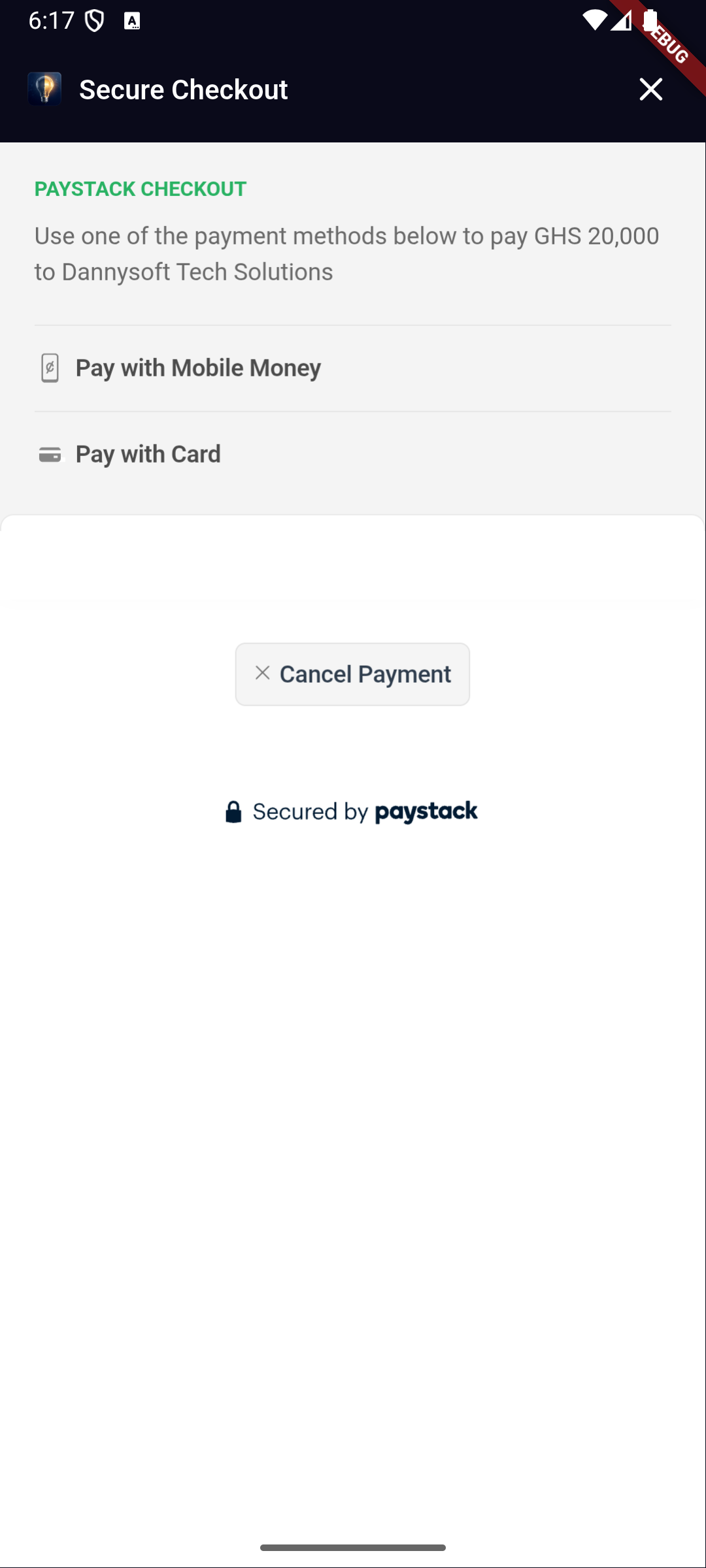
appBarTitle |
String |
❌ | "Secure Checkout" |
appBarColor |
Color? |
❌ | dark theme default |
appBarTextColor |
Color? |
❌ | Colors.white |
progressColor |
Color? |
❌ | Paystack green #00C386 |
progressBackgroundColor |
Color? |
❌ | Color(0xFF1E1E2E) |
loadingWidget |
Widget? |
❌ | branded loader |
errorWidget |
Widget Function(String, VoidCallback)? |
❌ | branded error UI |
logoWidget |
Widget? |
❌ | null |
backgroundColor |
Color? |
❌ | Color(0xFF07071A) |
cardBackgroundColor |
Color? |
❌ | Color(0xFF0F0F24) |
cardBorderColor |
Color? |
❌ | Color(0xFF1E1E38) |
primaryTextColor |
Color? |
❌ | Colors.white |
secondaryTextColor |
Color? |
❌ | Colors.white70 |
buttonTextColor |
Color? |
❌ | Colors.black |
connectingText |
String? |
❌ | 'Connecting to Paystack…' |
waitingTitleText |
String? |
❌ | 'Complete your payment' |
waitingSubtitleText |
String? |
❌ | 'A Paystack checkout page has opened in a new tab.' |
step1Text |
String? |
❌ | 'Complete payment in the Paystack tab' |
step2Text |
String? |
❌ | 'Return to this tab when done' |
step3Text |
String? |
❌ | 'Tap "I\'ve completed payment" below' |
completedButtonText |
String? |
❌ | 'I\'ve completed payment' |
reopenButtonText |
String? |
❌ | 'Reopen checkout tab' |
cancelButtonText |
String? |
❌ | 'Cancel payment' |
verifyingText |
String? |
❌ | 'Verifying transaction…' |
verifyingSubtitleText |
String? |
❌ | 'Please wait while we confirm your payment with Paystack.' |
* Required if no global config has been set via PayWithPayStack.configure().
| Field | Type | Description |
|---|---|---|
id |
int? |
Transaction ID |
status |
String? |
"success", "failed", etc. |
reference |
String? |
Transaction reference |
domain |
String? |
Paystack domain (live / test) |
amount |
int? |
Amount in smallest unit (kobo/pesewas) |
requestedAmount |
int? |
Originally requested amount in smallest unit |
currency |
String? |
Currency code |
channel |
String? |
Payment channel used |
fees |
int? |
Fees in smallest unit |
feesSplit |
dynamic |
Fee split details (if applicable) |
paidAt |
String? |
Payment timestamp |
createdAt |
String? |
Transaction creation timestamp |
gatewayResponse |
String? |
Gateway message |
message |
String? |
Paystack API message |
receiptNumber |
String? |
Receipt number |
orderId |
String? |
Order ID |
ipAddress |
String? |
Customer IP address |
customer |
Customer? |
Customer details |
authorization |
Authorization? |
Card/auth details |
isSuccessful |
bool |
true when status == "success" |
amountInMajorUnit |
double? |
amount / 100 |
requestedAmountInMajorUnit |
double? |
requestedAmount / 100 |
feesInMajorUnit |
double? |
fees / 100 |
For bug reports and feature requests, open an issue on GitHub.
A big thank you to all contributors:
- @joelarmah
- @pat64j
- @keezysilencer
- @Princewil
- @richprince23
- @VhiktorBrown
Feel free to contribute — the project is open to the public!
Submit a detailed report here.
Buy me a coffee: here. Thank you for your support!