English | Français | Deutsch | Português (PT) | Português (BR) | Español | 日本語 | 简体中文 | Indonesian




Blowfish is designed to be a powerful, lightweight theme for Hugo. It's built using Tailwind CSS with a clean and minimalist design that prioritises to your content.
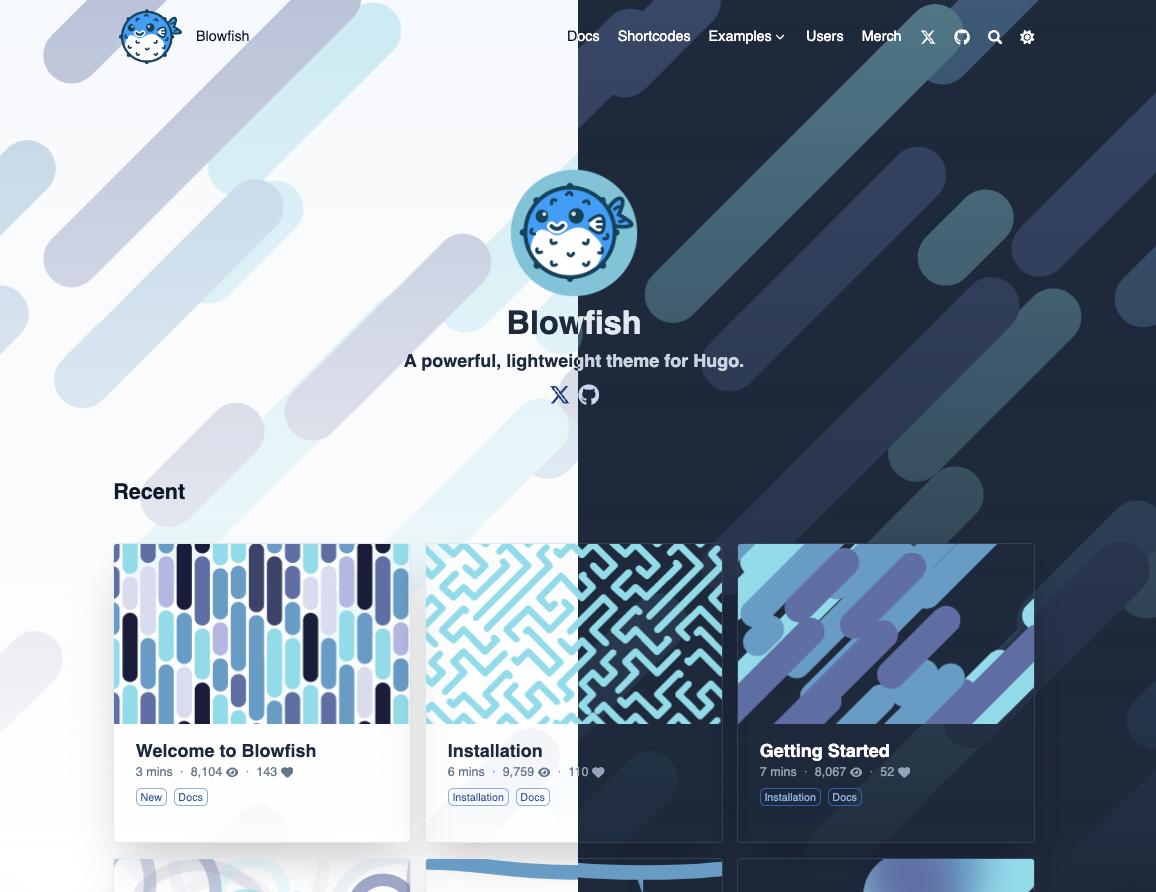
🌏 Demo site
📑 Theme documentation
🐛 Bug reports & issues
💡 Questions & feature requests



- Fully responsive layout built with Tailwind CSS 4
- Multiple colour schemes (or fully customise your own)
- Dark mode (forced on/off or auto-switching with user toggle)
- Multiple homepage layouts including a product-style landing page with hero image, stats, and feature grids
- Floating glass header with ⌘K / Ctrl+K search shortcut
- Global background canvas with heroes that dissolve into it on scroll
- Reading progress bar for articles
- Interactive homepage layout switcher for live previews
- Agent skill so AI coding agents (like Claude Code) can install and configure the theme for you
- Print-friendly pages with dedicated print styles
- Highly customisable configuration
- Firebase integration to support dynamic data
- Views count & like mechanism
- Related articles
- Multiple authors
- Series of articles
- Date and weight based article sorting
- Zen mode for article reading
- Flexible with any content types, taxonomies and menus
- Header and footer menus
- Nested menus & sub-navigation menu
- Scrollable table of contents
- Multilingual content support including support for RTL languages
- Ability to link to posts on third-party websites
- 40+ shortcodes including Gallery, Timeline, GitHub cards, Carousels, Stats, Feature grids, Steps, and CTA buttons
- GitHub Alerts syntax, 15 types, collapsible support
- Buymeacoffee integration
- Client-side site search powered by Fuse.js
- Diagrams and visualisations using Mermaid
- Charts using Chart.js
- TypeIt integration
- Youtube embeds with performance improvements
- Mathematical notation using KaTeX
- SVG icons from FontAwesome 6
- Automatic image resizing using Hugo Pipes
- Heading anchors, Tables of Contents, Code copy, Buttons, Badges and more
- HTML and Emoji support in articles 🎉
- SEO friendly with links for sharing to social media
- Fathom Analytics and Google Analytics support
- RSS feeds, Favicons and comments support
- Advanced customisation using simple Tailwind colour definitions and styles
- Optimised for performance and accessibility with perfect Lighthouse scores
- Fully documented with regular updates

Blowfish has extensive documentation that covers all aspects of the theme. Be sure to read the docs to learn more about how to use the theme and its features.
Blowfish supports several installation methods - as a git submodule, a Hugo Module, or as a completely manual install.
Detailed instructions for each method can be found in the Installation docs. You should consult the documentation for the simplest setup experience. Below is a quick start guide using submodules if you are using git, or Hugo modules if you're already confident installing Hugo themes.
Blowfish ships an agent skill that teaches AI coding agents — like Claude Code — how to install, configure, and build sites with the theme. Install it from the Blowfish plugin marketplace in Claude Code:
/plugin marketplace add nunocoracao/blowfish
/plugin install blowfish@blowfish
Or simply copy the skill folder into your site repository at .claude/skills/blowfish/ — agents pick up project skills automatically. Then ask your agent to set up Blowfish for you.
Note: Ensure you have Node.js, Git and Hugo installed, and that you have created a new Hugo project before proceeding.
Blowfish Tools is a CLI that helps you get started with Blowfish. It will create a new Hugo project, install the theme and set up the theme configuration files for you. Please report any issues you find.
Install the CLI tool globally using npm (or other package manager):
npm i -g blowfish-tools
Then run the command blowfish-tools to start an interactive run which will guide you through creation and configuration use-cases.
blowfish-tools
You can also run the command blowfish-tools new to create a new Hugo project and install the theme in one go. Check the CLI help for more information.
blowfish-tools new mynewsite
Note: Ensure you have Git and Hugo installed, and that you have created a new Hugo project before proceeding.
-
From your project directory, initialise git:
git init -
Configure Blowfish as a git submodule:
git submodule add -b main https://github.com/nunocoracao/blowfish.git themes/blowfish -
In the root folder of your website, delete the
hugo.tomlfile that was generated by Hugo. Copy the*.tomlconfig files from the theme into yourconfig/_default/folder.You will find these theme config files in the Hugo cache directory, or download a copy from GitHub.
-
Follow the Getting Started instructions to configure your website.
Note: Ensure you have Go and Hugo installed, and that you have created a new Hugo project before proceeding.
-
From your project directory, initialise Hugo Modules:
hugo mod init github.com/<username>/<repo-name> -
Create
config/_default/module.tomland add the following:[[imports]] path = "github.com/nunocoracao/blowfish/v3" -
Start your server using
hugo serverand the theme will be downloaded automatically. -
In the root folder of your website, delete the
hugo.tomlfile that was generated by Hugo. Copy the*.tomlconfig files from the theme into yourconfig/_default/folder.Note: Do not overwrite the
module.tomlfile you created above!You will find these theme config files in the Hugo cache directory, or download a copy from GitHub.
-
Follow the Getting Started instructions to configure your website.
As new releases are posted, you can update the theme using Hugo. Simply run hugo mod get -u from your project directory and the theme will automatically update to the latest release.
Detailed update instructions are available in the docs.
Blowfish v3 is fully backwards compatible: every new feature is opt-in and no configuration options or templates were removed. Git submodule and manual installs upgrade as usual with no changes; Hugo module users just change the import path in config/_default/module.toml from github.com/nunocoracao/blowfish/v2 to github.com/nunocoracao/blowfish/v3 and run hugo mod get -u. See the upgrade instructions for details.
Blowfish is expected to evolve over time. I intend to keep adding features and making changes as required.
Feel free to get in touch with any issues or suggestions for new features you'd like to see.
- 🐛 Bug reports & issues: Use GitHub Issues
- 💡 Ideas for new features: Open a discussion on GitHub Discussions
- 🙋♀️ General questions: Head to GitHub Discussions
If you're able to fix a bug or implement a new feature, I welcome PRs for this purpose. Learn more in the contributing guidelines.