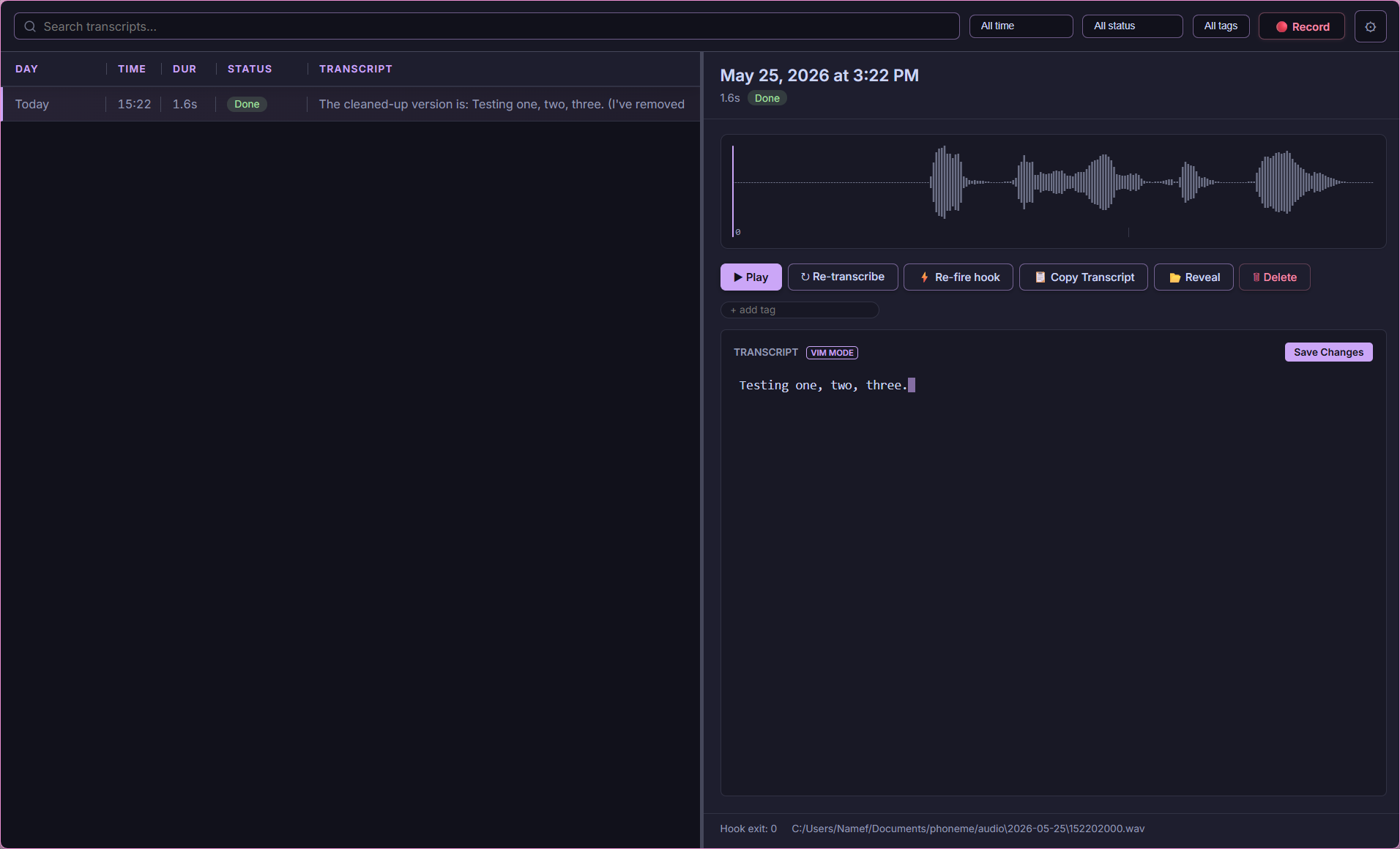



Local-first voice transcription for power users.
Hit a hotkey. Speak. Get text anywhere.
Phoneme runs 100% offline by default. No cloud required, no subscriptions, no telemetry.
| Principle | What It Means |
|---|---|
| 🔒 Privacy First | Voice never leaves your machine. No forced updates, no tracking. |
| ⚡ Flexible | Local Whisper + Ollama for privacy, or cloud APIs (OpenAI, Anthropic, Groq, Gemini, Deepgram, and more) for speed. Each step picks its own provider. |
| 🔌 Extensible | JSON output → your scripts. Obsidian, Notion, Jira, Discord, Python—wherever you want. |
You think faster than you type. The average person speaks at 150 words per minute but types at only 40. That gap is where ideas die.
Capture thoughts before they evaporate. Voice lets you seize ideas in their natural habitat—while walking, showering, driving, cooking. No app to open, no cursor to find. Just hit a hotkey and think out loud.
Speak to AI like a human. When you dictate a prompt, you give cleaner context—natural pauses, emphasis, clarifications that you'd never type out. The models understand you better when you sound like yourself.
Accessibility is for everyone. RSI, carpal tunnel, vision strain, dyslexia, tremors—typing isn't universal. Voice removes barriers. But even without disabilities, your wrists will thank you after your 10,000th daily keystroke.
No punctuation, no spelling, no backspace. Just pure thought flow. The AI cleans it up. You focus on what to say, not how to format it.
Multitasking is real. Record a meeting while taking notes. Capture a shower thought while soaping. Dictate a bug fix while compiling. Voice doesn't steal your eyes or hands from the task at hand.
Mobile-first life. Your phone is always there. Typing on glass at 20 WPM isn't. Voice makes your pocket computer actually useful for more than consumption.
Phoneme uses a decoupled, pipeline-driven architecture.
%%{init: {'flowchart': {'curve': 'basis', 'useMaxWidth': false}, 'theme': 'dark', 'themeVariables': { 'fontSize': '12px' }}}%%
flowchart TD
    Input[🎤 Voice] -->|Hotkey| Daemon[Daemon]

    subgraph T [Transcribe]
        Daemon --> Whisper{Whisper}
        Whisper -->|Local/Cloud| Raw[Raw Text]
    end

    subgraph E [Enrich]
        Raw --> Diarize{Diarize}
        Diarize -->|Opt| Tagged[Tagged]
    end

    subgraph P [Process]
        Tagged --> LLM{LLM}
        LLM -->|Opt| Final[Final]
    end

    Final --> Catalog[(SQLite)]
    Final --> Hooks[[Hooks]]
    Hooks --> Dest[Obsidian/Webhooks/Type]
- 🎙️ Local transcription by default: A bundled
whisper.cppserver runs on your machine — audio never leaves your PC. The First Run Wizard detects your RAM/VRAM and picks the right model. - 🔌 Bring-your-own provider: Transcription, live preview, cleanup, summary, auto-title, and auto-tags each pick their own provider+model independently. Local whisper.cpp/Ollama for privacy, or cloud APIs (OpenAI, Anthropic, Groq, Gemini, Deepgram, AssemblyAI, ElevenLabs, and many more) for speed. One-click presets, live model lists.
- 👥 Meeting Mode (Dual-Track Capture): Capture both your microphone and your computer's audio as two linked tracks sharing a wall-clock timeline, merged into one chronological transcript. Optional speaker diarization (offline ONNX, or cloud) labels who spoke on any Zoom, Teams, or Meet call.
- ⌨️ Transcribe-in-Place (
Ctrl+Alt+I): Speak with a global hotkey and Phoneme types (or pastes) your dictated words into the focused application (Word, Slack, Chrome, VS Code). A zero-latency fast lane skips the queue entirely so text lands the moment you stop talking. - ✨ Smart Cleanup, AI Summary & Auto-Titles: Pipe raw transcripts through an LLM to fix stutters, reformat, or translate — and optionally generate a per-recording summary, on demand or automatically. Every recording gets a readable auto-title (a free heuristic, or an optional LLM title). Three transcript layers (raw → cleaned → edited) are kept so nothing is lost.
- 🔍 Keyword + Semantic Search: Manage thousands of recordings with SQLite FTS5 full-text search, or search by meaning with an offline, chunked hybrid index — per-passage ONNX embeddings fused with keyword ranking (RRF), cached in memory for fast recall, so a query finds the recording whether you remember the gist or the one distinctive word. More-like-this finds a recording's neighbours from its stored vectors (no re-embedding). Bring your own embedding model.
- 🏷️ Organize at scale: Tags with a full manager, ⭐ favorites, saved searches that snapshot every filter, AI auto-tag suggestions you approve before they apply, and a side-by-side view for any two transcripts.
- 📤 Import & export anything: Import
.wav/.mp3/.m4a/.flacstraight into the pipeline; export the whole library as a portable zip, or any recording as SRT / WebVTT captions. - ⌨️ Keyboard everything: Opt-in vim-style navigation drives all three panes (and the queue),
g-chords jump anywhere, the list zooms withCtrl+=/-, and?shows the full cheat sheet. - 🩺 Provider-aware Self-healing: A header health pill + Doctor watch the local servers and follow the effective connection each feature uses (cloud keys included); one click (or
phoneme doctor --fix) sweeps a hung/orphaned whisper-server and respawns it from config. - ♻️ Clean lifecycle: The daemon owns the work and outlives any window. Quit stops it cleanly (finalizing an in-flight take, killing its whisper/Ollama children) — or leave it running headless. A Phoneme-launched Ollama is started on demand and never touches an Ollama you already had running.
- 💻 CLI is a Peer: Every GUI action is a CLI command (
phoneme record --start). Bind it to AutoHotkey, Stream Deck, or Kanata.
Phoneme isn't for everyone, and that's fine. If one of these fits your needs better, use it:
- Wispr Flow — Highly polished, commercial, cloud-based. Types directly into your focused app.
- MacWhisper & Superwhisper — Excellent local dictation for macOS.
- AudioPen — Cloud web app that beautifully summarizes rambling thoughts.
Reach for Phoneme when you want it local-first, open-source, Windows-native, and endlessly scriptable.
| Guide | Topic |
|---|---|
| Getting Started | Install, wizard, first recording |
| Providers & Models | Pick STT/LLM providers, keys, local vs cloud |
| Meeting Mode | Dual-track capture + wall-clock sync |
| Hotkeys & Recording Modes | Hold, toggle, CLI bindings |
| Settings Overview | Every settings screen (with screenshots) |
| Smart Cleanup & Summary | LLM post-processing + AI summary |
| Semantic Search | Meaning-based recall |
| FAQ | Common questions |
| Troubleshooting | Fixes and diagnostics |
| Guide | Topic |
|---|---|
| CONTRIBUTING.md | Dev setup, IPC workflow, PR checklist |
| Architecture | The full journey: three processes, a recording's life, recall path |
| Internals | Subsystem deep dives: async topology, audio, catalog/search, alignment math |
| Backend Guide | Rust workspace map, actors, supervision, SQLx/WAL |
| Config Reference | Full config.toml schema |
| IPC Integration | NDJSON named pipe |
| CLI Reference | All commands |
| Testing & CI | Local checks matching GitHub Actions |
| Roadmap | Planned features & direction |
| Changelog | Shipped releases |
Download the latest MSI from the Releases page. The included First Run Wizard will detect your hardware and configure the optimal Whisper model automatically!
# Power users can bypass the UI entirely and use the CLI:
phoneme record --start
phoneme record --stop
phoneme listMIT OR Apache-2.0.
Phoneme is built by @namefailed. It is not a commercial product, has no telemetry, and never will.
If you find Phoneme useful, please consider supporting my work:
