Ferry your AI tools between endpoints.


Charon is a tiny Go CLI that detects the Codex, Claude Code, and OpenCode CLIs and switches each one's endpoint + credentials between named profiles. Every profile is a full snapshot of that tool's auth surface, so it works for both API-key logins and OAuth/ChatGPT sessions — and switching away and back is always clean and reversible.
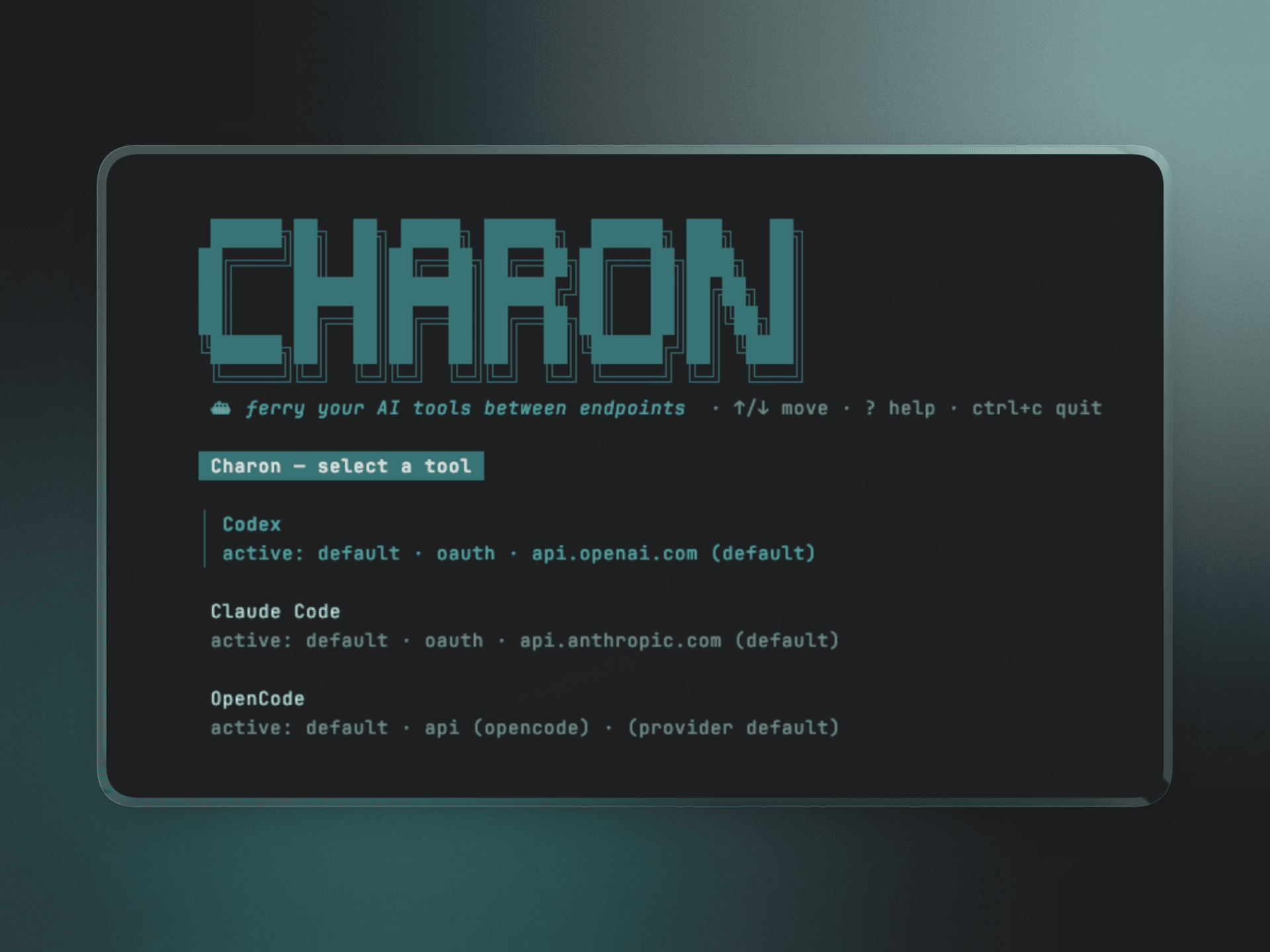
- One command, three tools. Manage Codex, Claude Code, and OpenCode from a single interactive menu or a scriptable CLI.
- Named profiles. Snapshot each tool's full auth surface and hop between endpoints/keys instantly.
- Model discovery. Add a profile from just an endpoint + key; Charon fetches the model list and lets you pick one.
- Safe by default. Every switch is backed up first, writes are atomic, and an
auto-captured
defaultprofile means you can always revert. - Non-destructive. Charon only ever touches its own
charonprovider entry in each tool's config, never your hand-authored providers.
| Tool | Endpoint | Credentials |
|---|---|---|
| Codex | ~/.codex/config.toml (model_provider → base_url) |
~/.codex/auth.json |
| Claude Code | ~/.claude/settings.json (env.ANTHROPIC_BASE_URL) |
settings.json env key or macOS Keychain Claude Code-credentials |
| OpenCode | ~/.config/opencode/opencode.json (provider.*.options.baseURL) |
~/.local/share/opencode/auth.json |
| OS | Status | Notes |
|---|---|---|
| macOS (darwin) | ✅ Fully supported | Reads/writes Claude Code's OAuth token via the macOS Keychain (security). Primary tested platform. |
| Linux | ✅ Supported | File-based profiles for all tools work. Keychain access is a no-op — Claude OAuth credentials are read from ~/.claude files instead. |
| Windows | Builds; paths resolve under %USERPROFILE%. Keychain is a no-op. Not yet verified. |
Keychain support is compiled in per-platform (keychain_darwin.go vs.
keychain_other.go), so non-macOS builds simply skip it.
No Go needed — downloads the prebuilt binary for your platform, verifies its
checksum, and installs to ~/.local/bin:
curl -fsSL https://github.com/mingtheanlay/charon/releases/latest/download/install.sh | shPrepend
PREFIX=/usr/localto install system-wide, orVERSION=v1.2.3to pin a release.
brew install mtty80/tap/charonOther methods — manual binary · build from source
Pre-built binary — grab your platform's archive from the
Releases page
(charon_{darwin,linux}_{amd64,arm64}.tar.gz) and verify it against the included
checksums.txt:
curl -L https://github.com/mingtheanlay/charon/releases/latest/download/charon_darwin_arm64.tar.gz | tar xz
sudo mv charon /usr/local/bin/
From source — requires Go 1.24+:
make install                      # build + install to ~/.local/bin (PREFIX to override)
go build -o charon ./cmd/charon # or just build hereRun charon with no arguments to open an arrow-key menu: pick a tool, then
switch, add, edit, or delete profiles. Quit any time with ctrl+c.
charon                       # interactive arrow-key menu
charon status                # show each tool's active profile, endpoint, and auth (--json)
charon ls <tool>             # list saved profiles (--json)
charon save <tool> [name]    # snapshot current live config (omit name to use the logged-in account)
charon models <tool>         # list models offered by an API (--key [--endpoint])
charon add <tool>            # add + activate a profile (--name --key [--endpoint --model])
charon edit <tool> <p>       # change a profile's endpoint/key/model (--name to rename)
charon rename <tool> <o> <n> # rename a saved profile
charon cp <tool> <src> <dst> # duplicate a saved profile
charon switch <tool> <p>     # apply a saved profile (backs up current first)
charon restore <tool>        # revert to the auto-captured default
charon undo <tool>           # revert to the most recent pre-switch backup
charon prune <tool>          # delete old backups, keeping the newest (--keep N, default 10)
charon rm <tool> <p>         # delete a profile
charon completion <shell>    # print a bash/zsh/fish completion script
status and ls accept --json for scripting and editor integrations. status
also flags (modified) next to a tool whose live config changed outside Charon
(e.g. a fresh claude login), so a stale active profile is easy to spot.
Completions ship in the release archives and are installed automatically via Homebrew. To enable them manually:
# bash — add to ~/.bashrc
source <(charon completion bash)
# zsh — add to ~/.zshrc (ensure `compinit` runs)
source <(charon completion zsh)
# fish
charon completion fish | source
They complete subcommands, tool names, and — for switch/edit/rename/cp/rm
— saved profile names.
In the menu, drill into a tool and choose + Add new profile…. The wizard:
- asks for the API base URL (leave blank to accept the provider default; real values are never prefilled),
- asks for the API key (hidden input),
- fetches the model list from that endpoint (
GET /v1/models, usingAuthorization: Bearerfor OpenAI-style APIs andx-api-keyfor Anthropic), - lets you pick a model (or skip), then
- names the profile — writing the endpoint/key/model into the tool's live config and switching to it.
Already signed in to Codex or Claude Code with a real account? Charon can snapshot that session and name the profile after the account automatically:
codex login              # sign in as your work account
charon save codex        # → saves & activates profile "[email protected]"

codex login              # sign in as a second account
charon save codex        # → saves & activates profile "[email protected]"

charon switch codex [email protected]   # hop back instantly
In the menu, drill into a tool and press b on a profile to back it up. What
happens depends on the profile:
- A logged-in account (the
defaultlogin or any OAuth snapshot — no editable endpoint/key) is captured and named after its account email automatically. The email is read from the tool's own config — Codex'sid_token, Claude Code's~/.claude.json— purely to name the profile; that file is only ever read, never modified. These login backups are not editable (there's no endpoint/key to change); re-runningbrefreshes the snapshot. - An API-proxy profile (endpoint + key) is duplicated: Charon prompts for
a name, pre-filled with the next free
name-2, validates it isn't a duplicate, and the copy is a normal profile you can edit and delete.
An API-key login has no account, so charon save still expects an explicit name.
Press e on a profile to open its edit form, showing the current Name,
URL, Token (masked), and Model. Press e on any field to change
it — selecting Model re-fetches the endpoint's model list so you can pick a
new one. Press esc to save your changes and switch to the profile; renaming
is handled automatically. The auto-captured default profile and login
backups (which have no endpoint/key) are protected and cannot be edited.
charon models codex --endpoint https://openrouter.ai/api/v1 --key sk-...
charon add    codex --name openrouter --endpoint https://openrouter.ai/api/v1 \
                    --key sk-... --model openai/gpt-5.5
Each tool gets a dedicated charon provider entry written into its own config
format (Codex [model_providers.charon], Claude env.ANTHROPIC_*, OpenCode an
@ai-sdk/openai-compatible provider), so switching away and back is clean.
A typical flow: log into a tool normally, charon save codex work-key; log into a
different endpoint/key, charon save codex proxy; then hop between them with
charon switch codex work-key — or just run charon and pick from the menu.
restore always returns to the pristine config captured the first time Charon ran.
- Storage:
~/.config/charon/($XDG_CONFIG_HOMErespected).profiles/<tool>/<name>/— snapshot files +manifest.json.backups/<tool>/<timestamp>/— auto-backup taken before every switch, add, or undo.charon undoreverts to the newest; the last 10 per tool are kept (tune withcharon prune <tool> --keep N).config.json— active profile per tool.
defaultis captured automatically the first time a detected tool is seen, so reverting is always possible and it is never overwritten.- Writes are atomic (temp file →
rename), and credential files/dirs are mode0600/0700.
Profiles are stored unencrypted on disk (mode 0600), including any OAuth
token copied out of the macOS Keychain. Keep ~/.config/charon private; a future
version may push secrets back into the Keychain instead.
cmd/charon/          entrypoint + subcommands
internal/artifact/   snapshot/restore primitives (Artifact interface + implementations)
internal/tools/      per-tool adapters (codex, claude, opencode)
internal/profile/    snapshot store (split by concern: snapshot, apply, backup, manage)
internal/tui/        bubbletea interactive menu
internal/secret/     masking + macOS keychain access
make test    # go vet + go test -race ./...
make cover   # coverage summary
make lint    # golangci-lint run
make fmt     # gofmt -w .
CI (.github/workflows/ci.yml) runs formatting checks, vet, race tests, build,
and golangci-lint on Linux and macOS. Contributor and agent conventions —
including the rule to always sandbox HOME when testing so real credentials
are never touched — live in AGENTS.md.
- Optional
--verifypost-switch auth ping to confirm credentials actually work. - Windows Keychain / Credential Manager support.
- Support for more AI CLI tools.
PRs and issues are very welcome. This is an early project with plenty of room to grow — your ideas and bug reports genuinely shape where it goes next.
- 🐛 Found a bug? Open an issue with the tool name, OS, and expected vs. actual behavior.
- 💡 Have an idea? Start a discussion — new tool support, UX tweaks, anything is fair game.
- 🔧 Sending a fix or feature? Fork → branch → PR. Run
make fmt && make testbefore pushing. See AGENTS.md for the conventions.
No contribution is too small — a typo fix is as appreciated as a new feature.
Released under the MIT License.