This is a (somewhat dormant) attempt to build a floppy drive choir and develop a friendly way to interact with it.
Presently, the floppy choir is composed of eight floppy drives powered by a standard PSU and controlled by an Arduino. Above the hardware, there's a Raspberry Pi that controls the Arduino over serial and runs an AngularJS frontend. Lenny drew a picture of the whole thing.
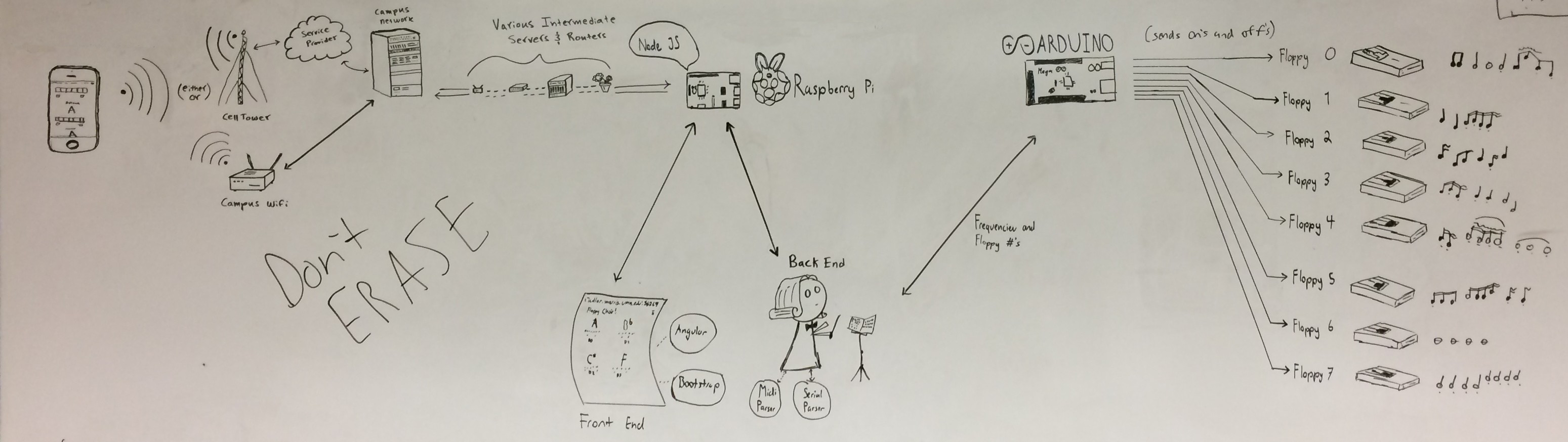
When (if?) it's finished, it'll live in the computer science display case at UMM and visitors can play with it.
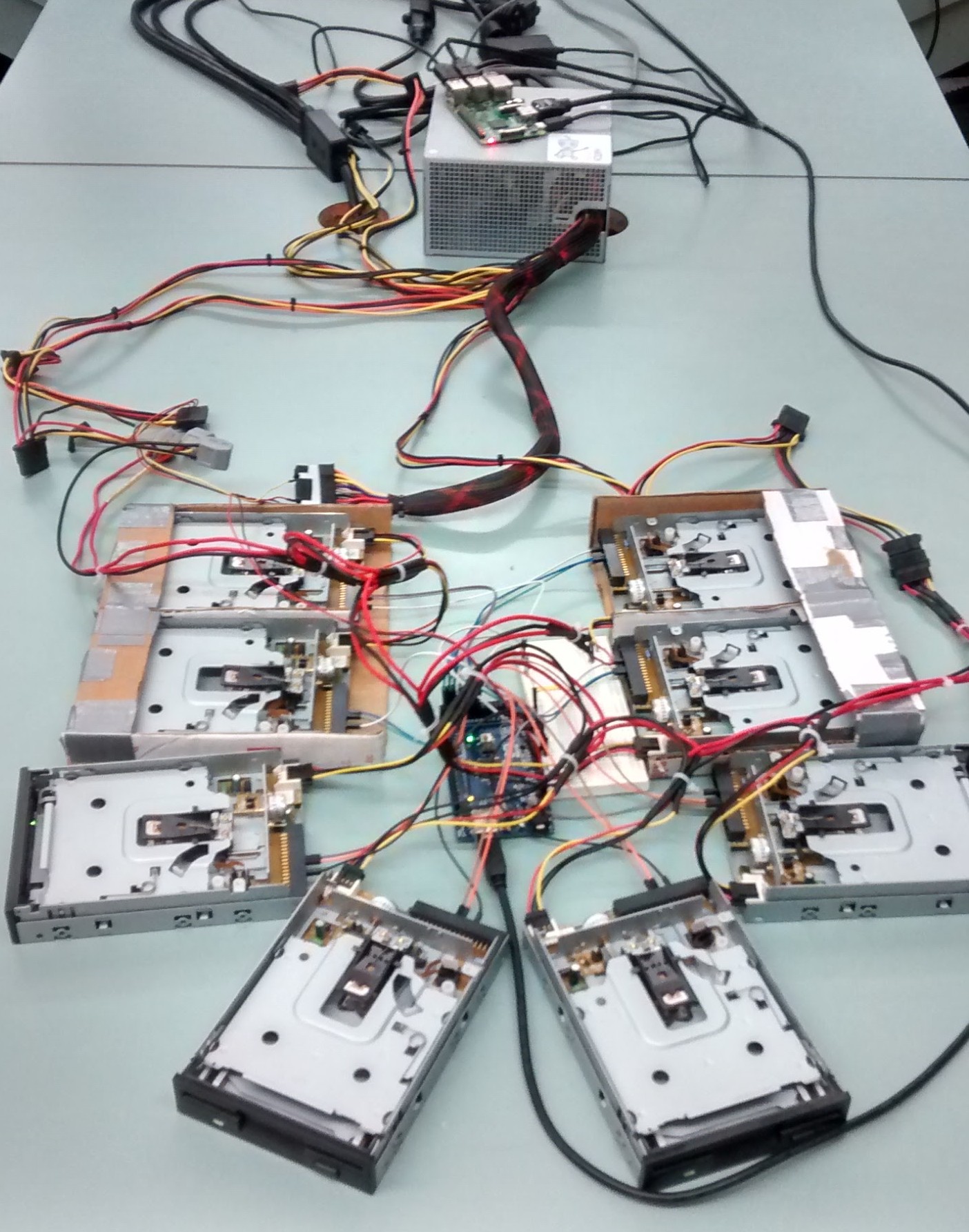
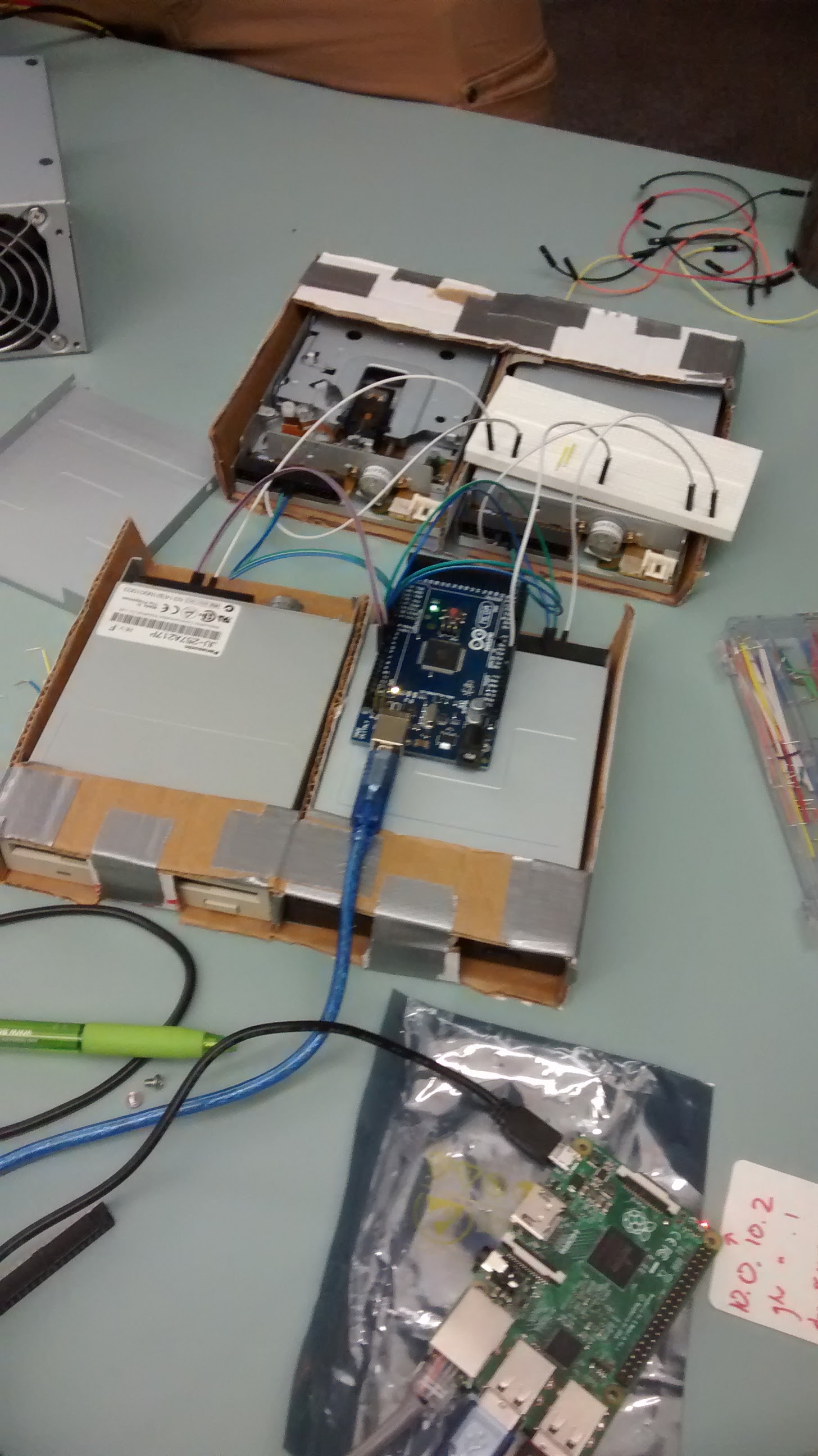
This repo holds pretty much everything needed to make the floppy choir work:
-
ansible: Contains an Ansible playbook that sets up the Raspberry Pi. If you've got questions about how the Raspberry Pi is configured, that's the place to look.
-
arduino: Contains the code that powers the Arduino. Note that it depends on the TimerOne library.
-
documentation: Contains the assets for this README and some experiments that demonstrate how the hardware works.
-
lib: Contains all of the server logic (interacting with the Arduino, parsing MIDI, etc.).
-
music: The MIDI library. Any valid MIDI files in that directory will be made available in the Jukebox section of the frontend.
-
public: Contains everything needed for the web interface. Everything in that directory is served as-is, no building or anything required.
-
test: Contains (woefully incomplete) tests for (some of) the server logic.
-
bower.json: Dependencies for the web interface.
-
package.json: Dependencies for the server.
-
server.js: The script that runs the server. The first few lines of the script show how to configure it.
-
Clone this repo:
$ git clone https://github.com/morrislenny/umm-floppy-choir.git $ cd umm-floppy-choir -
Install dependencies:
$ npm installThis installs the server dependencies (using npm) and the frontend dependencies (using Bower). Make sure to run this command whenever you change bower.json or package.json.
-
To start the server with the Arduino attached, run the following (replace
/dev/ttyACM0with the Arduino's serial interface on your machine):$ ARDUINO=/dev/ttyACM0 npm run serveTo start the server without the Arduino attached (in that case, all communication will be written to the console), don't specify the
ARDUINOenvironment variable:$ npm run serveTo stop the server, press Ctrl + C.
To deploy changes to the Pi:
-
Connect to the Pi (replacing
userwith the correct user andhostnamewith the correct hostname or IP address) and navigate to the app directory:$ ssh [email protected] $ cd /srv/app -
Pull the changes:
$ git pull -
Restart the server:
$ sudo systemctl restart floppy-control-app
The best way to update configuration on the Pi is to use the Ansible playbook:
-
Copy ansible/inventories/hosts.yml.dist to ansible/inventories/hosts.yml and add the hostname or IP of the Pi.
-
Make configuration changes in ansible/server_setup.yml.
-
Run the playbook:
$ cd ansible
$ ansible-playbook -i inventories/hosts.yml server_setup.yml