
A comprehensive ban management solution for FiveM servers with a sleek UI, offline banning capabilities, and extensive customization options.
- Elegant User Interface: Modern, responsive design with intuitive controls
- Real-time Ban Management: Ban, unban, and edit existing bans with ease
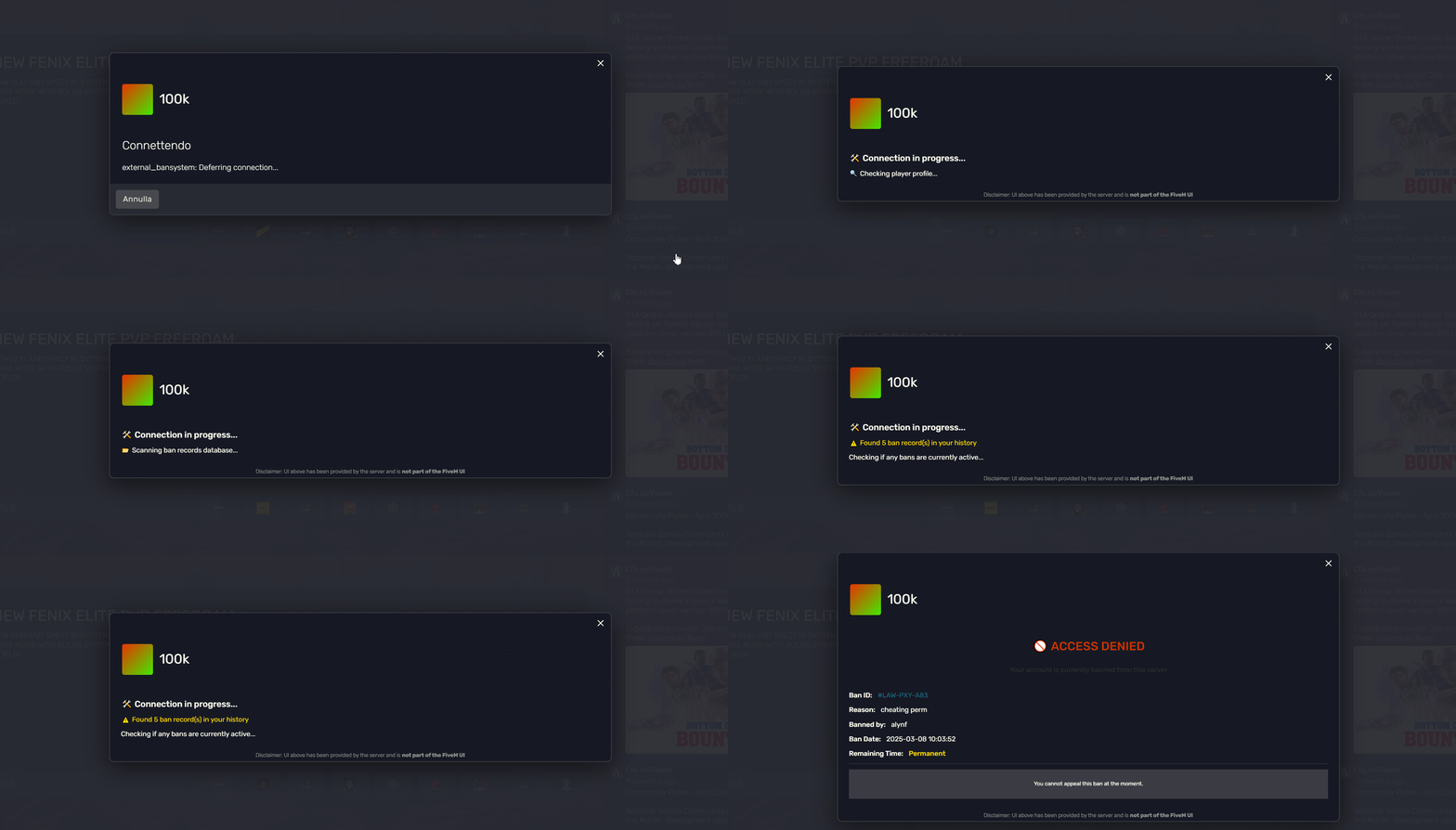
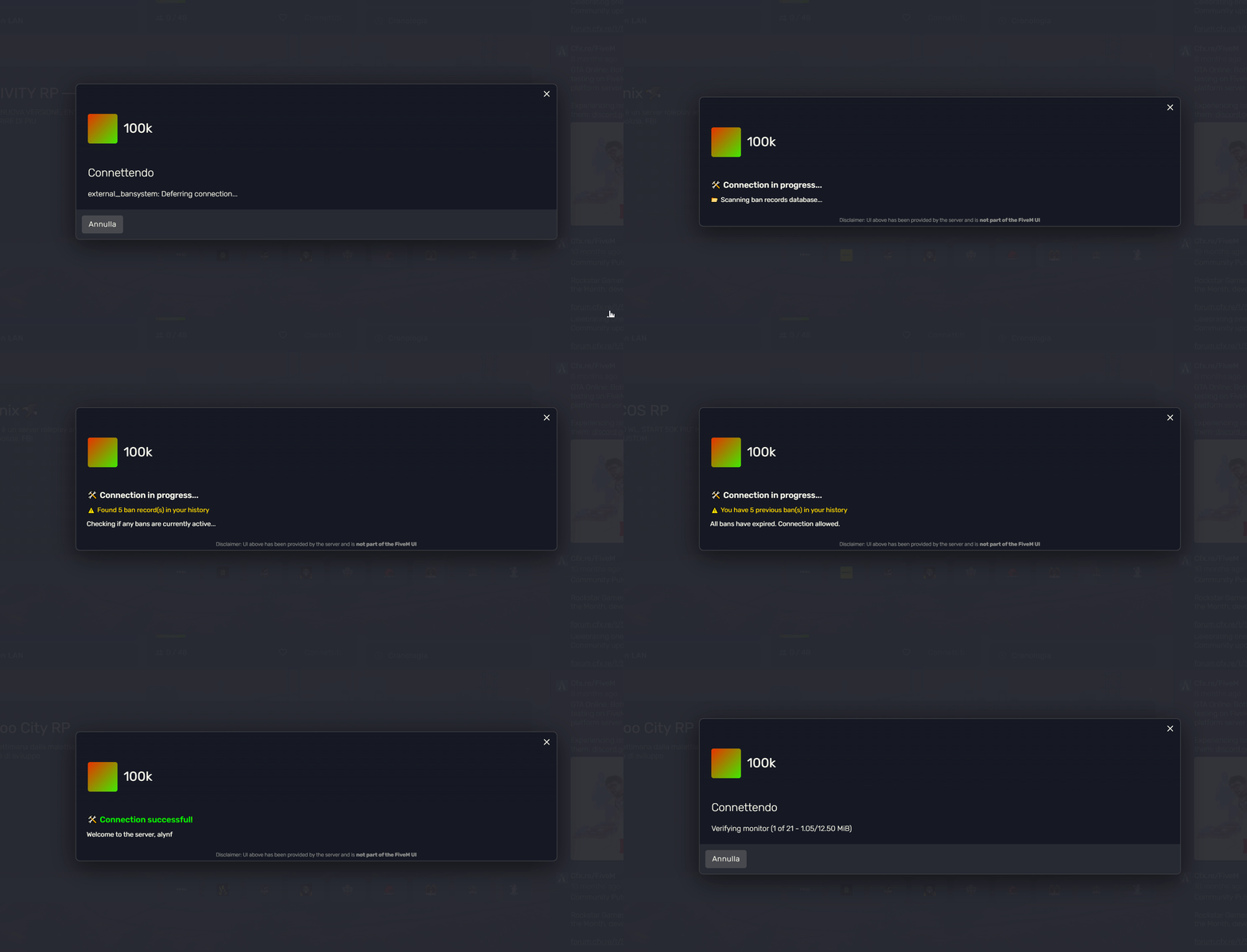
- Advanced Player Verification: Detailed connection screens with ban history checks
- Offline Banning System: Ban players even when they're not connected
- Customizable Ban Durations: From hours to permanent bans with a user-friendly selection system
- Discord Webhook Integration: Automatic notifications for all ban actions
- Multi-identifier Support: Ban by license, steam, discord, IP, and more
- Ban Appeal System: Configurable appeal link and information for banned players
- Admin Permission System: Works with ESX, QB-Core, and ACE permissions
- Detailed Ban Records: Track ban history and manage all active bans in one place


- Download the latest release
- Extract to your server's resources directory
- Configure the webhook URLs in
secure_config.lua - Add
ensure external_bansystemto your server.cfg
return {
    Debug = false,
    AdminOnly = true,
    AdminGroups = {"admin", "mod"},
    Keybind = "F10",

    IdentifierPriority = {
        "license",
        "steam",
        "discord",
        "ip"
    },

    Commands = {
        ban = "ban",
        unban = "unban",
    },

    Webhook = {
        botName = "External Ban System",
        avatarUrl = "https://i.imgur.com/xxxxxxxxx.png",
        footerText = "External Ban System • Powered by your_server_name",
        footerIcon = "https://i.imgur.com/xxxxxxxxx.png",
        color = {
            ban = 16711680,      -- Red
            unban = 65280,       -- Green
            edit = 16776960      -- Yellow
        }
    },

    Messages = {

    },

    UI = {
        appealInfo = {
            enabled = true,
            discordLink = "https://discord.gg/yourserver",
            showAppealButton = true,
            message = "If you believe this ban was issued by mistake, you may appeal on our Discord server."
        },

        durations = {

        }
    },
}Links = {
ban = "https://discord.com/api/webhooks/your_webhook_url_for_bans",
unban = "https://discord.com/api/webhooks/your_webhook_url_for_unbans",
edit = "https://discord.com/api/webhooks/your_webhook_url_for_edits",
}-
/ban [id] [duration] [reason]- Ban a player- Example:
/ban 1 7d Griefing - Duration formats: 1h (hour), 1d (day), 1w (week), 1m (month), 1y (year), perm or permanent
- Example:
-
/unban [ban_id]- Unban a player- Example:
/unban ABC-123-XYZ
- Example:
- Press the configured keybind (default: F10) to open the ban menu
- Ban Menu: Select a player and provide reason and duration
- Offline Ban: Enter player identifiers and ban information
- Ban List: View, edit, or unban players from the list
- ✅ ESX Legacy
- ✅ QB-Core
- ✅ Standalone (ACE Permissions)
- oxmysql
- ESX/QB
This project is licensed under the MIT License - see the LICENSE file for details.
Need help? Found a bug? Have a feature request? Open an issue or reach out on Discord.