一番下に日本語版もあります


Click a thumbnail to open the video on YouTube.
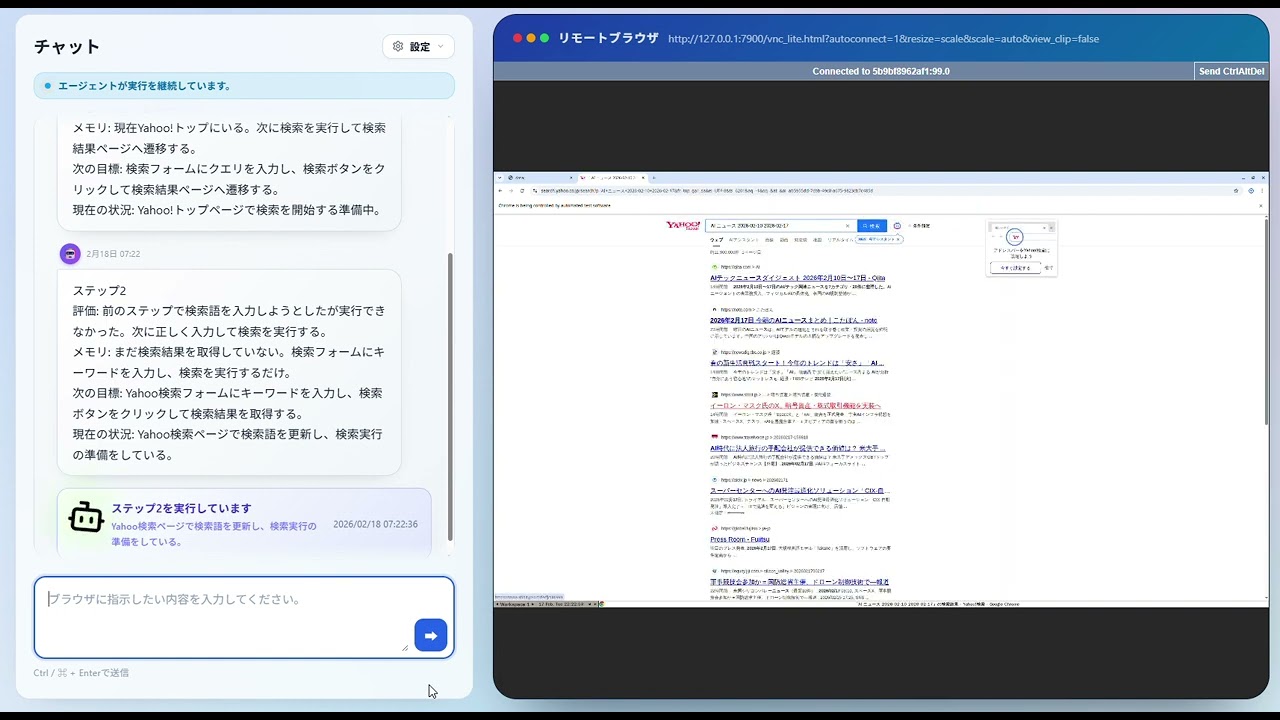
Agent searches AI-related news |
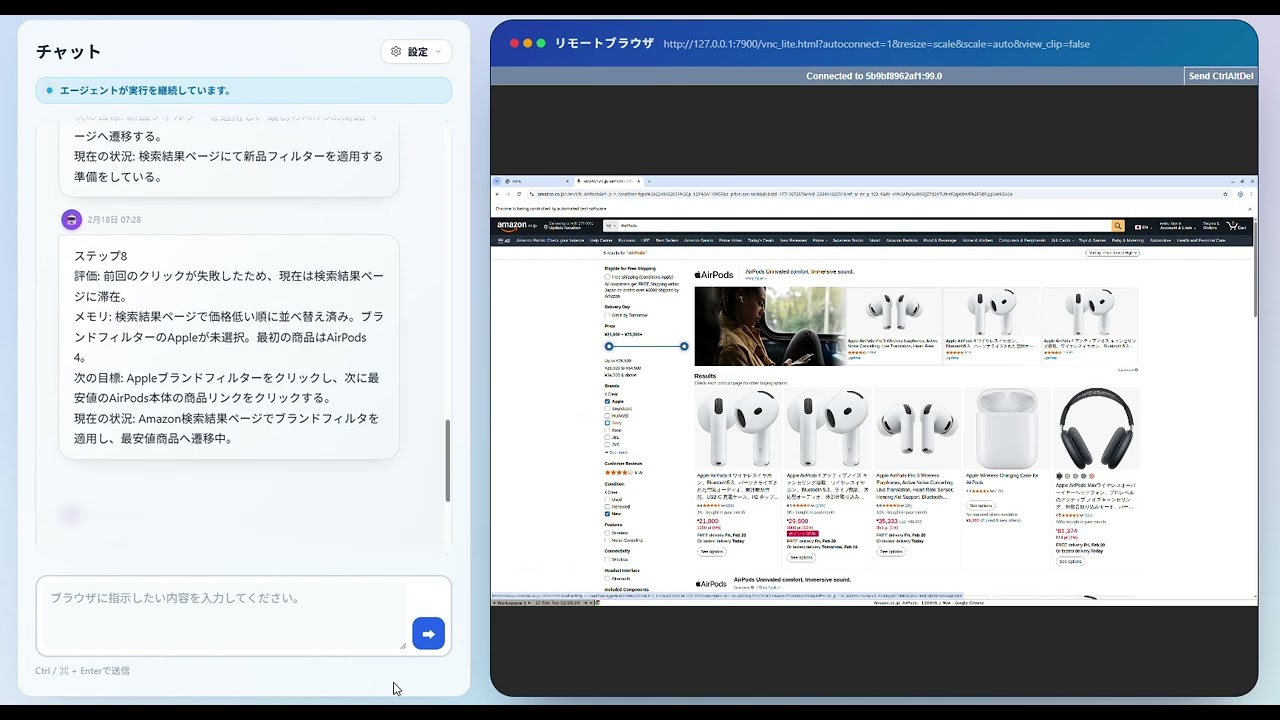
Agent finds lowest AirPods price on Amazon |
A browser automation agent with a FastAPI web interface powered by modern LLMs. Control a real browser with natural language, watch it in real time, and run benchmarks like WebArena.
Motivation: Most LLM-driven browser agents run as fully autonomous loops—when they fail, they fail silently and are hard to recover. Browser-Agent is built around the principle that humans should be able to step in at any point: pausing, redirecting, or resuming the agent mid-task. The goal is high-performance web automation that keeps a human in the loop exactly when it matters.
Browser-Agent combines the browser_use library with a FastAPI backend to provide:
- Natural language control of browser tasks via a web chat interface.
- Real-time visualization via noVNC, SSE, and live logs.
- Multi-LLM support (Gemini, OpenAI, Anthropic, DeepSeek, and more).
- WebArena benchmarking tools built in.
- Scratchpad for structured task notes (prices, names, reviews, etc.).
- Docker-first setup with Docker Compose.
- Extensible architecture separating core agent, API services, and UI.

flowchart TB
    user["User"] --> ui["Web UI<br/>(React + Vite)<br/>Chat + noVNC"]
    ui -->|"POST /api/chat<br/>POST /webarena/run"| api["FastAPI API Layer<br/>(routes + services)"]
    api --> controller["BrowserAgentController<br/>(Queue + EventBus)"]
    controller --> llm["LLM Providers<br/>(Gemini / OpenAI / Anthropic)"]
    controller --> browser["BrowserSession (CDP)<br/>Remote Chrome"]
    controller -->|"SSE /api/stream"| ui
- FastAPI over Flask: Chosen for async-first request handling, native type-hint validation, and clean SSE endpoint implementation.
- SSE over WebSockets: Status updates are primarily server-to-client one-way streams; SSE reduced complexity while keeping real-time UX.
- Long-lived controller/session:
BrowserAgentControllerkeeps a warm browser session (keep_alive) to reduce repeated startup cost between tasks. - CDP-native browser control: Direct CDP integration provides predictable browser introspection/control for
browser_useworkflows. - In-memory state over Redis (current scope): History/event broadcasting is intentionally in-process for low operational overhead in single-node deployments; Redis is a scale-out option when multi-instance coordination becomes necessary.
- Security-first defaults: Rate limiting, admin token auth, and localhost-only CDP/VNC binding are enforced out of the box—preventing external browser takeover and API abuse without requiring explicit opt-in.
These results were obtained by running the Browser-Agent on WebArena Shopping tasks (N=187).
| Model | Success / Total | Score |
|---|---|---|
| GPT-5.1 | 61 / 187 | 32.6% |
| Qwen 32B | 43 / 187 | 23% |
| GPT-OSS 20B | 49 / 187 | 26% |
Reference baselines: The original WebArena paper reports human-level performance at ~78%. Early rule-based agent baselines scored in the 10–15% range. These results reflect current GPT-class LLMs with no task-specific fine-tuning.
Role The Browser Agent autonomously performs multi-step web tasks such as search, navigation, filtering, and form interaction.
Evaluation Protocol I evaluated the Browser Agent on the WebArena Shopping environment, using three automatic criteria:
- URL match
- string match
- DOM state verification
Failure Analysis The main bottlenecks were dynamic widgets, branching exploration, and visually structured UI interactions that are difficult to solve from DOM text alone.
Why this matters Rather than hiding failures, I explicitly quantified them to identify where current LLM-based browser agents still break in realistic environments.
/
├── browser_use/       # Core agent logic, DOM manipulation, tools
├── fastapi_app/         # FastAPI web server, API routes, UI templates
│   ├── core/          # Config and environment setup
│   ├── services/      # Business logic (Agent Controller, History)
│   ├── routes/        # API endpoints
│   └── frontend/      # React + Vite frontend
├── docker-compose.yml # Container orchestration
└── secrets.env        # API keys and configuration
- Docker and Docker Compose
git clone https://github.com/kota-kawa/Browser-Agent.git
cd browser-agentCopy the example secrets file and add your LLM API keys.
cp secrets.env.example secrets.envEdit secrets.env and set keys such as GOOGLE_API_KEY or OPENAI_API_KEY. See secrets.env.example for all available options including rate limits, timeouts, LLM budget caps, and admin token configuration.
docker network create multi_agent_platform_net
docker compose up --build
Note: browser debug ports are bound to localhost only (127.0.0.1:4444, 127.0.0.1:7900) to prevent external CDP/VNC takeover.
Visit http://localhost:5005 in your browser.
- Open http://localhost:5005.
- Enter a task in the chat box (e.g., “Find a good mechanical keyboard on amazon.com”).
- Watch the browser on the left and logs/chat on the right.
Use the WebArena tab in the UI or call the API endpoints below.
POST /api/chat: Send a task to the agent.GET /api/stream: Subscribe to the event stream.POST /webarena/run: Run a specific WebArena task.- Admin-only endpoints require
X-Admin-Token: <ADMIN_API_TOKEN>(orAuthorization: Bearer <ADMIN_API_TOKEN>).
Run all backend unit tests with pytest:
pytestRun frontend unit tests with Vitest:
cd fastapi_app/frontend
npm install
npm run test
CI note: these backend/frontend tests are also executed automatically on every push and pull request via GitHub Actions (.github/workflows/ci-tests.yml).
The repository also includes a CI/CD workflow at .github/workflows/ci-cd.yml.
- Runs
ruff,pip-audit,pytest, anddocker compose buildon push / pull request / manual dispatch. - Deploys only on
pushtomainafter all checks pass. - Deploys over SSH, then runs
./up.sh -don the server and verifies service health. - Performs diagnostics + rollback to the previous commit if deployment fails.
See LICENSE.md for details.
日本語
サムネイルをクリックすると、YouTubeで動画を開けます。
|
エージェントがAI関連ニュースを検索する様子 |
エージェントがAmazonでAirPodsの最安値を調べる様子 |
最新のLLMを活用したFastAPIベースのブラウザ自動化エージェントです。自然言語でブラウザを操作でき、実行状況をリアルタイムで可視化し、WebArenaのようなベンチマークも実行できます。
開発動機: LLMベースのブラウザエージェントを完全自律で動かすと、失敗しても気づきにくくリカバリが難しいという問題があります。Browser-Agentは「人間が必要なときにいつでも介入できる」設計を軸に開発しました。タスクの途中で一時停止・指示の修正・再開が可能で、高いタスク性能と人間によるコントロールを両立することを目指しています。
Browser-Agent は browser_use ライブラリとFastAPIバックエンドを統合し、次の機能を提供します。
- 自然言語操作: チャットUIから指示を送るだけでブラウザ作業を自動化。
- リアルタイム可視化: noVNC・SSE・ライブログで実行内容を確認。
- マルチLLM対応: Gemini、OpenAI、Anthropic、DeepSeek など。
- WebArenaベンチマーク: 標準タスクの実行・評価が可能。
- Scratchpad: 価格・名前・レビューなどの構造化メモ機能。
- Docker Compose前提のシンプル運用。
- 拡張可能な構成: コアエージェント、API、UIを分離。
flowchart TB
    user_ja["ユーザー"] --> ui_ja["Web UI<br/>(React + Vite)<br/>チャット + noVNC"]
    ui_ja -->|"POST /api/chat<br/>POST /webarena/run"| api_ja["FastAPI APIレイヤー<br/>(routes + services)"]
    api_ja --> controller_ja["BrowserAgentController<br/>(キュー + EventBus)"]
    controller_ja --> llm_ja["LLMプロバイダ<br/>(Gemini / OpenAI / Anthropic)"]
    controller_ja --> browser_ja["BrowserSession (CDP)<br/>リモートChrome"]
    controller_ja -->|"SSE /api/stream"| ui_ja
- FastAPIをFlaskより優先: 非同期処理を前提にしやすく、型ヒントによる検証とSSE実装がシンプルになるため。
- WebSocketではなくSSE: 本プロジェクトの進捗配信は主にサーバー→クライアントの一方向ストリームで十分で、構成の複雑さを抑えられるため。
- 長寿命のコントローラー/セッション:
BrowserAgentControllerでブラウザセッションをウォーム状態 (keep_alive) に保ち、タスク間の起動コストを下げるため。 - CDPネイティブ制御:
browser_useのワークフローで必要なブラウザ状態取得・操作を安定して行えるため。 - Redisではなくインメモリ状態管理(現スコープ): 単一ノード運用では依存を減らして運用コストを下げることを優先。将来のマルチインスタンス化ではRedis連携を拡張候補として想定。
- セキュリティのデフォルト有効化: IPレート制限・管理者トークン認証・CDPとVNCのlocalhostバインドを設定なしで適用。外部からのブラウザ乗っ取りや不正なAPI呼び出しを防止する。
この結果は、WebArenaのShoppingタスクでBrowser-Agentを実行したものです(N=187)。
| モデル | 成功数 / 総数 | スコア |
|---|---|---|
| GPT-5.1 | 61 / 187 | 32.6% |
| Qwen 32B | 43 / 187 | 23% |
| GPT-OSS 20B | 49 / 187 | 26% |
参考ベースライン: WebArena論文における人間のスコアは約78%。初期のルールベースエージェントは10〜15%程度。これらの結果はタスク固有のファインチューニングなしのGPTクラスモデルによるものです。
役割 Browser Agentは、検索・ナビゲーション・フィルタリング・フォーム操作などのマルチステップWebタスクを自律的に実行します。
評価プロトコル WebArena Shoppingenv で3種類の自動評価基準を用いてBrowser Agentを評価しました。
- URLマッチ
- 文字列マッチ
- DOM状態検証
失敗分析 主なボトルネックは、動的ウィジェット、分岐探索、およびDOMテキストだけでは解決が難しい視覚的に構造化されたUIインタラクションでした。
なぜこれが重要か 失敗を隠すのではなく、現在のLLMベースのブラウザエージェントが現実的な環境でどこで壊れるかを特定するために、明示的に数値化しました。
/
├── browser_use/       # コアエージェントロジック、DOM操作、ツール
├── fastapi_app/         # FastAPI Webサーバー、APIルート、UIテンプレート
│   ├── core/          # 設定と環境構築
│   ├── services/      # ビジネスロジック(Agent Controller, History)
│   ├── routes/        # APIエンドポイント
│   └── frontend/      # React + Vite フロントエンド
├── docker-compose.yml # コンテナオーケストレーション
└── secrets.env        # APIキーと設定
- Docker と Docker Compose
git clone https://github.com/kota-kawa/Browser-Agent.git
cd browser-agentサンプルをコピーしてAPIキーを設定します。
cp secrets.env.example secrets.envsecrets.env を編集し、GOOGLE_API_KEY や OPENAI_API_KEY を設定してください。レート制限・タイムアウト・LLM予算上限・管理者トークンなど全設定項目は secrets.env.example を参照してください。
docker network create multi_agent_platform_net
docker compose up --build
補足: ブラウザのデバッグ用ポートは外部公開せず、localhost のみにバインドされています(127.0.0.1:4444, 127.0.0.1:7900)。
http://localhost:5005 にアクセスします。
- http://localhost:5005 を開きます。
- チャットに指示を入力します(例: "amazon.comで良いメカニカルキーボードを探して")。
- 左にブラウザ画面、右にログとチャットが表示されます。
UIの WebArena タブ、またはAPIから実行できます。
POST /api/chat: エージェントにタスクを送信します。GET /api/stream: イベントストリームを購読します。POST /webarena/run: WebArenaの特定タスクを実行します。- 管理者向けエンドポイントは
X-Admin-Token: <ADMIN_API_TOKEN>(またはAuthorization: Bearer <ADMIN_API_TOKEN>)が必要です。
pytest でバックエンドのユニットテストを実行します。
pytestVitest でフロントエンドのユニットテストを実行します。
cd fastapi_app/frontend
npm install
npm run test
補足: これらのバックエンド/フロントエンドテストは、GitHub Actions(.github/workflows/ci-tests.yml)により push / pull request ごとに自動実行されます。
このリポジトリには .github/workflows/ci-cd.yml の CI/CD ワークフローも含まれています。
- push / pull request / 手動実行で
ruff、pip-audit、pytest、docker compose buildを実行 - すべて成功した場合のみ、
mainブランチへの push でデプロイ実行 - サーバーへ SSH 接続し、
./up.sh -dで更新後にサービスヘルスを確認 - 失敗時は診断ログを出力し、直前コミットへロールバック
詳細は LICENSE.md を参照してください。