






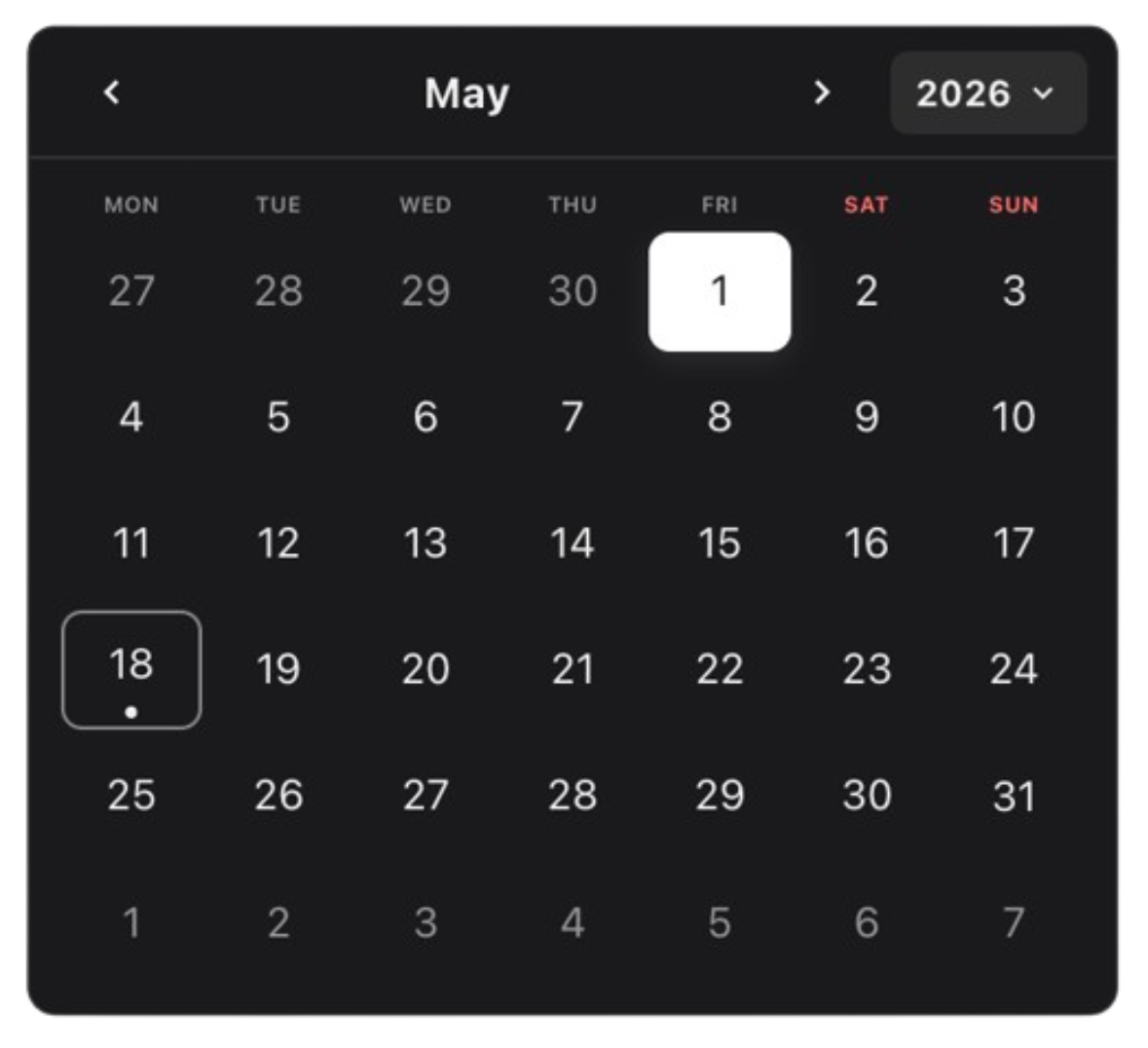
A modular calendar toolkit that starts tiny and grows with your product.
Monolithic pickers ship the grid, toolbar, time picker, presets, layout opinions, and weight. DateForge ships only what you use.
Start with a toolbar and a grid. Add range selection, multi-select, time, presets, manual input, chips, tracks, custom layouts, themes, and tokens.
DateForge is not one picker with a long prop list. It is a set of focused modules that share one calendar brain.
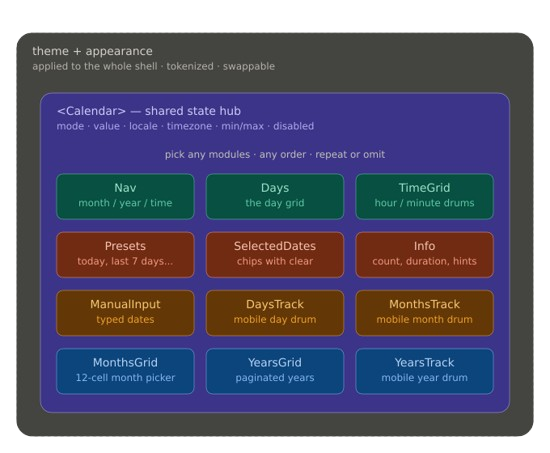
Modular · Composable · Tokenized
Start minimal. Scale infinitely. Add only the modules you need.
The module mix, selection modes, tokens, and focused props unlock ~2.0 trillion built-in calendar configurations without forcing one prebuilt UI.
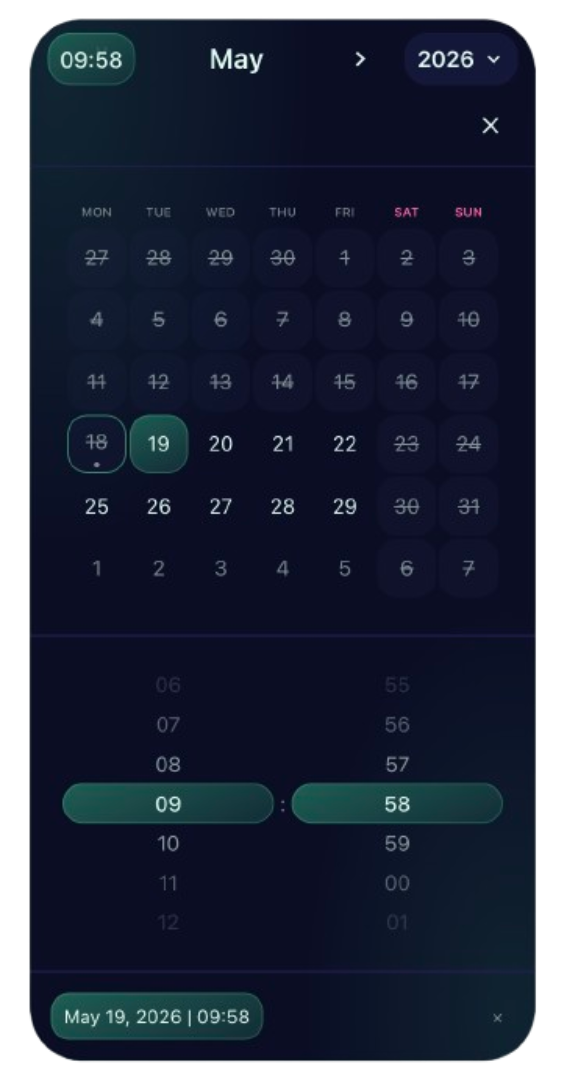
Use built-in themes and appearances, or create your own. Shape selection with presets, disabled rules, min/max bounds, timezones, and modes:
single, multiple, or range.
Build a classic picker, date track, 12-month board, month-only selector, time-only control, or custom booking flow from the same parts.
npm i @dateforge/react-calendarNo global CSS import is required — styles are bundled into the modules and apply automatically.
import { useState } from "react";
import { Calendar } from "@dateforge/react-calendar";
import {
  CalendarDays,
  CalendarToolbar,
  CalendarToolbarMonthTrigger,
  CalendarToolbarNext,
  CalendarToolbarPrev,
  CalendarToolbarYearTrigger,
} from "@dateforge/react-calendar/modules";

export function Example() {
  const [date, setDate] = useState<Date | null>(null);

  return (
    <Calendar mode="single" value={date} onChange={setDate}>
      <CalendarToolbar>
        <CalendarToolbarPrev />
        <CalendarToolbarMonthTrigger />
        <CalendarToolbarYearTrigger compact />
        <CalendarToolbarNext />
      </CalendarToolbar>
      <CalendarDays />
    </Calendar>
  );
}Most date pickers ask you to accept their shape. DateForge lets you forge yours.
- Ship less by default — import
CalendarDaysand the toolbar pieces you need, then stop. No unused time picker, presets, or hidden panel. - Compose real workflows — add modules for range previews, multi-month layouts, inline time, shortcuts, manual input, summaries, or tracks.
- Keep one shared state model — every module plugs into the same provider, so custom layouts feel native instead of stitched together.
- Style it like your system — themes, appearances, gradients, CSS-grid placement, and tokens help it feel built-in.
- Grow without rewriting — the same API covers a tiny picker, booking range calendar, scheduler, or dense operations tool.
- Built for serious apps — a11y, SSR-safe defaults, timezones, React 18/19, zero runtime dependencies, and tree-shakeable modules.
<Calendar mode="range" value={range} onChange={setRange}>
  <CalendarToolbar>
    <CalendarToolbarPrev />
    <CalendarToolbarMonthTrigger />
    <CalendarToolbarYearTrigger compact />
    <CalendarToolbarNext />
  </CalendarToolbar>
  <CalendarDays />
  <CalendarPresets presets={presets} />
  <CalendarSelectedDates />
</Calendar>
Remove a line, remove a feature. Add a module, add a workflow. That is the core idea.
Themes are light/dark families. Omit theme for the default auto palette, pass light or dark for an explicit initial mode, or import a family:
import { Calendar, createTheme } from "@dateforge/react-calendar";
import { nebula } from "@dateforge/react-calendar/themes/nebula";

<Calendar theme={nebula} dark />;

const brand = createTheme({
  highlight: "#2563eb",
  range: "#22c55e",
  weekend: "#ef4444",
  light: { backdrop: "#f8fafc" },
  dark: { backdrop: "#0f172a", text: "#f8fafc" },
});

<Calendar theme={brand} />;| Module | Use it for |
|---|---|
CalendarToolbar |
Composable header row for navigation, labels, popups, time |
CalendarDays |
Classic month grid for single, multiple, and range |
CalendarSelectedDates |
Selected-date chips, overflow, per-chip clear |
CalendarInfo |
Selection metrics, relative hints, empty text, home / clear |
CalendarManualInput |
Typed dates, keyboard-first editing, per-date remove |
CalendarPresets |
Shortcuts like Today, Last 7 days, custom ranges |
CalendarMonthsGrid |
Month-only picking or fast month jumps |
CalendarYearsGrid |
Year-only picking or fast year jumps |
CalendarDaysTrack |
Scrollable day track for compact/mobile layouts |
CalendarMonthsTrack |
Scrollable month track |
CalendarYearsTrack |
Scrollable year track |
CalendarTimeWheel |
Drum-style hour/minute/second picker (range bound aware) |
CalendarMonthsWheel |
Drum-style month picker (range bound aware) |
CalendarYearsWheel |
Drum-style year picker (range bound aware) |
CalendarLunar |
Information-only lunar phase strip around the selected date |
- Grids —
Days,MonthsGrid,YearsGrid. Tabular picking. - Tracks —
DaysTrack,MonthsTrack,YearsTrack. Horizontal scrollable strips (compact / mobile). - Wheels —
TimeWheel,MonthsWheel,YearsWheel. iOS-style drum pickers with physics, optionalboundfor range, optionalshowResetfor "current". - Inputs —
ManualInput. Typed dates with mask + format. - Helpers —
Toolbar,Presets. - Information —
Info,SelectedDates,Lunar. Read-only / display-focused; minor interactive bits (clear, per-chip remove) are escape hatches, not the primary purpose.