- This tutorial is based on the video: https://youtu.be/oaebkkOP2Qg
- Video Guide for setting up VS Code for C-Programming: https://clipchamp.com/watch/WZsdb849MVL
- Download MinGW: https://nuwen.net/files/mingw/mingw-18.0-without-git.exe
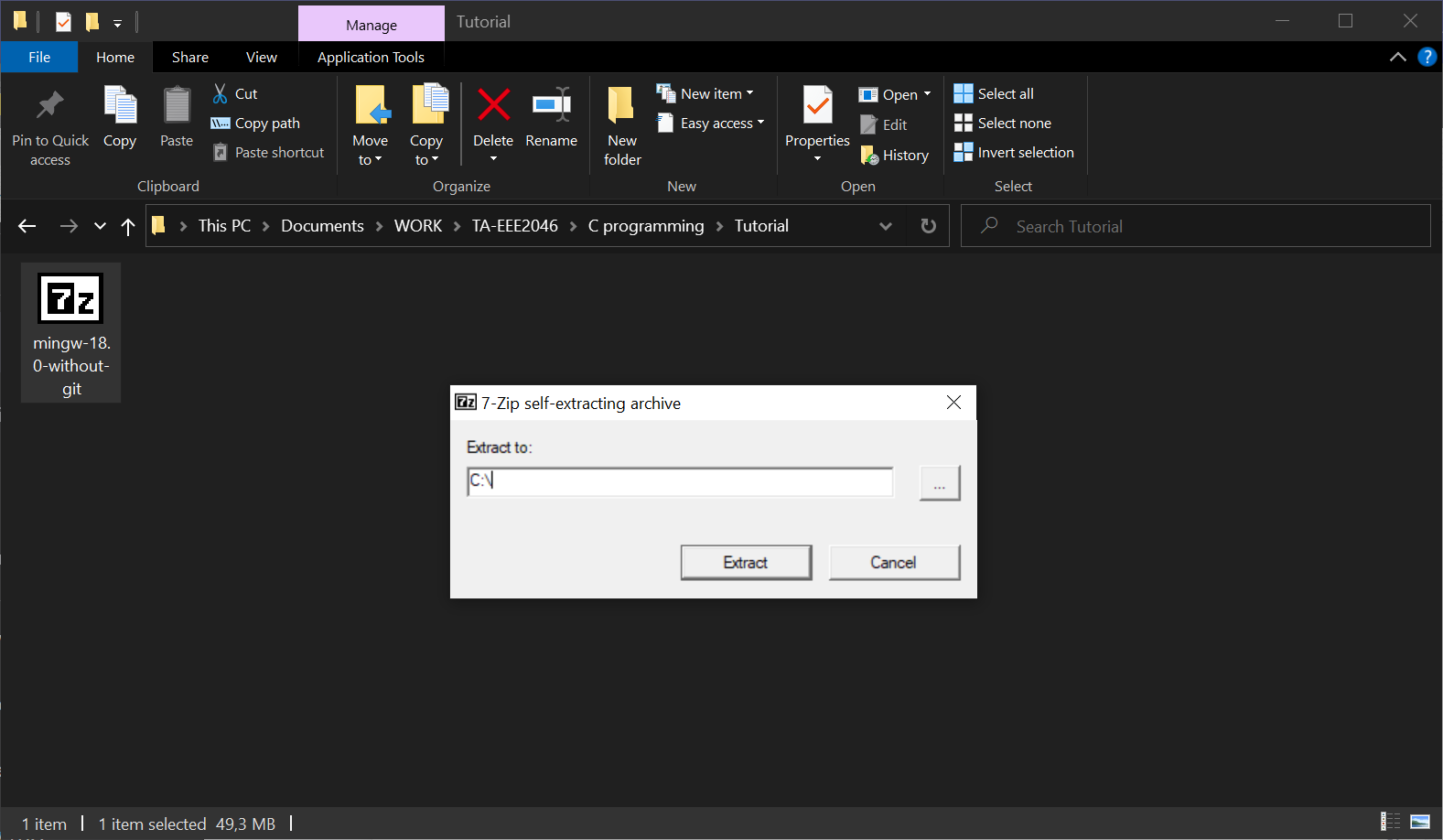
- Once downloaded, you should see a file like below. Double click on the icon and set the extraction location to C:\
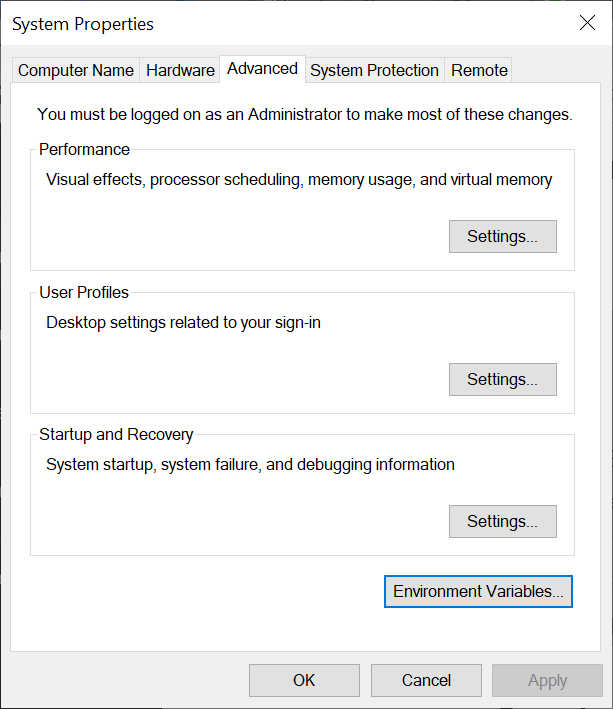
- Click on the Start menu and search for "Environment Variables".
- Click on "Edit the system environment variables".
- Click on the "Environment Variables" button.
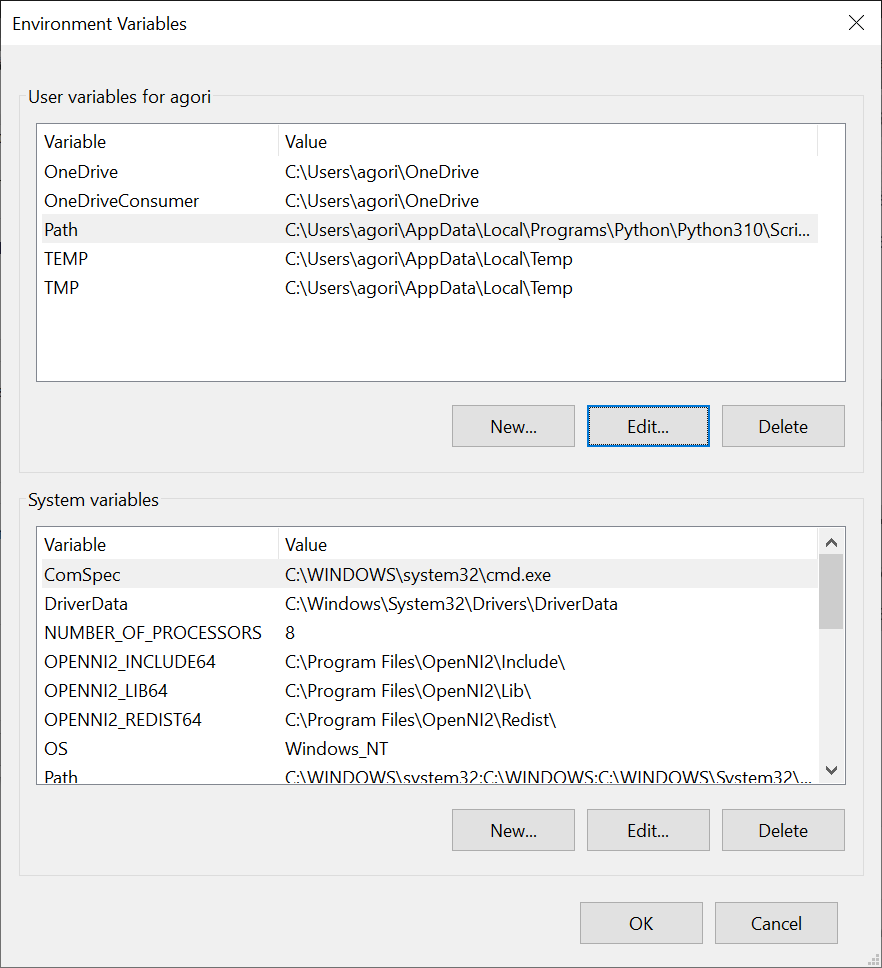
- Under "System Variables", find the "Path" variable and click "Edit".
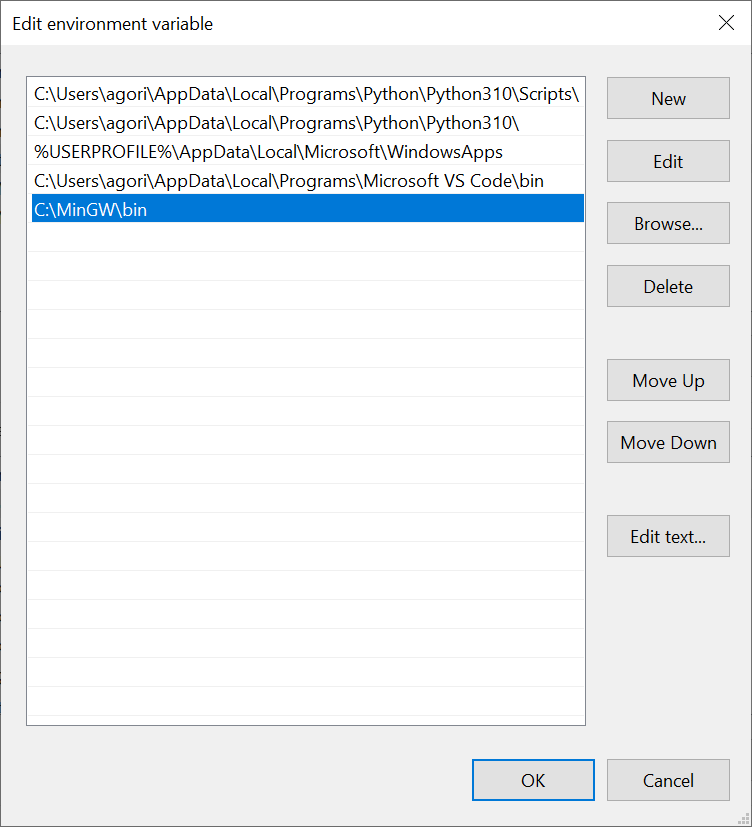
- Click "New" and add the following path: "C:\MinGW\bin". Make sure to replace "C:\MinGW" with the installation directory you chose during the MinGW installation.
- Click "OK" on all open windows to save the changes.
- Open the Command Prompt by clicking on the Start menu and searching for "Command Prompt"
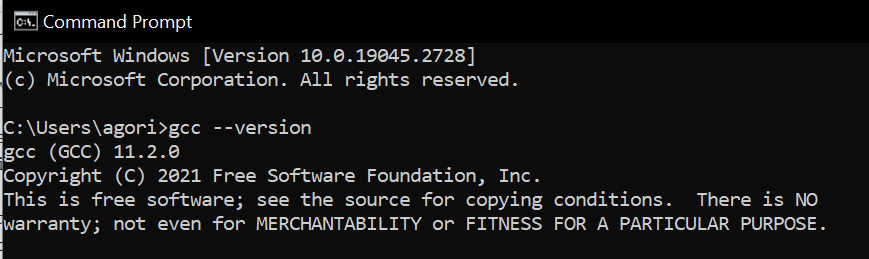
- Run the following command gcc --version
- You should see something like this:
- Open Terminal by clicking on the magnifying glass icon in the top right corner of the screen and typing "Terminal" in the search bar.
- In the Terminal window, type the following command:
xcode-select --install
- You will be prompted to install the Command Line Tools. Click "Install" and follow the prompts to complete the installation.
- Navigate to https://code.visualstudio.com/download
- Download the relevant OS
- Proceed with installation
You will need to install the following extensions:
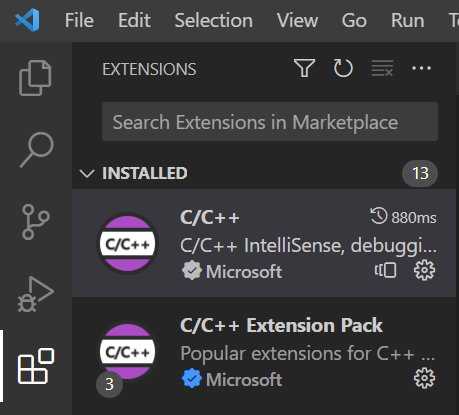
- Click on the Extensions icon on the left-hand side of the VSCode window (it looks like a square with four squares inside it).
- In the search bar at the top of the Extensions panel, type "C/C++" and press Enter.
- Click on the "C/C++" extension from Microsoft.
- Click the green "Install" button.
- Create a new file called
hello.cwith the following code
#include <stdio.h>

int main() {
   printf("Hello, world!");
   return 0;
}
- Open the terminal in VSCode and run the following command to compile the c code
gcc hello.c -o hello
- An exe called
hello.exeshould now be in your folder. Run the exe file using the following commad:
./hello
- Your output should be as follows:

TODO