



A declarative API for composing spreadsheets from python that is built on
xlsxwriter, pandas and inspired web design.
xlcompose provides a sweet spot between pandas to_excel and the xlsxwriter
API. If you've ever needed to export multiple dataframes to a spreadsheet
or apply custom formatting, then you know pandas isn't up to the task.
On the other hand, xlsxwriter provides a tremendous amount of customization,
but it's imperative style can often lead to very verbose code.
With xlcompose, we take a compositional approach to spreadsheet design.
DataFrame and Series components wrap the objects of the same name from the
beloved pandas library. A convenience class called Title that behaves much
like a Series with title-style formatting. Finally, Image components which
can take in image files or work directly with matplotlib objects. This includes wrapping pandas plots:
import xlcompose as xlc
xlc.DataFrame(df)
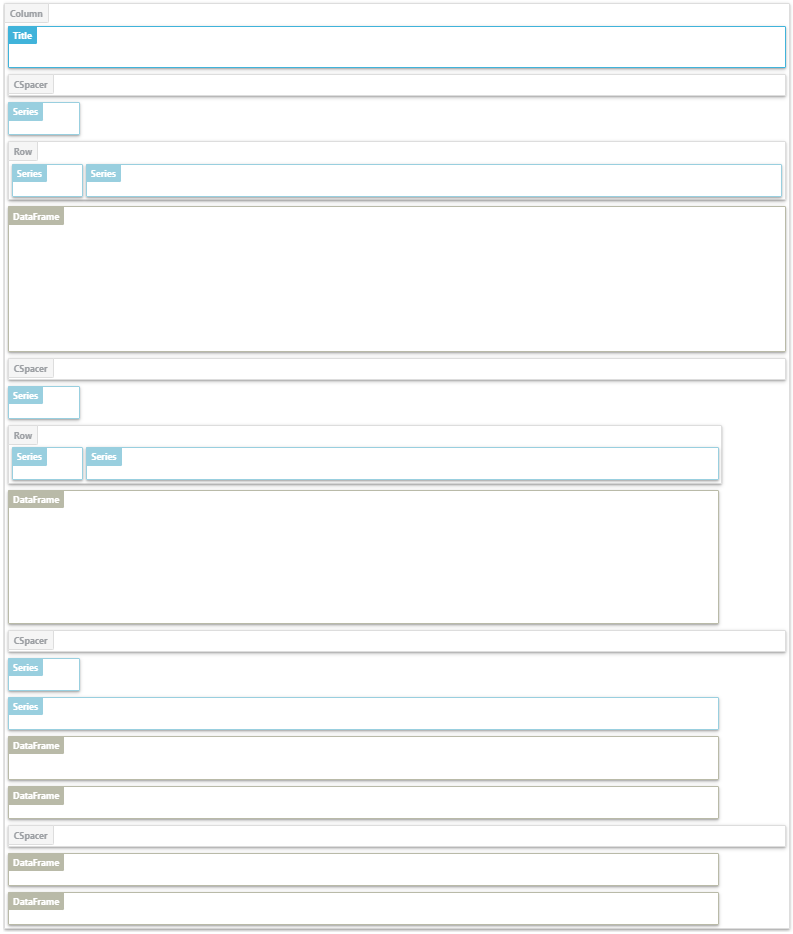
xlc.Image(df.plot())With Row, Column, Tabs, and Sheet containers, we can layout our data in
an Excel spreadsheet. Containers can be nested within other containers allowing
for highly customized layout within Excel. These layouts can be reviewed in
a Jupyter notebook prior to rendering in Excel.
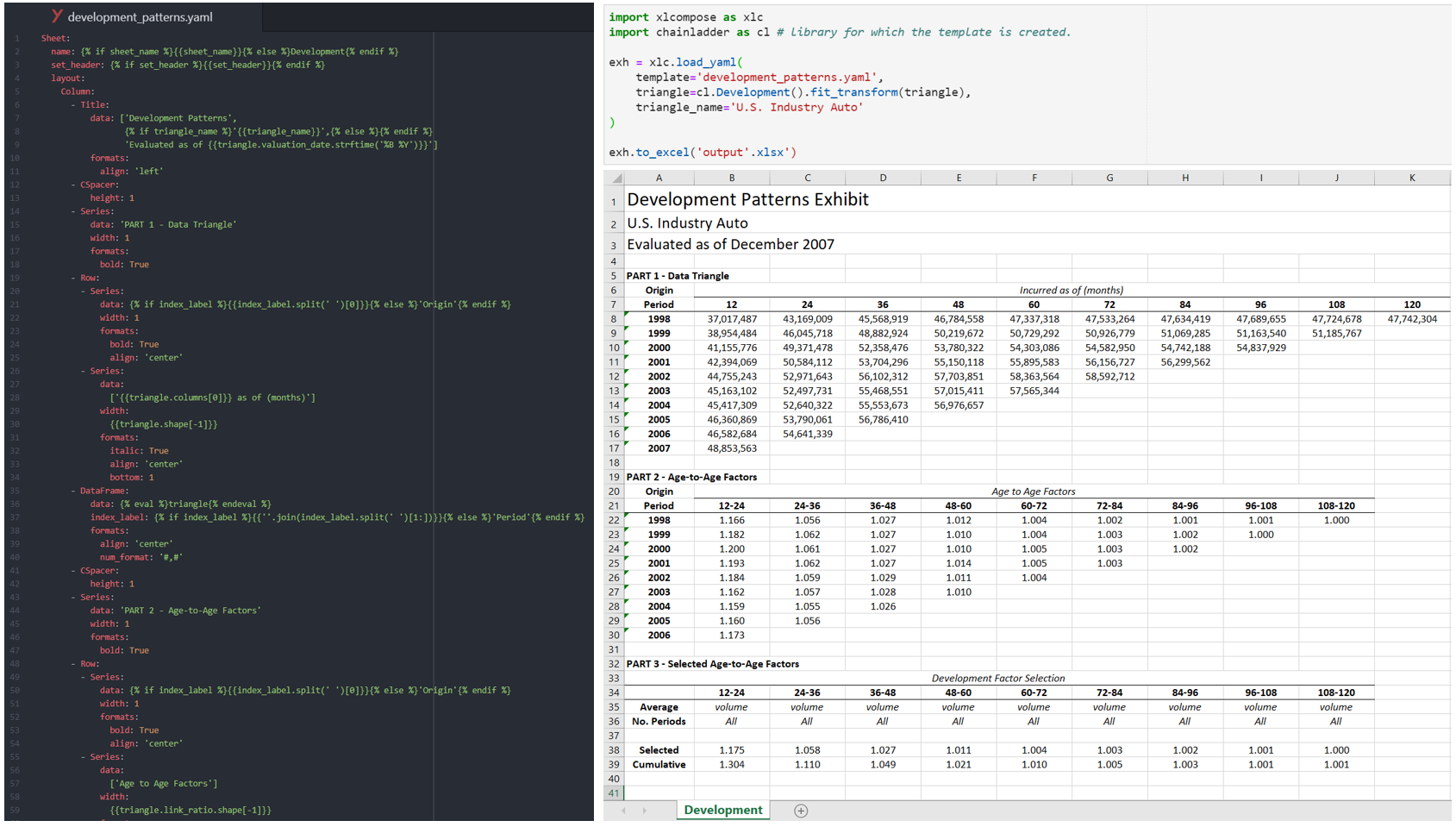
Borrowing inspiration from HTML templates of static web design, why not create
detailed Excel files from YAML templates? Like web frameworks, xlcompose templates
are fully compatible with the jinja2 templating language allowing for context-aware
rendering of Excel files with its load_yaml function. Simply pass a template and
data to load_yaml to create xlcompose objects.
Ultimately, xlcompose is just a wrapper around xlsxwriter which has near 100%
coverage of Excel formatting. Whether you want to change the color of a cell, set page breaks,
add headers and footers, xlsxwriter has got you covered. We strive to provide
full access to xlsxwriter functionality, with just a more convenient API. If you
see something missing, let me know!
Please visit the Documentation page for examples, how-tos, and source code documentation.
To install using pip:
pip install xlcompose
To install using conda:
conda install -c conda-forge xlcompose
Alternatively, install directly from github:
pip install git+https://github.com/jbogaardt/xlcompose/
Note: This package requires Python 3.5 and later, xlsxwriter 1.1.8. and later, pandas 0.23.0 and later.