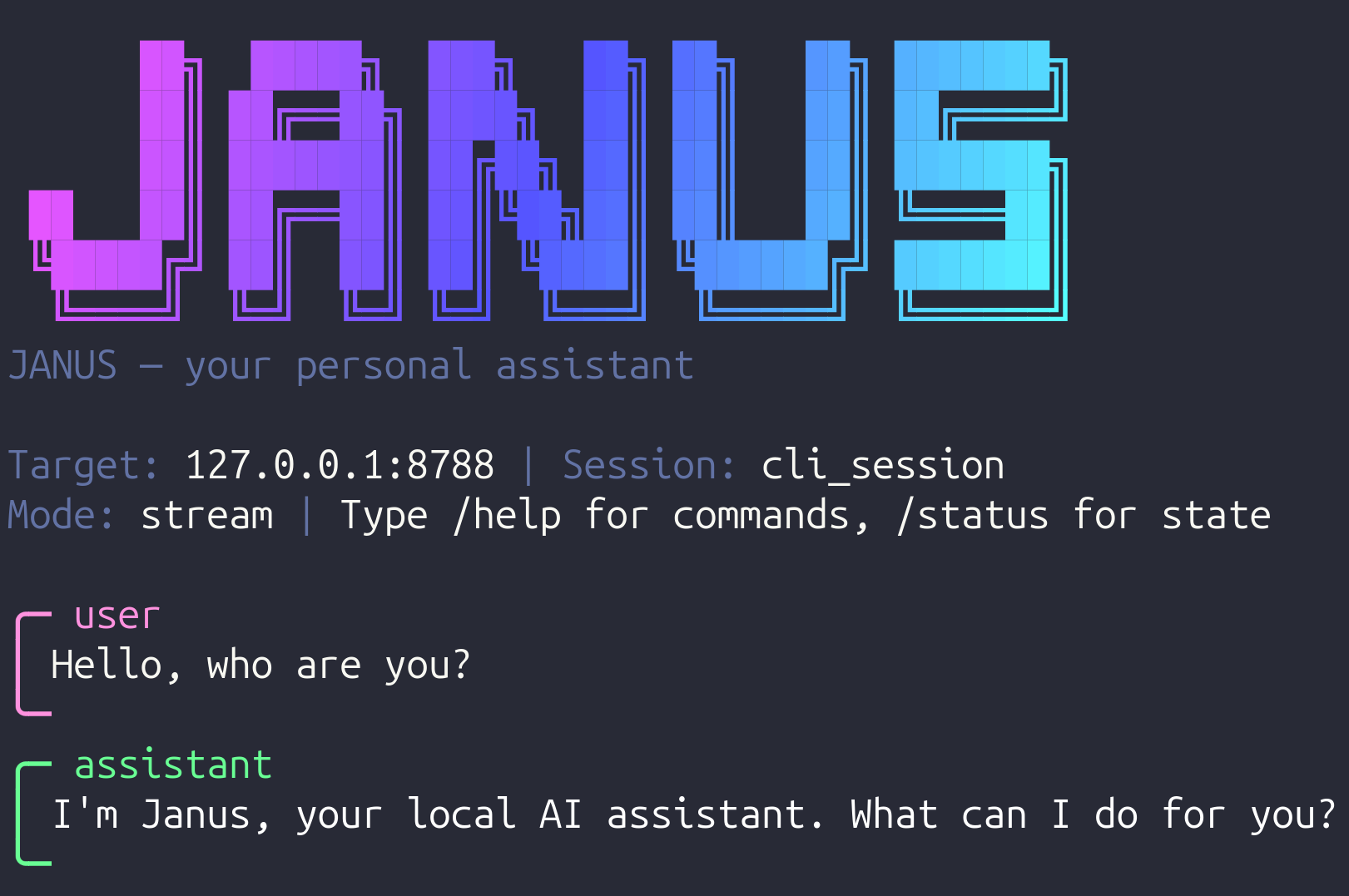




Janus is a personal AI assistant that lives on your machine. It runs a local runtime with memory, tools, permissions and scheduled automations, and you talk to it from the terminal or from Telegram. Bring your own LLM API key (DeepSeek, OpenAI, Gemini or Anthropic), sign in with your ChatGPT subscription (Codex, no API key needed), point it at a local Chat Completions-compatible model server — or start in demo mode without any credentials.
What it can do out of the box:
- Chat with streaming, persistent memory and per-session context.
- Run local tools under a permission system (files, shell, scripts, HTTP).
- Schedule automations and reminders that run even when you are away.
- Extend itself with MCP connectors: web search (Brave), stock data (Yahoo Finance), calendar (iCloud/CalDAV), email (Outlook) and more.
- Telegram bridge: photos, documents and voice notes (Gemini or local Whisper).
- Selectable image and voice models, independent of the chat model.
- Bilingual UX (English/Spanish) — pick it during onboarding.
Requires Python 3.12+ (and Node.js if you use the npm install or npm-based MCP connectors).
curl (isolated install via pipx, puts janus on your PATH):
curl -fsSL https://raw.githubusercontent.com/fa8i/janus-assistant/main/install.sh | bash
janus onboard
npm (a thin Node launcher; it provisions an isolated Python env on first run):
npm install -g janus-assistant
# or straight from git, before it's published to npm:
npm install -g "git+https://github.com/fa8i/janus-assistant.git"
janus onboard
The curl installer prefers pipx and falls back to a managed virtualenv. You
can also install straight from git with pipx:
pipx install "janus-assistant[telegram] @ git+https://github.com/fa8i/janus-assistant.git"
janus onboard
From a local checkout (development / editable):
git clone https://github.com/fa8i/janus-assistant
cd janus-assistant
./install.sh                 # or: pip install -e ".[telegram]"
janus onboard
janus onboard walks you through everything: profile, language,
provider/model and API key, local Chat Completions endpoint (or demo mode),
optional Telegram, optional voice transcription, MCP connectors (with guided
auth), and it starts and verifies the runtime. It is resumable — re-run it any time — and ends with an
actionable menu (open chat, start runtime, Telegram instructions).
Useful flags:
janus onboard --fresh             # create a pristine profile, inherit nothing
janus onboard --profile work      # use/create a named profile
janus onboard --mode headless     # VPS: copyable links, no browser assumed
JANUS_HOME=/tmp/demo janus onboard  # fully explicit, throwaway home
If Janus finds an existing configuration (e.g. you run it inside an already configured checkout), it asks whether to use it or create a clean profile — it never silently inherits someone else's keys or connectors.
A profile is an isolated JANUS_HOME (keys, data, memory, MCPs). Your
personal setup and a clean test environment never mix:
janus profile create clean-test --use   # pristine home, now active
janus profile list                      # see all profiles + active home
janus profile show                      # active profile + pristine/configured
janus profile use none                  # back to default resolution
JANUS_PROFILE=work janus status         # one-off, without switching
janus profile remove clean-test                 # unregister (data kept)
janus profile remove clean-test --delete-data   # delete everything (typed confirmation)
You can also check profiles from inside a conversation: /profile in the
CLI REPL (and /profile use <name> to mark one active) and /profile in
Telegram. The actual switch always finishes with janus restart, because
the running runtime keeps its home until restarted. Asking Janus itself
("how do I switch profiles?") works too — the runtime carries an ops
reference in its prompt.
Janus can run against local model servers through Agentify's local provider.
The server must expose the Chat Completions API SDK interface, typically under
/v1/chat/completions. During janus onboard, choose local, enter the base
URL and the model name your server advertises.
Example .env:
AGENT_PROVIDER=local
AGENT_MODEL=your-local-model
LOCAL_API_BASE=http://localhost:1234/v1
# LOCAL_API_KEY=optional-if-your-server-requires-it
Common local servers include LM Studio, vLLM, and local gateways that expose a
Chat Completions-compatible endpoint. The model name is free-form for local,
so /model local <name> also works at runtime. Load the local model with enough
context for Janus' system prompt, tools and the user request; if your server
returns an n_keep >= n_ctx error, raise its context length (for example
16k/32k) or reduce enabled tools/prompts.
janus repl               # interactive chat in your terminal
janus chat "..."         # one-shot message
janus status             # runtime, model, Telegram, MCPs, paths — at a glance
janus doctor             # health checks with fix suggestions
Inside the REPL: /status, /mcp, /model pro|flash|<name>, /new,
/grants, /thinking on, /help.
janus serve              # foreground (Ctrl+C stops it); starts Telegram too
janus serve --background # detached — ideal on a VPS; logs in <data>/logs/runtime.log
janus stop               # stop this profile's runtime (and its Telegram bot)
janus restart            # stop + start in the background
janus status             # shows the PID, port and health
Each profile has its own PID file and can pin its own port
(AGENT_RUNTIME_PORT in its .env), so a test profile can run next to your
main one. For a permanent service (boot persistence, auto-restart) install
the systemd user unit:
services/agent-runtime/scripts/install_user_service.sh
systemctl --user enable --now janus-runtime.service   # status/stop via systemctl
Use either janus serve or systemd for a given profile — not both.
- Create a bot with @BotFather and copy the token.
- Run
janus onboard(Telegram step) — it validates the token and stores it in.env. Set your numeric user id (TELEGRAM_ALLOWED_USER_ID) so only you can talk to the bot; ask @userinfobot. janus servestarts the bridge automatically; check withjanus telegram doctor, then openhttps://t.me/<your-bot>and/start.
Bot commands: /status, /model, /mcp, /new, /reset, /session,
/grants, /queue, /redirect, /cancel, /doctor. Voice notes are
transcribed by the configured backend (AGENT_VOICE_BACKEND: Gemini cloud or
local Whisper); everything else works without it.
The bot is a thin HTTP client of the runtime — it is not an MCP.
janus mcp status                # catalog by category with lifecycle states
janus mcp info gmail            # env vars, auth flow, install details
janus mcp add brave-search      # install (isolated), register and enable
janus mcp test brave-search     # probe it with tools/list
janus mcp doctor                # status + live probe of enabled connectors
Catalog (by category): search brave-search · web fetch · email gmail, outlook-mail · calendar google-calendar, icloud-caldav · files filesystem-local, gdrive · productivity memory, notion, slack, time · finance yfinance-ts · development github · browser puppeteer · custom fetch-http (any remote SSE endpoint).
States: ready · disabled · needs credentials · needs auth (OAuth pending) · needs install · available. Nothing is hidden when unconfigured and nothing installs without asking.
Authentication is explained per connector (janus mcp info <id>): API keys
and tokens go to .env (chmod 600, injected at spawn time, never stored in
the registry); Gmail/Google use a one-time browser OAuth (on a VPS: authorize
on your computer and copy the credential file, or use SSH port forwarding);
Outlook uses a device-code flow that works fully headless.
| What | Checkout mode (git clone) | Installed mode / profiles |
|---|---|---|
JANUS_HOME |
the checkout | ~/.local/share/janus[/profiles/<name>] |
Secrets (.env, chmod 600) |
<home>/.env |
<home>/.env |
| Data (SQLite, MCPs) | services/agent-runtime/data/ |
<home>/data/ |
| Prompt layers | <home>/prompts/ (seeded from defaults) |
<home>/prompts/ |
| Skills | <home>/skills/ (seeded from defaults) |
<home>/skills/ |
| CLI config + profile registry | ~/.config/janus/ |
~/.config/janus/ |
Home resolution: JANUS_HOME env > JANUS_PROFILE env > active profile >
detected checkout > XDG default. Fresh homes are seeded with default prompts,
skills and a conservative permission policy. .env is loaded only from
JANUS_HOME — never from the current directory. Personal data (.env,
data/, sandbox/) is git-ignored and never part of the package.
Janus detects headless hosts (no DISPLAY, SSH session) and adapts: auth
links are printed to copy instead of opening a browser, Outlook's device-code
login works from any device, and janus onboard --mode headless forces it.
janus status shows the detected environment. Override with
JANUS_HEADLESS=true|false.
| Symptom | Fix |
|---|---|
janus status says runtime not reachable |
janus serve (or check systemctl --user status janus-runtime) |
| Replies look canned / "stub mode" | Cloud provider key missing: janus onboard or add the key to .env, restart. For local LLMs, set AGENT_PROVIDER=local and LOCAL_API_BASE |
| Telegram bot silent | janus telegram doctor — token, allowed user, runtime and process checks |
| MCP fails | janus mcp test <id> shows stderr, missing env vars and next steps |
| Voice notes rejected | Set GEMINI_API_KEY (Gemini) or install janus-assistant[voice] (Whisper); see AGENT_VOICE_BACKEND |
| Wrong language | janus config set --lang en (or es, auto) |
Runtime logs: journalctl --user -u janus-runtime -f (systemd) or
<data>/logs/runtime.log (started by onboarding).
Architecture, package layout, tests and packaging notes: docs/DEVELOPMENT.md. Contribution guidelines: CONTRIBUTING.md. Release notes: CHANGELOG.md. Security policy: SECURITY.md.
pip install -e ".[dev,telegram]"
ruff check src tests
pytest -qSource-available under the Business Source License 1.1. You may use, copy and modify the source for non-production purposes; production use requires a commercial license from the Licensor until the Change Date, after which the code becomes available under the Apache License 2.0. See LICENSE for the exact terms.