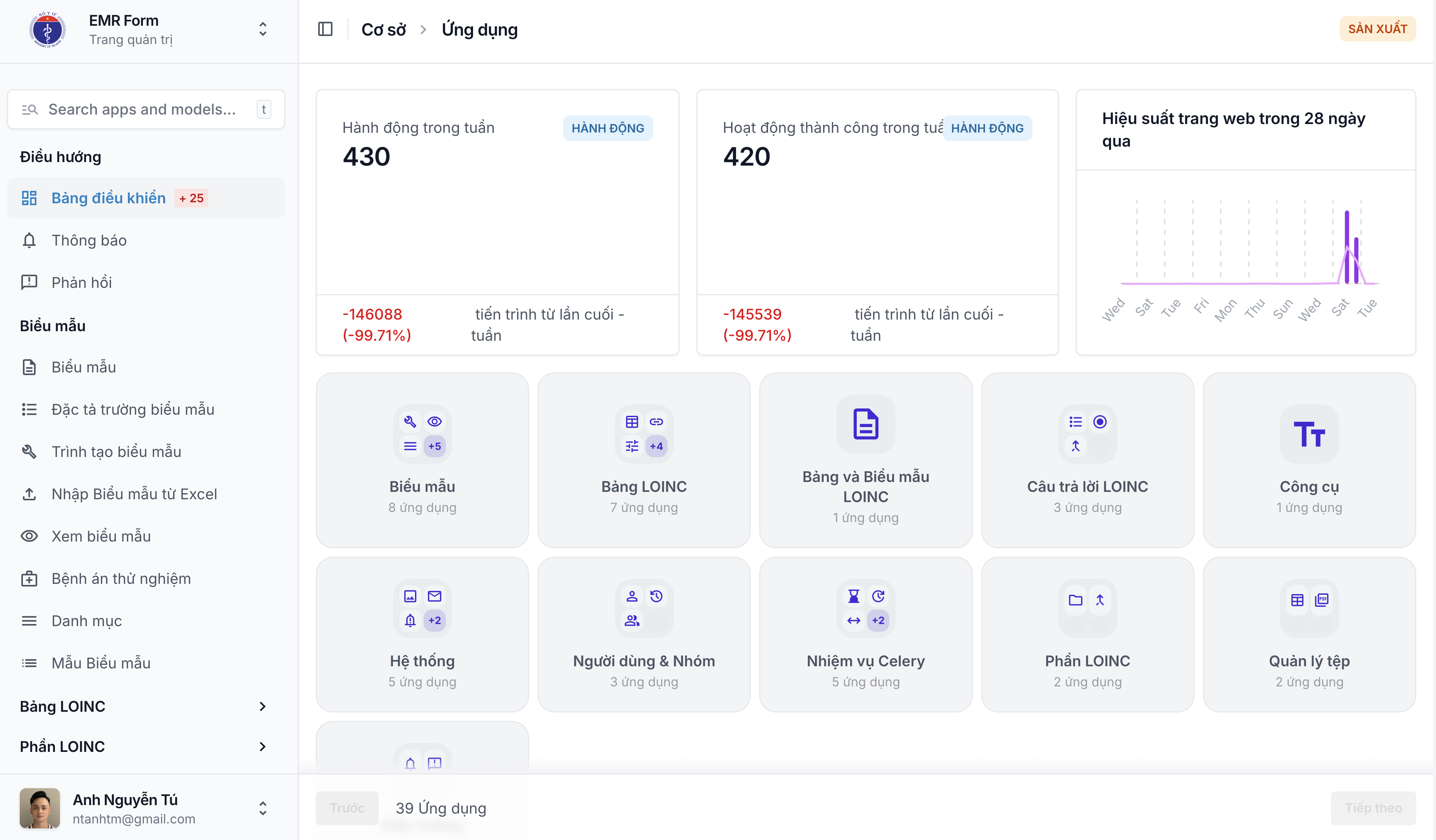
A modern Django Admin extension focused on UI/UX, dashboard, feedback, file management, and advanced admin integrations — built on top of django-unfold.



v0.3.4.9
Bugfix: startswith typo in UserActivityMiddleware broke path exclusion
- Fixed: Typo
'startwith'→'startswith'in two places withinUserActivityMiddleware— restores proper/health/,/ws/and customUSER_ACTIVITY_EXCLUDE_PATHSpath exclusion from activity tracking and rate limiting. - Compatibility: No breaking changes; safe for all v0.3.x users.
See CHANGELOG.md for the full version history.
Feature: Badge callback caching layer for dashboard performance optimization
- Added: Django cache-backed badge callbacks for dashboard model badges with 60s TTL to reduce database queries.
- Added: Per-user cached notification badge with 60s TTL and unauthenticated user guard.
- Improved: Replaced
timezone.now()withtimezone.localtime()across all badge queries. - Compatibility: No breaking changes; safe for all v0.3.x users. Requires Django cache backend configured.
See CHANGELOG.md for the full version history.
Improvement: Configurable rate-limit exempt paths and user activity exclude paths
- Improved:
RateLimitMiddlewarenow readsRATE_LIMIT_EXEMPT_PATHSfrom Django settings — comma-separated list of additional path prefixes to exclude from rate limiting. - Improved:
UserActivityMiddlewarenow readsUSER_ACTIVITY_EXCLUDE_PATHSfrom Django settings — semicolon-separated list ofpath,conditionpairs for excluding paths from activity tracking and rate limiting. - Compatibility: No breaking changes; safe for all v0.3.x users. New settings are optional.
See CHANGELOG.md for the full version history.
Patch release: Remove synchronization module, add language switcher template, update Vietnamese i18n
- Removed:
synchronization/module — cleaned up unused sync models, admin, views, tests, and migrations - Added: Language switcher template for Unfold admin (
language_switch.html) with multi-language support viashow_languagescontext variable - Improved: Vietnamese translations updated — removed stale synchronization references, added new entries for user profile and HTML editor
- Compatibility: No breaking changes; safe for all v0.3.3.x users
- Validation: Build, migrations (no changes), and manual admin UI/UX validation performed
- Upgrade Guidance: No manual migration required; upgrade recommended for all users on v0.3.3.x
- Rollback: Safe to revert to v0.3.3.3; no schema changes introduced
pip install django-whiteneuronOr with uv:
uv add django-whiteneuronuv add "django-whiteneuron==0.2.37"uv add "git+https://github.com/White-Neuron/[email protected]"uv pip install -e .Add the apps at the top of INSTALLED_APPS:
INSTALLED_APPS = [
    "whiteneuron",
    "whiteneuron.base",
    "whiteneuron.feedbacks",
    "whiteneuron.file_management",
    "whiteneuron.contrib",
    "whiteneuron.dashboard",
    # ... your other apps
]
Add the required middleware (order matters):
MIDDLEWARE = [
    "django.middleware.security.SecurityMiddleware",
    "whiteneuron.base.middleware.RateLimitMiddleware",   # ← immediately after SecurityMiddleware
    "whitenoise.middleware.WhiteNoiseMiddleware",
    "django.contrib.sessions.middleware.SessionMiddleware",
    "django.middleware.common.CommonMiddleware",
    "django.middleware.csrf.CsrfViewMiddleware",
    "django.contrib.auth.middleware.AuthenticationMiddleware",
    "django.contrib.messages.middleware.MessageMiddleware",
    "django.middleware.clickjacking.XFrameOptionsMiddleware",
    "whiteneuron.base.middleware.ReadonlyExceptionHandlerMiddleware",
    "whiteneuron.base.middleware.UserActivityMiddleware",  # ← after AuthenticationMiddleware
    "whiteneuron.base.middleware.ThreadLocalMiddleware",
]
Set the custom user model:
AUTH_USER_MODEL = "base.User"from django.templatetags.static import static
from django.utils.translation import gettext_lazy as _
UNFOLD = {
"SITE_HEADER": _("White Neuron"),
"SITE_TITLE": _("White Neuron Admin"),
"SITE_SUBHEADER": _("Admin panel"),
# Use SITE_ICON instead of SITE_LOGO to keep SITE_TITLE rendering correctly
"SITE_ICON": {
"light": lambda request: static("base/images/logo/WhiteNeuron.png"),
"dark": lambda request: static("base/images/logo/WhiteNeuron.png"),
},
"SITE_FAVICONS": [
{
"rel": "icon",
"sizes": "32x32",
"type": "image/svg+xml",
"href": lambda request: static("base/images/logo/WhiteNeuron.png"),
},
],
"SHOW_HISTORY": False,
"SHOW_LANGUAGES": True,
"SHOW_VIEW_ON_SITE": True,
"SHOW_BACK_BUTTON": True,
"DASHBOARD_CALLBACK": "whiteneuron.dashboard.views.dashboard_callback",
"LOGIN": {
"image": lambda request: static("base/images/login-bg.jpg"),
},
"STYLES": [
lambda request: static("base/css/styles.css"),
lambda request: static("base/css/btn-styles.css"),
lambda request: static("base/css/loading.css"),
],
"SCRIPTS": [
lambda request: static("base/js/loading.js"),
lambda request: static("base/js/whiteneuron.js"),
],
"BORDER_RADIUS": "6px",
}Install frontend dependencies:
npm install -D @tailwindcss/cli@next daisyui@latestBuild CSS using the provided script:
bash scripts/tailwind.shOr run directly:
npx @tailwindcss/cli -i styles.css -o whiteneuron/static/base/css/styles.css --minifycd whiteneuron
python manage.py migrate
python manage.py runserverAccess the admin at: http://127.0.0.1:8000/admin/
To build the package (including Tailwind assets, migrations, and Python wheel):
bash scripts/build.shThis script will:
- Build Tailwind CSS assets
- Run Django migrations
- Build the Python package using
uv build
For a full release (with version bump, git tag, and release notes), follow the interactive prompts in scripts/build.sh or use the skill-driven workflow.
RateLimitMiddleware limits by IP; UserActivityMiddleware limits by authenticated user. Redis is required for accuracy in multi-worker environments.
# settings.py (hoặc env)
RATE_LIMIT_REQUESTS = 60   # số request tối đa / window (theo IP)
RATE_LIMIT_WINDOW    = 60   # tính bằng giây

USER_RATE_LIMIT_REQUESTS = 60  # theo user đã đăng nhập
USER_RATE_LIMIT_WINDOW   = 60
Corresponding env vars: RATE_LIMIT_REQUESTS, RATE_LIMIT_WINDOW, USER_RATE_LIMIT_REQUESTS, USER_RATE_LIMIT_WINDOW.
When the limit is exceeded:
- API requests (
/api/orAccept: application/json) → JSON{"detail": "Too many requests."}with status 429. - Browser requests → renders
429.htmltemplate withRetry-Afterheader.
Two protection layers operate in parallel. Both are checked before rate limiting and return 403 immediately.
Loaded at startup, supports IPv4/IPv6 and CIDR:
# .env
IP_BLACKLIST=185.220.101.5,194.165.16.0/22,2001:db8::/32
Requires a Daphne/Gunicorn restart to apply new entries.
Managed via System → IP Blacklist in the admin panel (superuser only):
- Permanent block: leave
blocked_untilempty - Temporary block: set
blocked_until→ Redis TTL auto-expires, no cron needed - Quick block from logs: User Activity → select records → Block IP address action → Redis key set immediately, no restart needed
Request → check static env blacklist (O(1))
        → check cache.get('blacklist:dynamic:<ip>') (1 Redis GET)
        → 403 nếu match, không tốn rate limit check
Error templates live in whiteneuron/templates/ and are used automatically by Django when DEBUG=False:
| Template | Error | Notes |
|---|---|---|
400.html |
Bad Request | |
403.html |
Forbidden | |
404.html |
Not Found | |
429.html |
Too Many Requests | Rendered manually by middleware, passes {{ retry_after }} |
500.html |
Server Error |
No need to register handler400/403/404/500 — Django resolves templates automatically via APP_DIRS=True.
Copy env.example to your environment file and update variables such as DATABASE, REDIS, EMAIL, and ALLOWED_HOSTS.
- Email: [email protected]
- Website: https://whiteneuron.ai
- GitHub: https://github.com/White-Neuron/django-whiteneuron
MIT License.