A terminal-native AI coding tool that reads your code, edits files, runs commands, uses git, and works through tasks with you.
I built CLIO for myself. I spend more time in terminal sessions than I do using GUIs, and I wanted a terminal-first AI development tool that worked the way I work. It didn't really exist, so I built it. Starting with version 20260119.1, CLIO has been building itself - all development on SAM, CLIO, and ALICE is done through pair programming with AI agents using CLIO.



- Give it a task, it does the work - CLIO investigates your codebase, proposes a plan, you approve, it implements. Edits files, runs tests, commits changes.
- Work from anywhere - Local shells, SSH sessions, tmux, Docker, headless servers. Anywhere Perl runs.
- Zero dependencies - Pure Perl with standard core modules. No CPAN, no npm, no pip. Install and run.
- Pick up where you left off - Persistent sessions with full history. Long-term memory carries across projects.
- Coordinate parallel agents - Spawn sub-agents with file locks, git locks, and rate limiting.
- Run across your fleet - SSH into any machine, deploy CLIO, run a task, get results.
- Stay private - Secret redaction catches API keys and tokens before they reach the AI. Your code stays on your machine.
- Interrupt anytime - Press any key to stop mid-task. CLIO pauses, asks what you need, and adapts.
CLIO works like pair programming, not prompt-and-response chat. You describe the task, CLIO investigates your code, proposes a plan, and implements after your approval.
| Category | Capabilities |
|---|---|
| Files | Read, write, search, edit, manage files |
| Git | Status, diff, commit, branch, push, pull, stash, tag |
| Terminal | Execute commands and scripts directly |
| Remote | Run AI tasks on remote systems via SSH |
| Multi-Agent | Spawn parallel agents for complex work |
| Multiplexer | Live agent output panes via tmux, GNU Screen, or Zellij |
| Memory | Store and recall information across sessions |
| Profile | Learns your working style and personalizes collaboration |
| Todos | Manage tasks within your workflow |
| Web | Fetch and analyze web content |
| MCP | Connect to external tool servers via Model Context Protocol |
| Proxy Support | HTTP and SOCKS proxy for corporate/restricted networks |
| Provider | Auth | Best For |
|---|---|---|
| GitHub Copilot | OAuth | Multiple models, easiest setup |
| Anthropic | API Key | Claude models, extended thinking |
| OpenAI | API Key | GPT and o-series models |
| Google Gemini | API Key | Large context, multimodal |
| DeepSeek | API Key | Coding, reasoning |
| OpenRouter | API Key | Access to hundreds of models |
| MiniMax | API Key | High-throughput coding |
| Z.AI | API Key | GLM-5 models, long-horizon tasks |
| llama.cpp | None | Local, offline, privacy-first |
| LM Studio | None | GUI-based local model management |
| SAM | API Key | Integration with SAM ecosystem |
See docs/PROVIDERS.md for setup instructions.
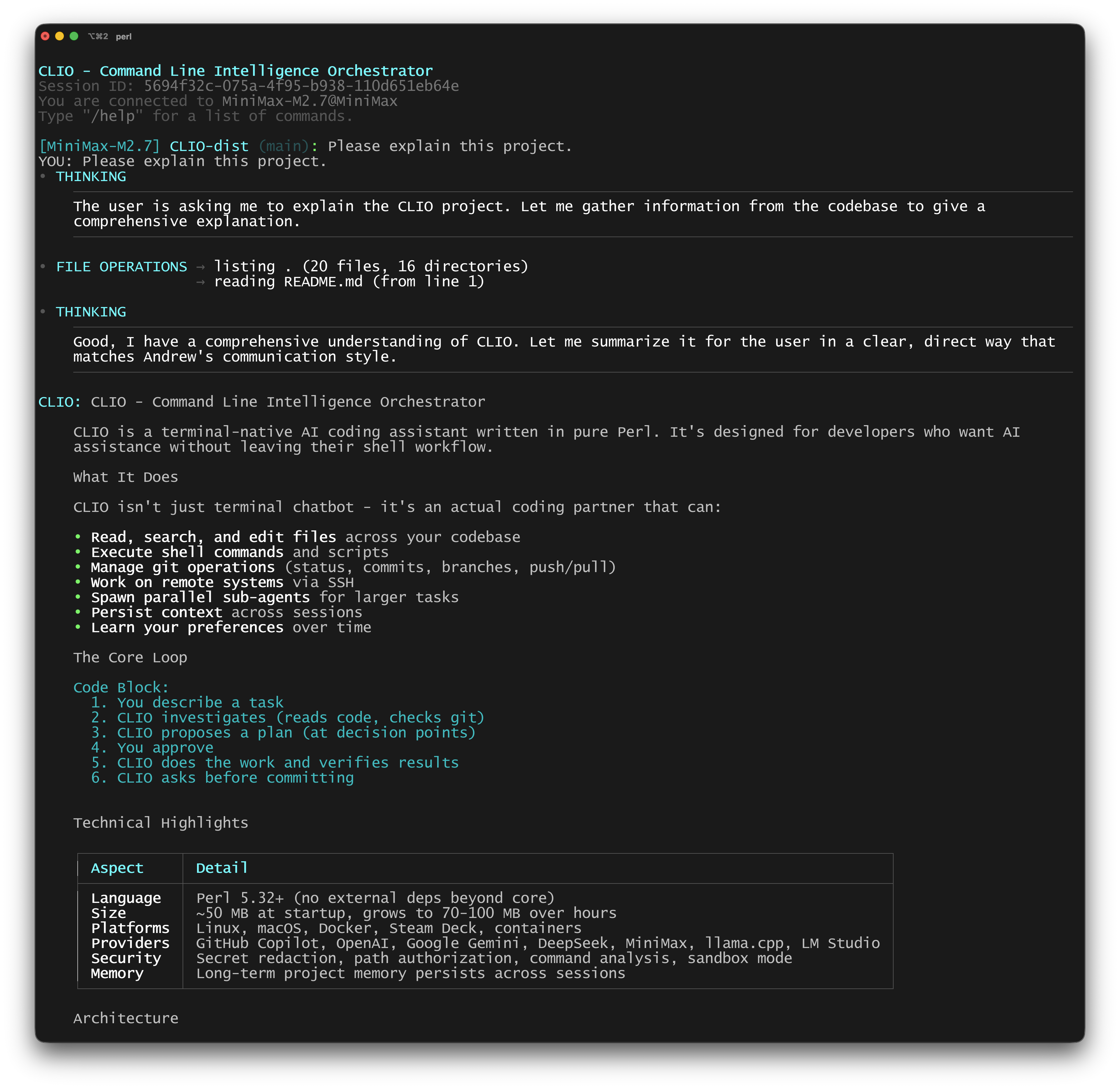
|
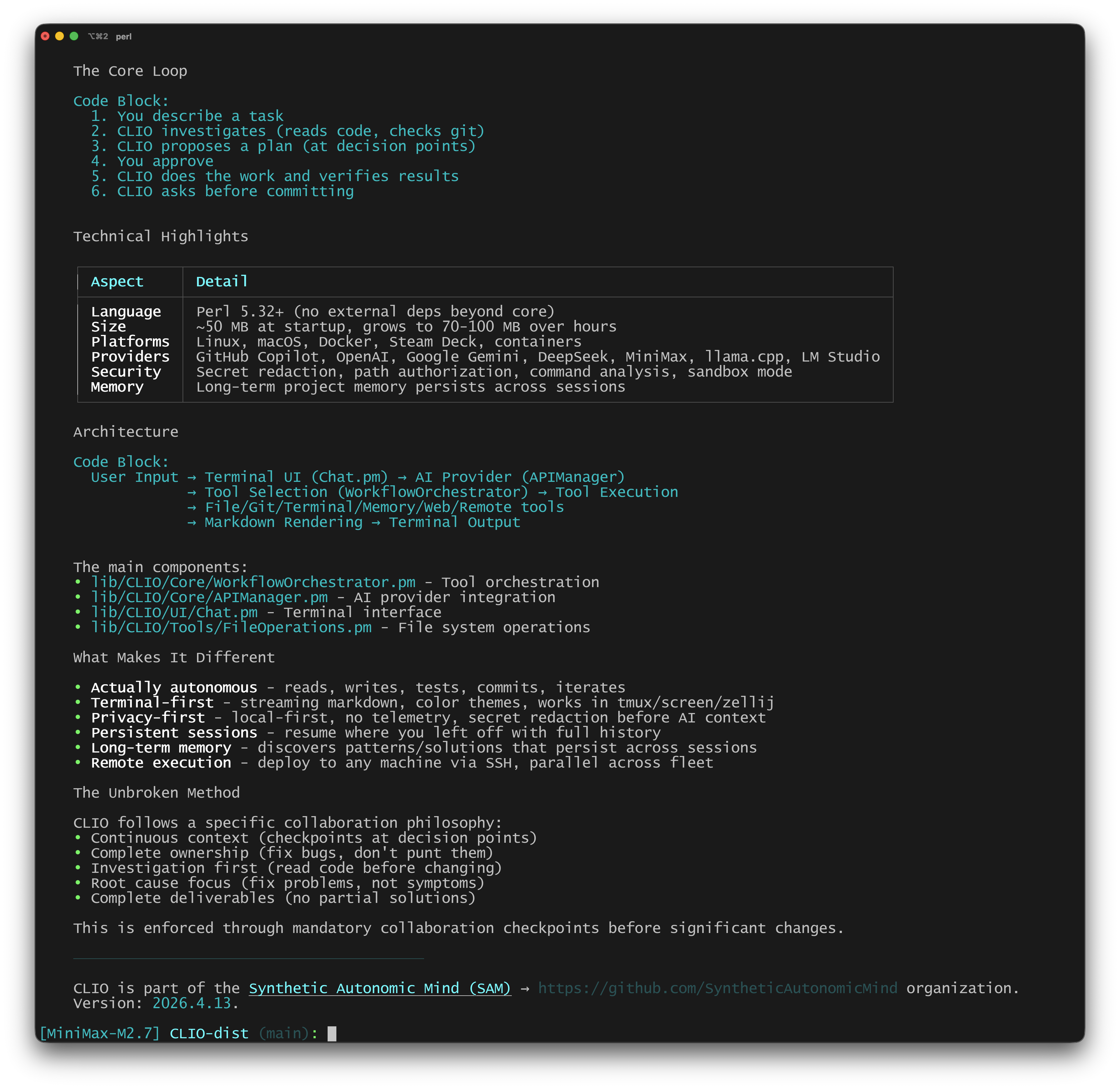
|
./check-deps # Verify all required tools are installedCLIO requires standard Unix tools (git, curl, perl 5.32+, etc.). See docs/DEPENDENCIES.md for details.
Homebrew (macOS)
brew tap SyntheticAutonomicMind/homebrew-SAM
brew install clio
Docker (Any Platform)
docker run -it --rm \
    -v "$(pwd)":/workspace \
    -v clio-auth:/root/.clio \
    -w /workspace \
    ghcr.io/syntheticautonomicmind/clio:latest \
    --new
Manual
git clone https://github.com/SyntheticAutonomicMind/CLIO.git
cd CLIO && sudo ./install.sh
For detailed options, see docs/INSTALLATION.md.
GitHub Copilot (Recommended - no config needed)
./clio
: /api login
# Follow browser prompts to authorize
Other Providers
./clio
: /api set provider openai
: /api set key YOUR_API_KEY
: /config saveStart with something grounded in a real repository:
Read this project and tell me how configuration is loaded.
Or give CLIO a real bug to investigate:
Find the bug causing the login endpoint to return 500 when the session is expired.
./clio --new          # New conversation
./clio --resume       # Resume last session
./clio --debug        # Debug mode
./clio --enable file_operations  # Restrict to specific tools
./clio --disable web_operations # Block specific toolsType /help in any session for the full list. Key commands: /api (providers), /config (settings), /session (history), /memory (long-term memory), /agent (sub-agents), /undo (revert changes), /usage (billing), /stats (performance).
See docs/USER_GUIDE.md for the complete reference.
- macOS 10.14+ or Linux (any modern distribution)
- Perl 5.32+ (included with most systems)
- Git (for version control operations)
- ANSI-compatible terminal
CLIO runs with defense-in-depth security:
- Secret redaction - API keys, tokens, and credentials are stripped from AI context before it reaches the model
- Command analysis - Shell commands are classified by risk level (network, credential access, destructive) and require your approval for high-risk operations
- Path authorization - File access outside the project directory requires your permission
- Sandbox mode -
--sandboxrestricts all operations to the project directory - Container isolation -
clio-containerprovides full OS-level isolation via Docker - Invisible character filtering - Unicode-based prompt injection attacks are blocked automatically
See docs/SECURITY.md and docs/SANDBOX.md for details.
CLIO is part of Synthetic Autonomic Mind - a family of open source AI tools:
- SAM - Native macOS AI assistant with voice control, document analysis, and image generation
- ALICE - Local Stable Diffusion server with web interface and OpenAI-compatible API
- SAM-Web - Access SAM from iPad, iPhone, or any browser
| Document | What You'll Find |
|---|---|
| User Guide | Complete usage guide with examples |
| Features | Every feature explained in detail |
| Installation | Getting started with CLIO |
| Providers | AI provider configuration guide |
| Dependencies | System requirements and verification |
| Sandbox Mode | Security isolation options |
| Architecture | System design and internals |
| Memory | How CLIO remembers and learns across sessions |
| Developer Guide | Contributing and extending CLIO |
| Remote Execution | Distributed AI workflows |
| Multi-Agent | Parallel agent coordination |
| MCP Integration | Model Context Protocol support |
| Custom Instructions | Per-project AI customization |
| Security | Security model and secret redaction |
| Performance | Benchmarks and optimization |
| Style Guide | Color themes and customization |
| Automation | CLIO-helper daemon and CI/CD integration |
| Puppeteer Mode | Multi-project orchestration |
GPL-3.0-or-later - See LICENSE for details. · Created by Andrew Wyatt (Fewtarius) · syntheticautonomicmind.org · GitHub
- Discussions: Join the conversation
- Issues: Report bugs or request features
