5 | Robot Principles
bool TankDrive::drive_forward(double inches, directionType dir, Feedback &feedback, double max_speed)
Drive forward drives from the current location of the robot to the point a distance inches in front of where the robot currently is. This functions by taking the current position of the robot, the heading of the robot, and the distance we want to drive and creates a target point. This target point then gets saved and passed to drive_to_point()
Vector2D cur_pos_vec({cur_pos.x , cur_pos.y});
Vector2D delta_pos_vec(deg2rad(cur_pos.rot), inches);
Vector2D setpt_vec = cur_pos_vec + delta_pos_vec;
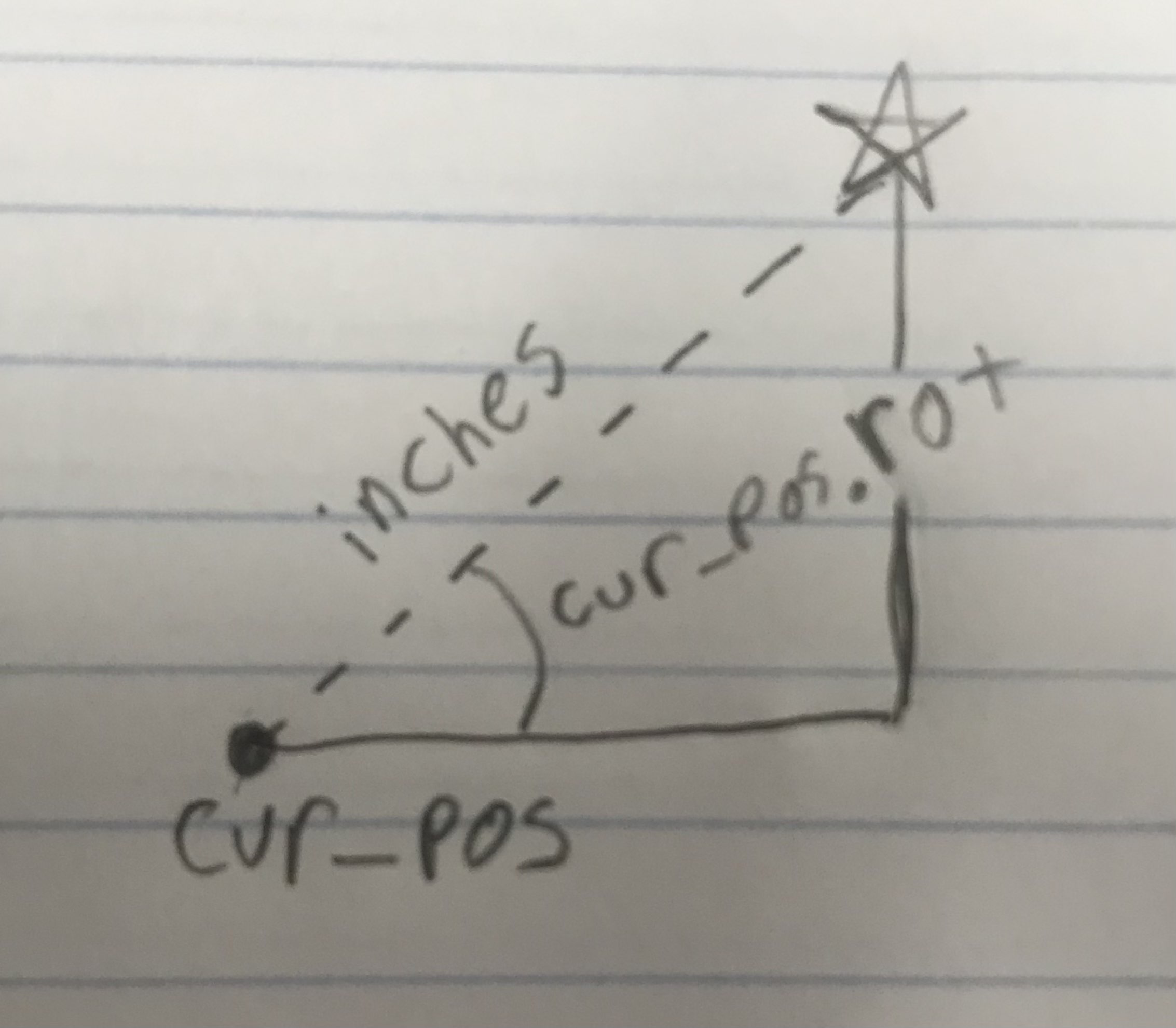
Drive to point takes the an x and y coordinate of a target and drives to that specified target point.
bool TankDrive::drive_to_point(double x, double y, vex::directionType dir, Feedback &feedback, double max_speed)
If the function has not been initialized, we reset all controllers with the distance from the target. The feedback controller will try to bring the distance from the point to 0.
  if(!func_initialized)
  {
    double initial_dist = OdometryBase::pos_diff(odometry->get_position(), {.x=x, .y=y});

    // Reset the control loops
    correction_pid.init(0, 0);
    feedback.init(-initial_dist, 0);

    correction_pid.set_limits(-1, 1);
    feedback.set_limits(-1, 1);

    func_initialized = true;
  }
While the function is running, we find the current position of the robot and the target position and the distance between them.
position_t current_pos = odometry->get_position();
position_t end_pos = {.x=x, .y=y};
Vector2D::point_t pos_diff_pt =
{
 .x = x - current_pos.x,
 .y = y - current_pos.y
};
Next we find the distance (by the pythagorean theorem) from our current position to the target. This value (after some alterations) is the sensor value we feed to the feedback controller.
double dist_left = OdometryBase::pos_diff(current_pos, end_pos);
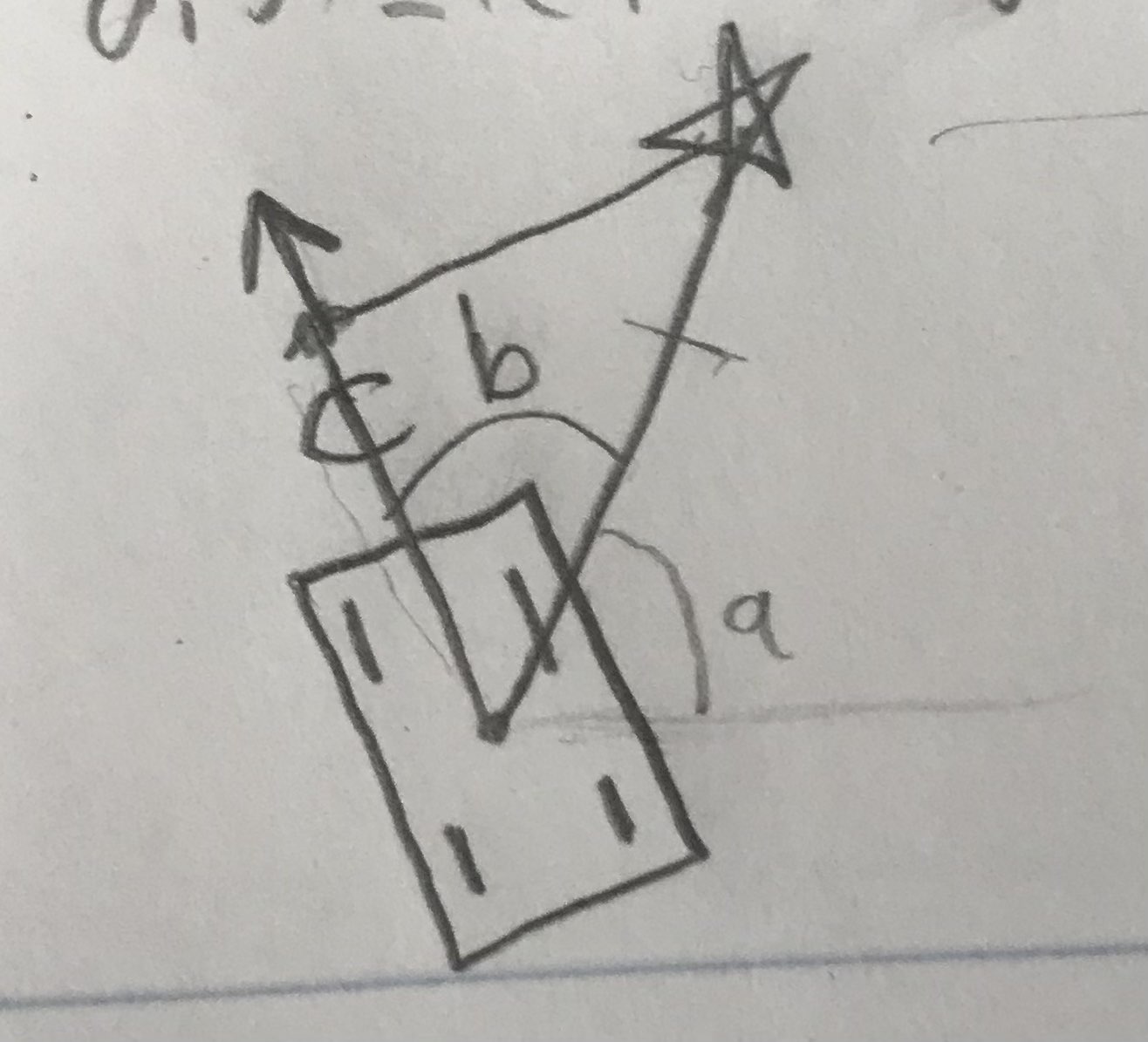
Next, we calculate the angle to our target (relative to the field). In the above diagram it is labelled a
Then, we find the angle from where we are facing to the target point. In the above diagram it is labelled 'b'
Both these angles are mapped between 0 and 360 degrees. No negatives allowed.
double angle_to_point = atan2(y - current_pos.y, x - current_pos.x) * 180.0 / PI;
double angle = fmod(current_pos.rot - angle_to_point, 360.0);
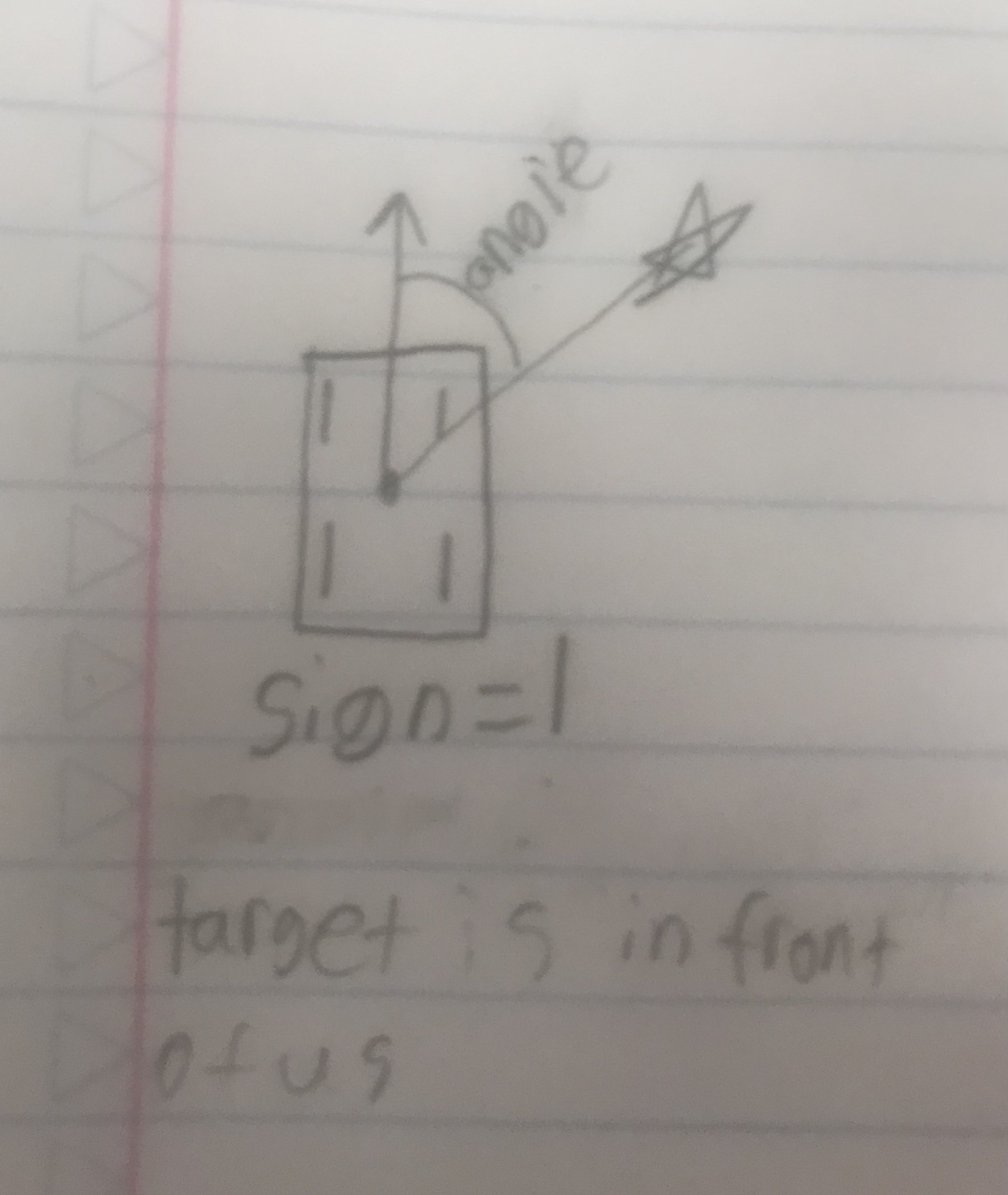
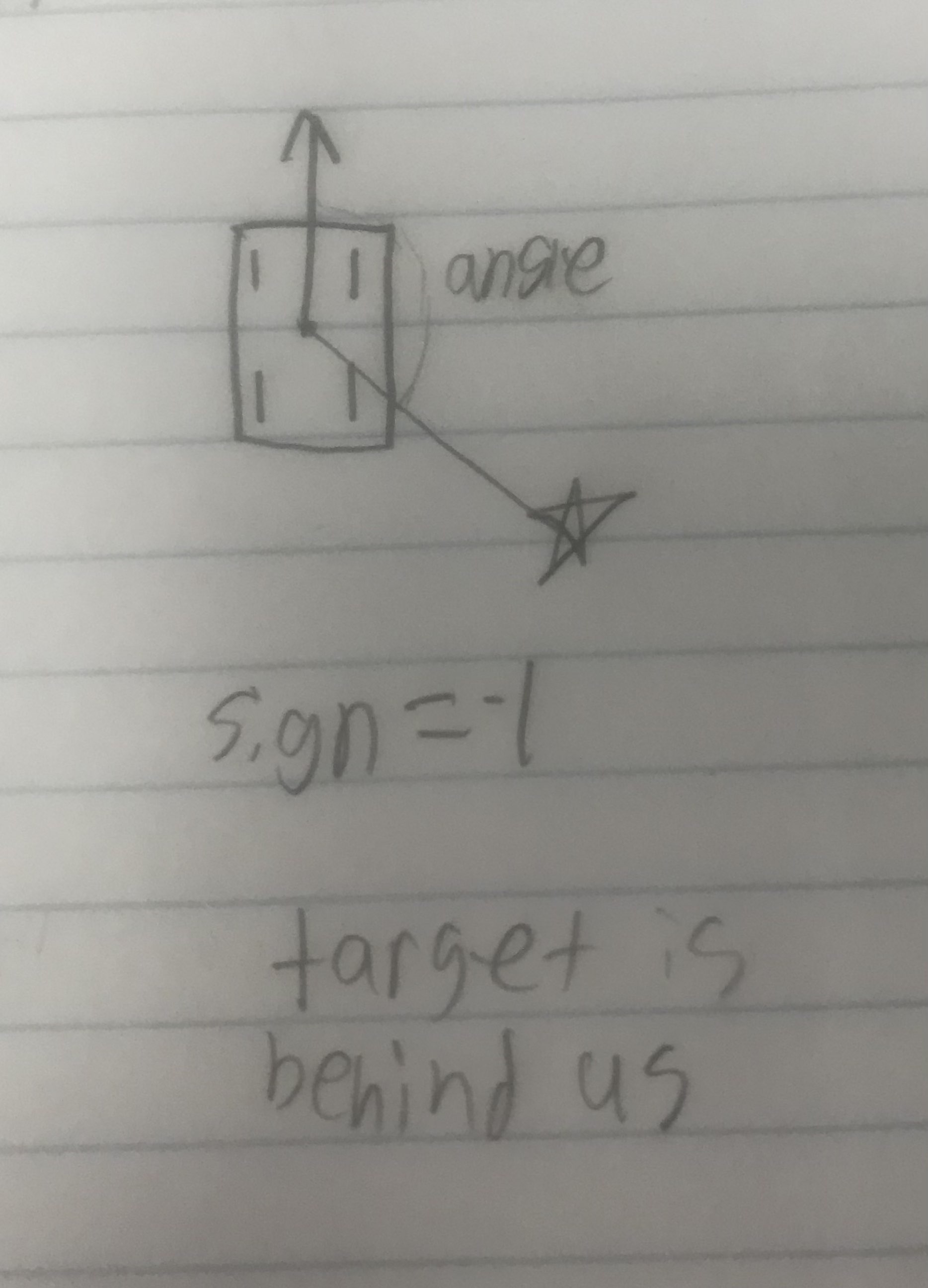
Now we determine whether or not the target is in front or behind the target. This determines the sign parameter. The reason we feed the PID controller a signed distance is that if the target is in front of us, we drive forward and if it is behind us we drive backward. The default sign is +1 so we only check if the target is behind us.
if (dir == directionType::fwd && angle > 90 && angle < 270){
  sign = -1;
}else if(dir == directionType::rev && (angle < 90 || angle > 270)){
  sign = -1;
}
| Target in front | Target behind |
|---|---|
| In Front | Behind |
 |
 |
When inside the robot's cutoff radius, report the distance to the point along the robot's forward axis, so we always "reach" the point without having to move sideways. In this diagram c is the distance along the robots forward axis.
Within Radius
if (fabs(dist_left) < config.drive_correction_cutoff)
{
  dist_left *= fabs(cos(angle * PI / 180.0));
}
Now we determine how best to turn to reach the point. This is handled by the correction_pid. The sensor value fed to the PID controller is the angle between where we are going and pointing directly at the target.
double heading = rad2deg(point_vec.get_dir());
double delta_heading = 0;

if (dir == directionType::fwd)
  delta_heading = OdometryBase::smallest_angle(current_pos.rot, heading);
else
  delta_heading = OdometryBase::smallest_angle(current_pos.rot - 180, heading);
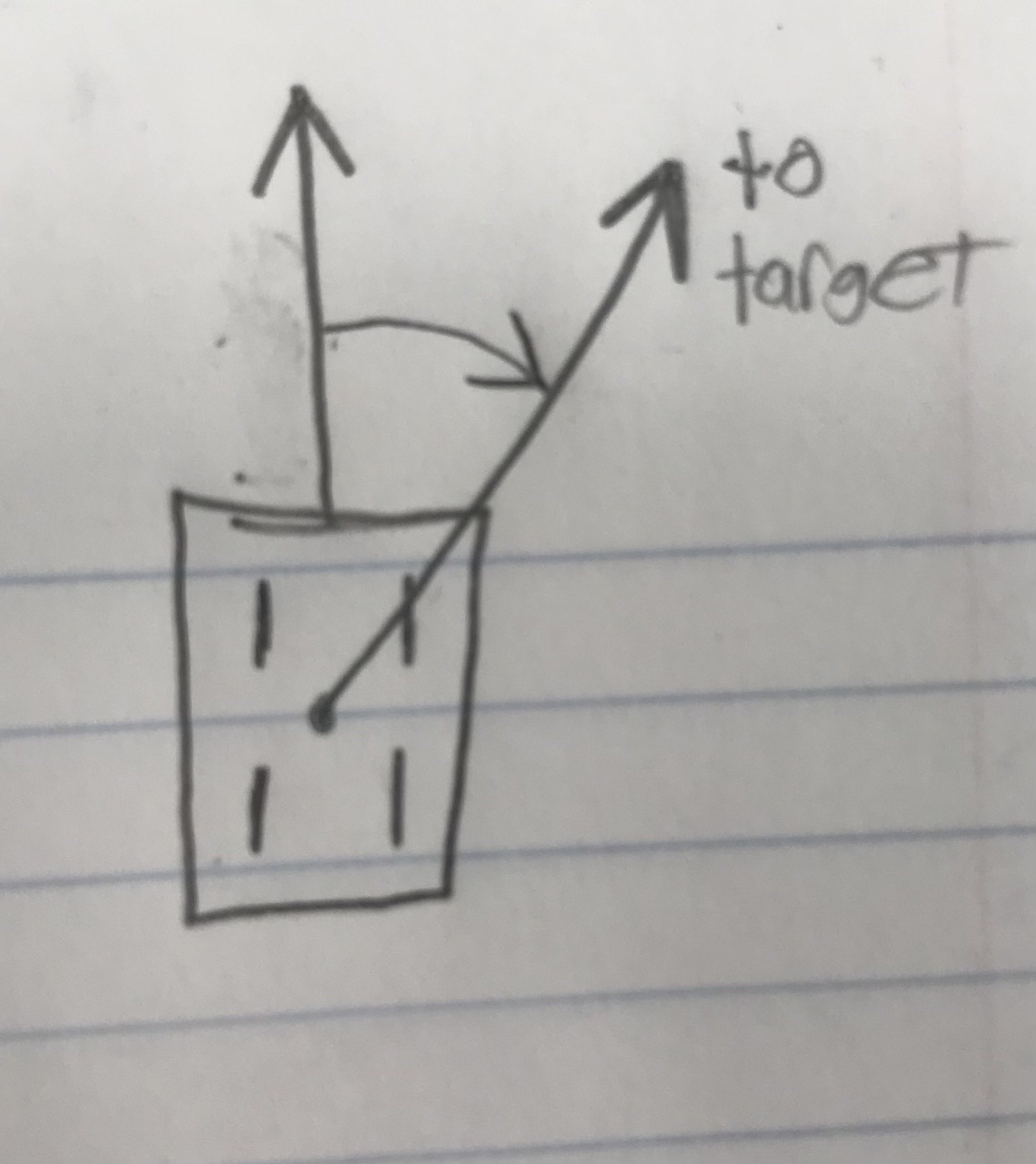
Finally, we update all the Feedback controllers with these calculated values and take their output values to drive the motors.