
LiveFlight Connect for Windows allows you to control Infinite Flight on an iOS or Android device via your PC using either joystick, keyboard, or mouse.
Uses Infinite Flight Connect, a TCP-based API introduced in version 15.10.0.
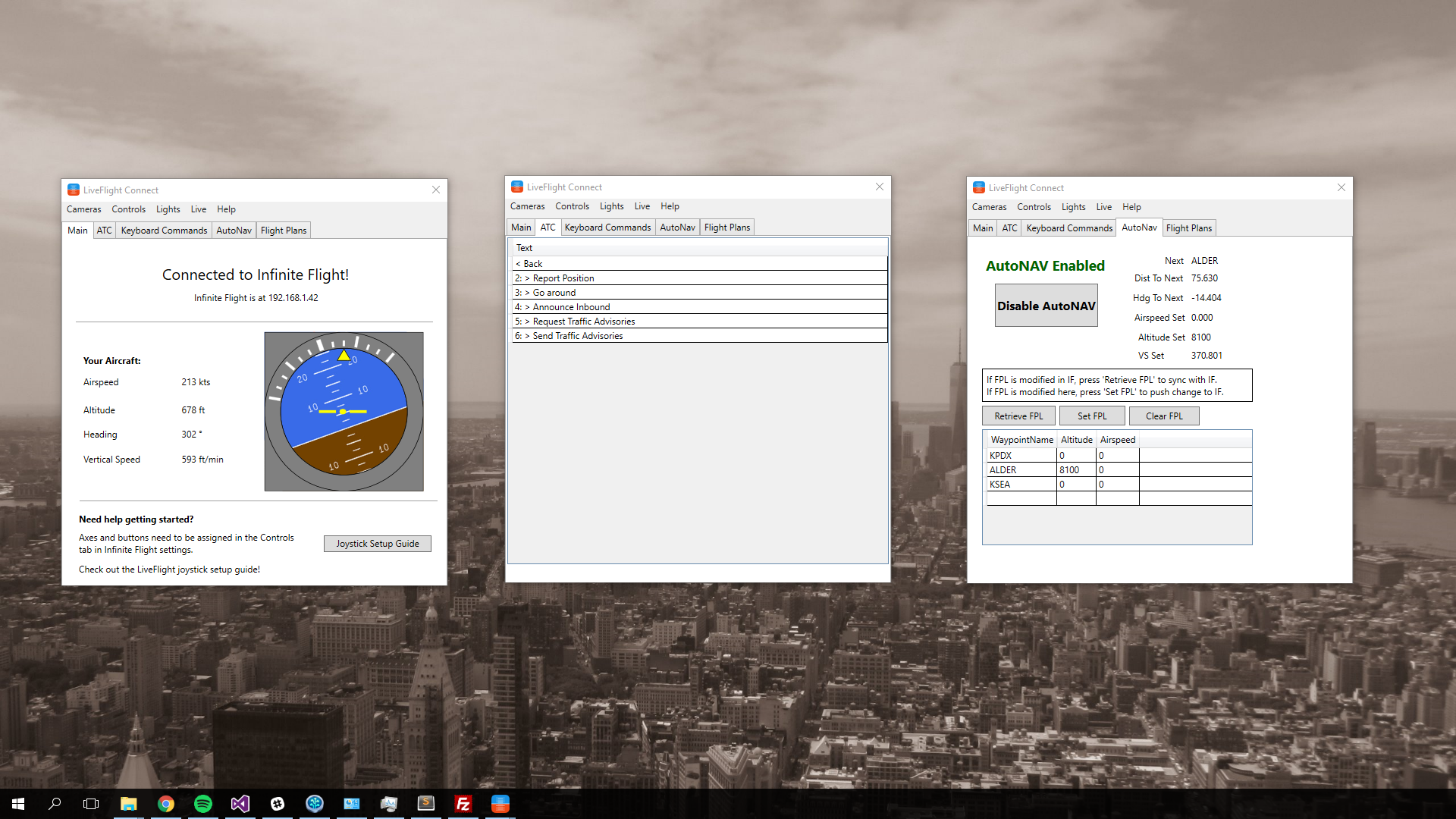
- Install the latest release version from connect.liveflightapp.com
- Enable Infinite Flight Connect within Infinite Flight, and make sure your device is on the same wifi network as your PC
- Get your joystick setup, and go have fun :)
LiveFlight Connect is built in C#. Simply clone the repo, run and build in Visual Studio!
There's no guarantee this will play perfectly with your joystick or configuration. These joysticks definitely work fine:
- Thrustmaster T-Flight Hotas X
- Saitek X52 Pro
- Logitech Extreme 3D
Gamepads might not work perfectly at this time, this will be improved in the future.
- LiveFlight-Connect: Main project - handles most of the UI, joystick work, keyboard commands.
- IFConnect: This project contains the interfaces for communicating with the IFConnect API and datatypes for deserializing JSON data.
- IF_FMS: This project handles the FMS system for AutoNav, as well as the logic controlling it.
- FlightPlanDatabase: This contains some interfaces for FlightPlanDatabase.com API. Simple flight plan datatypes and logic implemented so far to search for flight plans.
- Indicators: Work in progress. Started with an attitude indicator that still needs some refinement. Wanted to use an image as the background scale but can't get it to position correctly to match pitch.
Licensed under the GPL-V3 License available here.