English · Українська · Русский · 中文 · Español · Deutsch · 日本語 · Français · 한국어 · العربية · Português · Italiano · Polski · Nederlands · Türkçe · Svenska · Română · Ελληνικά · Filipino · اردو · ਪੰਜਾਬੀ
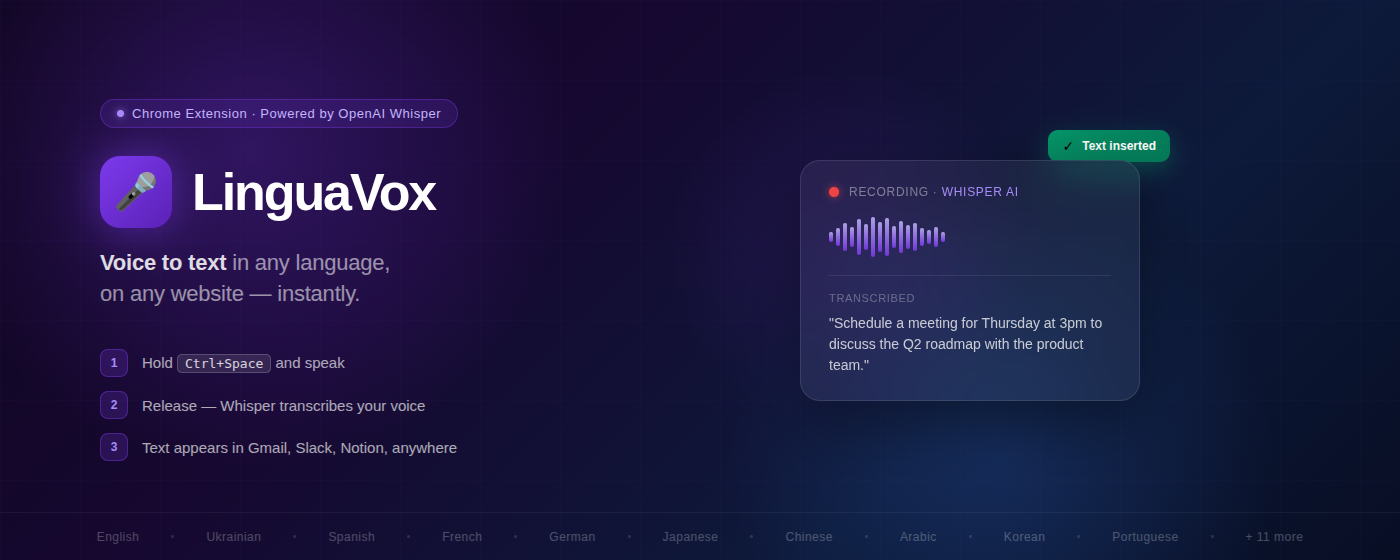
Hold a hotkey · speak · release · text appears in any web field · Real-time meeting subtitles in any language
OpenAI Whisper · Deepgram · 21+ languages · 6 AI enhancement modes · Meeting Mode · No API key required


LinguaVox is a Chrome extension that removes the language tax from your daily work. Speak naturally in your native language — LinguaVox transcribes via OpenAI Whisper, translates to any of 21+ target languages, and inserts polished text directly into whatever web field you're typing in. No copy-paste, no app switching, no grammar anxiety.
Works in Gmail, Slack, Notion, Jira, Asana, Salesforce — any website with a text field. Free tier includes 20 requests/day with zero setup. Power users and teams can bring their own OpenAI key for unlimited usage.
v3.0 — Meeting Mode: real-time translated subtitles for Google Meet, Zoom, Teams, and any other browser-based call. Tab audio captured via Chrome API → streamed to Deepgram → subtitles appear as a floating overlay. Requires explicit consent on first use.
Before LinguaVox: open a separate app → record → copy → switch to browser → paste
After LinguaVox:
1. Click any web field (Slack, Gmail, Notion, Jira…)
2. Hold  Ctrl+Space  →  speak
3. Release  →  text appears within ~3 seconds  ✓
No copy-paste. No switching apps. Works on any website.
| Browser | Status | Notes |
|---|---|---|
| Chrome 88+ | ✅ | Fully supported |
| Edge (Chromium) | ✅ | Should work — same Chromium APIs, not officially tested |
| Brave | ✅ | Should work — not officially tested |
| Opera | ✅ | Should work — not officially tested |
| Firefox | ❌ | Not supported — different extension API |
OS: Windows, macOS, Linux — anywhere Chrome/Edge/Brave runs.
Google Account required — free tier login uses Google OAuth. No Google account = no free tier (BYOK still works without Google sign-in is not yet supported).
| Platform | Status | Notes |
|---|---|---|
| Slack (browser) | ✅ | Browser-level hotkey bypass for Slack's key capture |
| Gmail | ✅ | Compose and reply fields |
| Notion | ✅ | All contenteditable blocks |
| Jira | ✅ | Issue fields, comments, descriptions |
| Asana | ✅ | Task and comment fields |
| Salesforce | ✅ | CRM input fields |
Any <input> / <textarea> |
✅ | Universal — any website |
Any contenteditable |
✅ | React, Draft.js, Quill compatible |
| Google Docs | Limited — custom canvas editor |
All OpenAI API calls go through the Worker. API keys never leave the server.
- No API key required — 20 req/day free via shared pool, zero setup
- Bring Your Own Key — unlimited usage at OpenAI cost (~$0.50/month typical)
- Organization accounts — shared key pool, member management, usage analytics
- 21+ languages — transcription + translation in one step
- 6 AI enhancement modes — grammar fix, business style, academic, casual, creative, smart polish
- Meeting Mode — real-time subtitles for any tab audio (Google Meet, Zoom, Teams…) via Deepgram
- Privacy-first — voice audio never stored; meeting audio uses 90s ephemeral tokens, mip_opt_out=true
- Under 3 seconds — end-to-end from speech to inserted text
- 95%+ accuracy — OpenAI Whisper large-v2 equivalent
| Mode | What It Does |
|---|---|
| Smart Polish | Fix grammar, improve clarity, keep meaning |
| Business Style | Professional communication tone |
| Grammar Fix | Correct grammar and spelling only |
| Creative Style | Vivid, engaging writing |
| Casual Style | Friendly conversational tone |
| Academic Style | Formal academic language |
| Plan | Requests/day | Requirements |
|---|---|---|
| Free | 20 | Google Account (OAuth login) |
| Bring Your Own Key | Unlimited | Google Account + your OpenAI API key |
| Organization | Unlimited | Google Account + shared team API key |
Yes. Slack intercepts keyboard events at the page level. LinguaVox registers the hotkey at the browser level via chrome.commands.onCommand, bypassing Slack's capture. Works in all Slack message fields.
No. Free users get 20 requests/day from the shared pool. Add your own key in the dashboard for unlimited usage.
No. Audio is processed in real-time by Whisper and discarded immediately. Zero voice data retained anywhere.
21+ languages: English, Ukrainian, Russian, Spanish, French, German, Japanese, Korean, Chinese, Arabic, Portuguese, Italian, Polish, Dutch, Turkish, Swedish, Romanian, Greek, Tagalog, Urdu, Punjabi, and more.
| Resource | Description |
|---|---|
| Use Cases | Customer support, devs, non-native speakers, RSI |
| Integrations | Platform-specific notes for Slack, Notion, Jira, etc. |
| Security & Data Protection | How API keys, audio, and personal data are handled |
| FAQ | 20+ answers |
| Changelog | v1.0 → v3.0 |
Option A — Chrome Web Store (recommended):
- Chrome Web Store → — click "Add to Chrome"
- Click the LinguaVox icon → "Sign in with Google"
- Press Ctrl+Space anywhere and start speaking
Option B — Manual install (ZIP):
- Download
linguavox-3.0.0.zipfrom Releases → - Unzip to a folder
- Chrome →
chrome://extensions→ enable "Developer mode" → "Load unpacked" → select the folder
For Bring Your Own Key: Dashboard → API Key
| 🌐 Website | https://linguavox.uk |
| 📊 Dashboard | https://linguavox.uk/login |
| 🎤 Voice Translation | https://linguavox.uk/voice-translation |
| ✨ AI Voice Enhancement | https://linguavox.uk/ai-voice-enhancement |
| 🌍 For Non-Native Speakers | https://linguavox.uk/for-non-native-speakers |
| 👤 About the Author | https://linguavox.uk/about |
| 🔒 Privacy Policy | https://linguavox.uk/privacy/ |
| 🤖 AI docs (llms.txt) | https://linguavox.uk/llms.txt |
| 💬 Support | https://linguavox.uk/support/ |
| 📺 YouTube | Demo videos & tutorials |
| LinguaVox Community Channel | |
| 🤝 Slack | Join linguavox.slack.com |
| Use Case | Watch |
|---|---|
| Full demo — dictate on any website | ▶ Watch |
| WhatsApp Web — send voice messages | ▶ Watch |
| Telegram Web — voice dictation | ▶ Watch |
| LinkedIn — write posts by voice | ▶ Watch |
| Meeting Mode — real-time subtitles | ▶ Watch |
MIT — see LICENSE