A personal C++ project built to deepen my understanding of real-time simulation, numerical methods, and performance tradeoffs. It started as a 2D circle bouncing under gravity and grew into a full 3D N-body simulator, evolving from basic kinematics to Newtonian kinetics and from a single body to arbitrarily many.
The simulation models gravitational interactions and perfectly elastic collisions between spherical bodies, rendered in 3D with OpenGL. Four numerical integrators are supported and can be switched at runtime via an interactive GUI. Their long-term energy conservation behavior is compared in a benchmark, with results plotted to evaluate stability and drift.
Scalability is also a considered part of the design: the force evaluation is O(N²) by nature, and the project documents the tradeoffs between applying Newton's third law optimization and parallelizing with OpenMP as body counts grow.
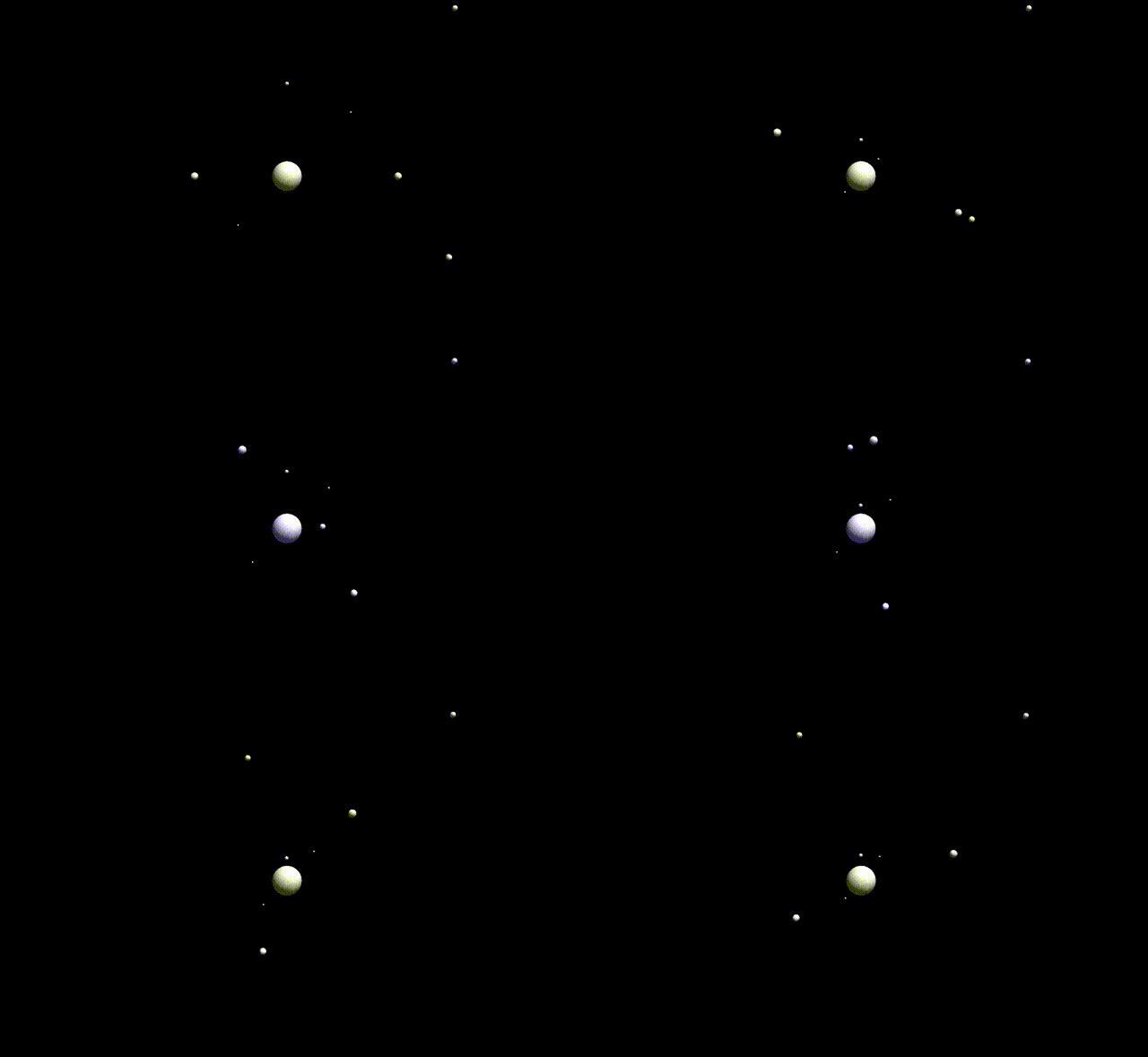
⚠️ This is a GIF preview. Hence some stuttering or quality loss. Click the GIF to see a short demo video including GUI!
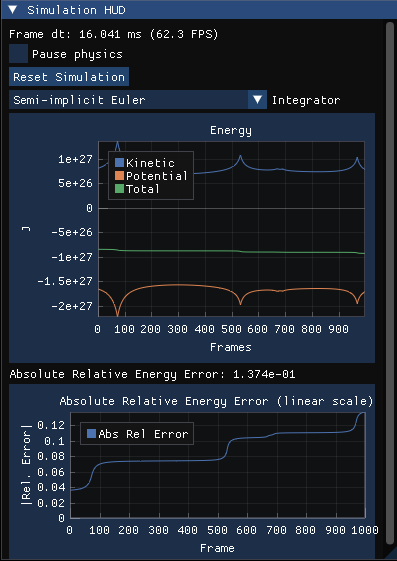
- The code is work in progress
- Currently only tested and built in Linux Ubuntu
CHANGELOG.mddocuments current features and development steps- Built with C++, OpenGL, GLFW, Imgui, Implot
gravitySimulator/
├── src/                          # Source files
│   ├── main.cpp                  # Entry point, render loop
│   ├── physics.cpp               # N-body force & collision logic
│   ├── rendering.cpp             # OpenGL rendering
│   ├── NumericalIntegrators.cpp  # Euler, Leapfrog, RK4 implementations
│   ├── Gui.cpp                   # ImGui interface
│   ├── SceneLoader.cpp           # JSON scene parsing
│   ├── camera_controls.cpp       # Camera input & movement
│   └── benchmark.cpp             # Energy conservation benchmark
├── include/                      # Header files
│   ├── Planet.hpp                # Body data structure
│   ├── physics.hpp
│   ├── NumericalIntegrators.hpp
│   ├── SimulationState.hpp       # Shared simulation state
│   ├── Gui.hpp
│   ├── SceneLoader.hpp
│   ├── camera_controls.hpp
│   ├── constants.hpp
│   ├── glm/                      # GLM math library (vendored)
│   ├── imgui/                    # Dear ImGui (vendored)
│   ├── implot/                   # ImPlot (vendored)
│   └── nlohmann/json.hpp         # JSON library (vendored)
├── docs/                         # Media assets
│   ├── preview.gif
│   ├── demo_video.mp4
│   ├── gui_demo.png
│   ├── energy_errors.png
│   └── energy_errors.csv
├── tools/
│   ├── plot_errors.py            # Plot benchmark results
│   └── capture_gif.py
├── scene.json                    # Default scene configuration
├── CMakeLists.txt
├── CHANGELOG.md
└── README.md
The simulation supports four numerical integrators for advancing the physics each frame:
| Integrator | Order | Symplectic |
|---|---|---|
| Explicit Euler | 1st | No |
| Semi-implicit Euler | 1st | Yes |
| Leapfrog | 2nd | Yes |
| RK4 | 4th | No |
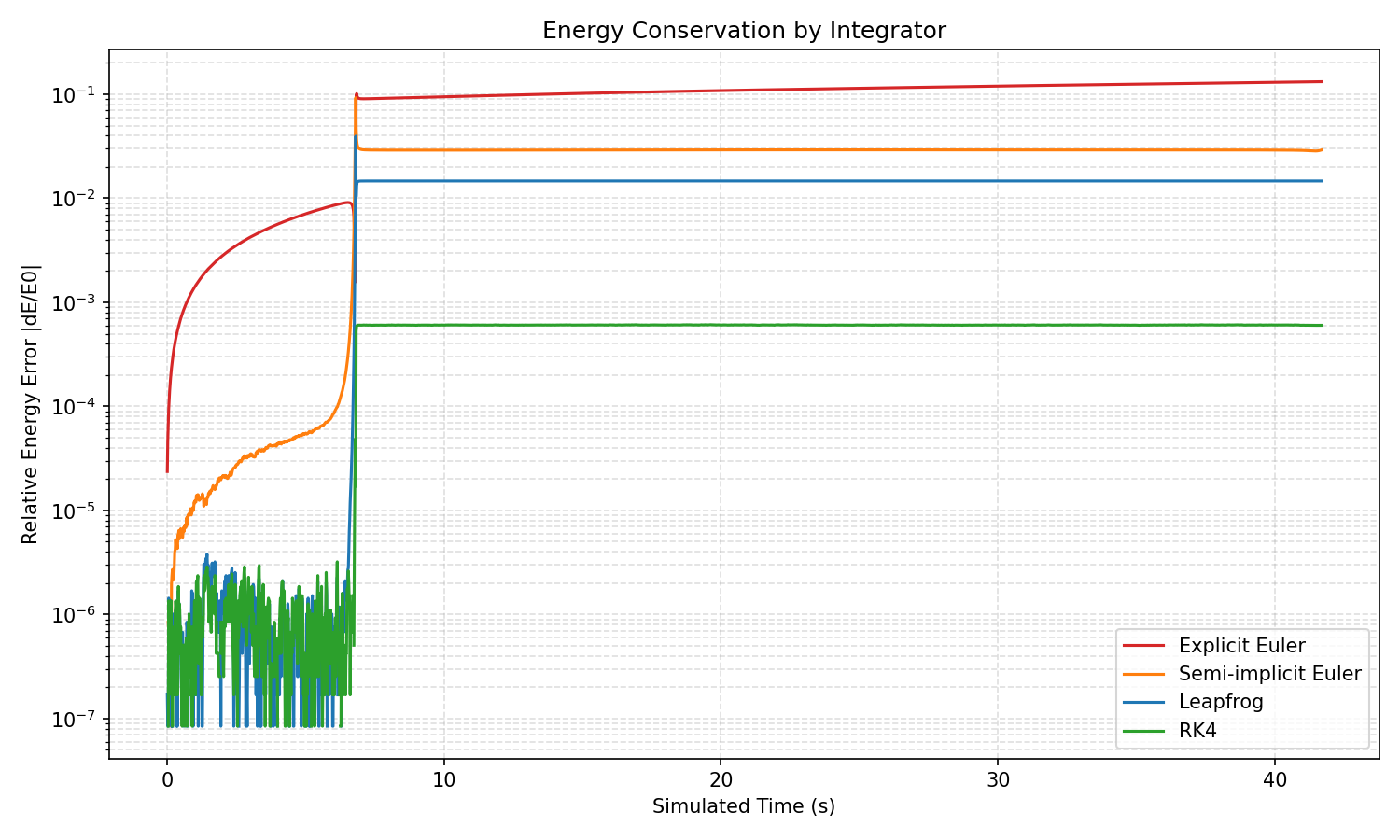
Symplectic integrators are structure-preserving methods for Hamiltonian systems that exactly preserve the symplectic 2-form of phase space. By backward error analysis, they can be interpreted as exactly solving a nearby "shadow" Hamiltonian whose value stays close to that of the original system. As a consequence, the energy error remains bounded and oscillates rather than drifting, over exponentially long time intervals in the step size. Non-symplectic methods carry no such guarantee. Explicit Euler, a low-order non-symplectic scheme, shows unbounded secular growth in energy for typical oscillatory systems. A high-order non-symplectic method such as RK4 can still achieve negligible drift on practical timescales, though without any long-time conservation theorem. [1]
[1] Hairer, E., Lubich, C., & Wanner, G. (2006). Geometric Numerical Integration: Structure-Preserving Algorithms for Ordinary Differential Equations (2nd ed.). Springer Series in Computational Mathematics, vol. 31. Chapters I and IX.
The plot below shows the relative energy error |ΔE/E₀| over simulated time for each integrator, applied to the same N-body initial conditions:
The simulation uses a direct N-body approach where every pair of bodies interacts gravitationally, resulting in O(N²) force evaluations per frame. This is the main bottleneck when scaling to larger body counts.
- Newton's third law: Each pair is evaluated once instead of twice, halving the number of force computations.
Parallelizing the force loop across CPU cores is the obvious next step, but it comes with a tradeoff. The Newton's third law optimization requires both bodies in a pair to be updated simultaneously, which introduces write conflicts between threads. The clean alternative is to give each body its own independent loop over all others: Safe to parallelize, but at the cost of redundant (2x) force evaluations.
Whether this tradeoff is worthwhile depends on the number of bodies and available cores. Spawning threads has a fixed startup cost each frame regardless of how much actual work they do. With few bodies, each thread finishes almost instantly and this overhead dominates, making parallelism slower overall. As body count grows the force computation starts to dwarf the overhead and at some point threads win.
Concretely, the serial approach (Newton's third law) does N²/2 force evaluations per frame. The parallel approach does N² evaluations split across P threads, plus a fixed thread startup cost T_overhead. Parallel is faster when:
N²/P × T_force + T_overhead < N²/2 × T_force
Rearranging for the crossover body count:
N > sqrt( T_overhead / (T_force × (1/2 − 1/P)) )
Using typical values (OpenMP thread overhead ~50 µs, one gravitational force evaluation ~10 ns on modern hardware):
T_overhead / T_force  ≈  50,000 ns / 10 ns  =  5,000

P = 4 cores:  N > sqrt( 5,000 / 0.25 )  =  sqrt(20,000)  ≈  141
P = 8 cores:  N > sqrt( 5,000 / 0.375 ) =  sqrt(13,333)  ≈  115
That puts the crossover around 100 to 200 bodies, consistent with the table below. These use representative timing estimates rather than benchmarks on this specific hardware.
| Bodies | Parallel worth it? |
|---|---|
| < 100 | No — thread overhead dominates |
| ~100–200 | Marginal — roughly break-even |
| 500+ | Yes — clear speedup |
These are the required packages for building and running the simulation:
- Core OpenGL (libGL) — Mesa's implementation of the OpenGL specification
- OpenGL Utility Library (GLU) — A set of utilities for OpenGL
- GLFW Library — Window creation, OpenGL context, and input handling
- CMake — Cross-platform build system generator used to configure and build the project
sudo apt update
sudo apt install libgl1-mesa-dev libglu1-mesa-dev libglfw3-dev cmake
If apt is not available (e.g. on Arch or Fedora), use your distribution's package manager instead (like pacman or dnf).
To install required dependencies on macOS, you can use Homebrew, the macOS package manager. Once Homebrew is installed, install GLFW:
brew install glfw cmakeOpenGL is already included with macOS as a system framework (OpenGL.framework), so no additional OpenGL installation is required.
Build the project:
# Create and enter the build directory
mkdir build && cd build

# Configure the build system (only to be repeated after major changes like new dependencies or files)
cmake ..

# Compile the project
cmake --build .
Run the simulation:
# With default scene file
./GravitySim ../scene.json

# Or with a custom scene file (e.g. from an API or script)
./GravitySim /path/to/custom_scene.json
If no argument is given and no scene.json is found, the simulation falls back to a built-in default scene.
To regenerate the energy error plot, build the Benchmark target and run the Python plotting script. The benchmark requires pandas and matplotlib which can be installed via pip3 install pandas matplotlib.
cmake --build build --target Benchmark
./build/Benchmark
python3 tools/plot_errors.pyLatfoo