


v0.78 - AuthSentinel: Multi-Protocol Authentication Intelligence + Enhanced ServerCard UX + First-Run Onboarding
Agentless DevOps command center for your entire Linux infrastructure - from one terminal. No agents. No cloud. No SaaS. Just SSH access - and Deflect One turns that into a complete operations platform: server monitoring, active attack detection, file management, deployments, and more. AI support is available as an optional add-on.
No agents to install on servers. No cloud. No SaaS. Just SSH access - and Deflect One turns that into a complete operations platform.
From server health monitoring to active attack detection, from deployment orchestration to natural-language command execution via built-in AI - Deflect One combines DevOps observability, cybersecurity response, and LLM-powered decision support into a single, self-contained Python file.
Beta - actively developed.
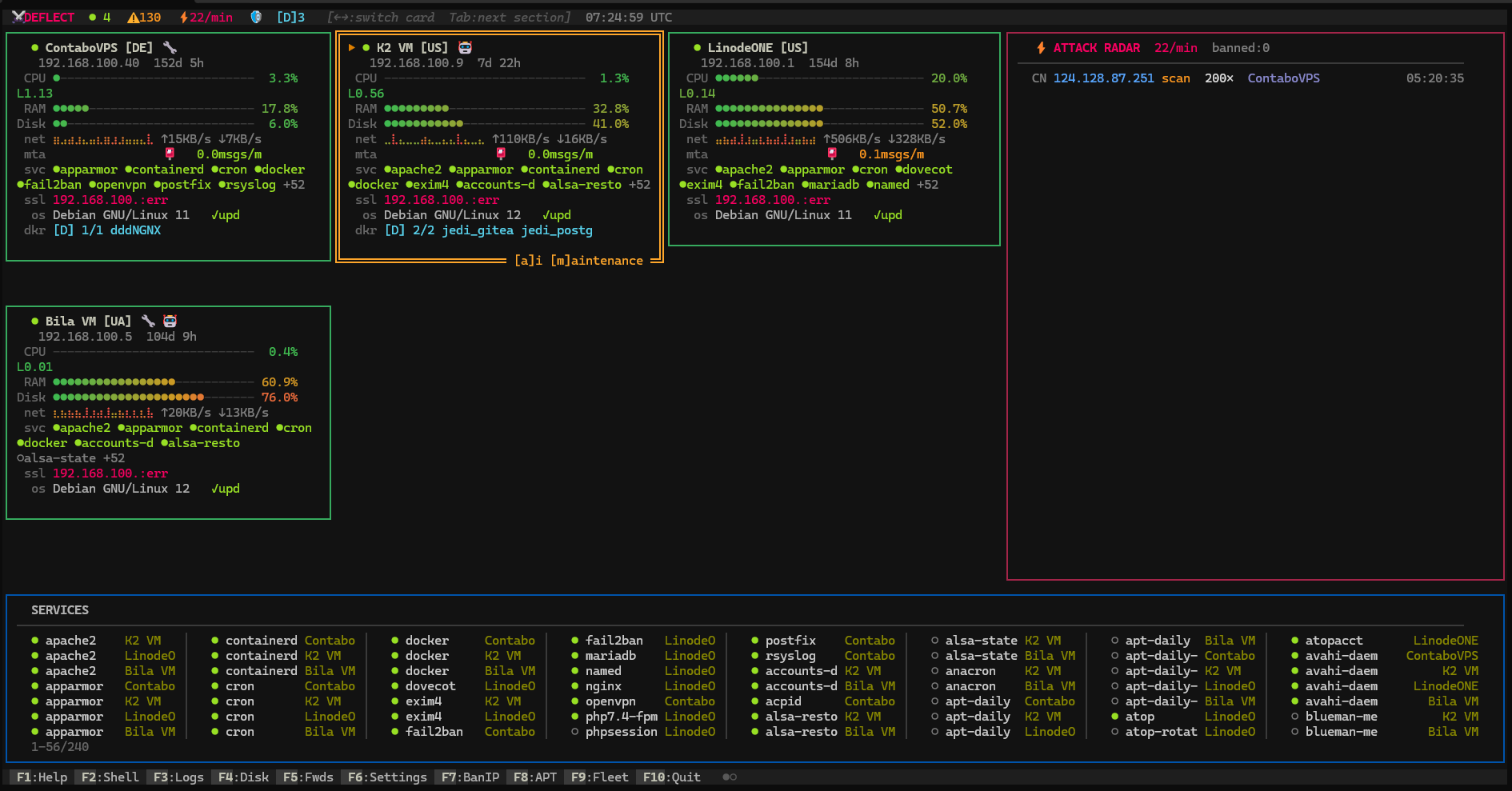
CPU, RAM, disk, network I/O, Docker containers, MySQL/PostgreSQL/Redis - across unlimited servers simultaneously. Async-native coroutine pool, near-zero overhead.
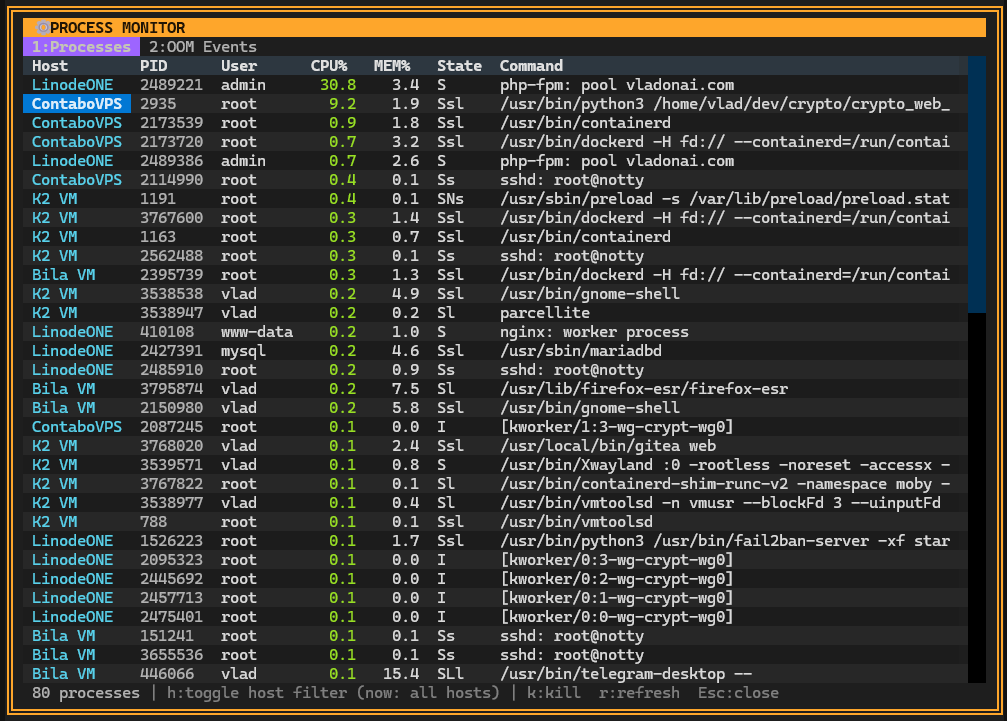
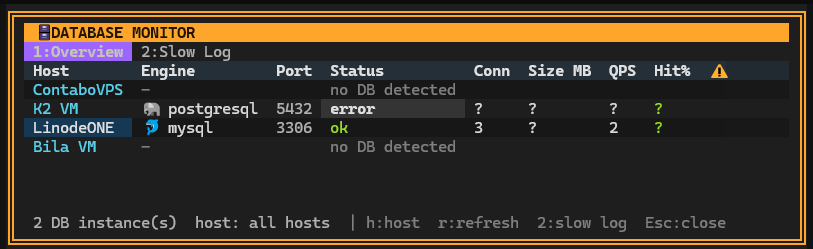
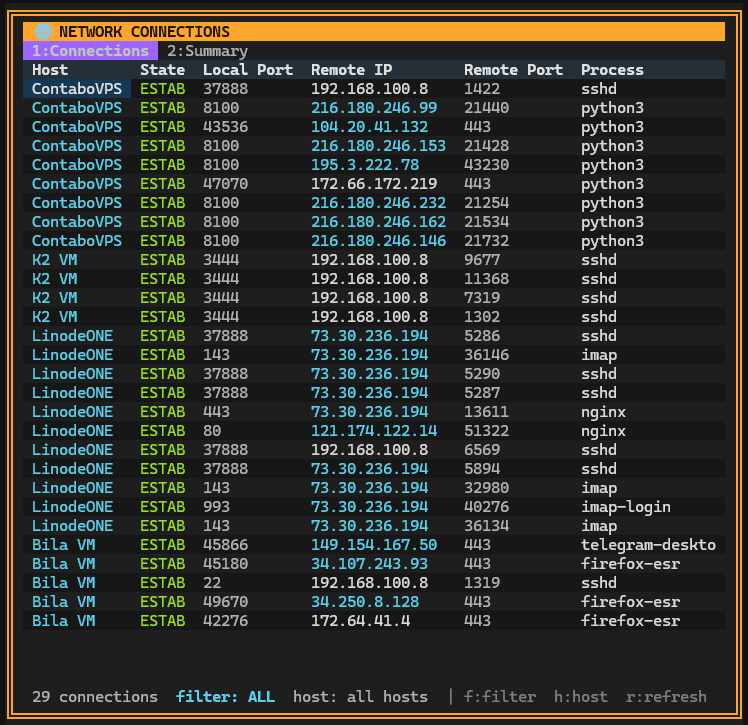
Live attack radar: malicious IPs, geo-location, timeline. Manages UFW/iptables rules. Defense mode executes bans, restarts, and rate limits autonomously within your policy.
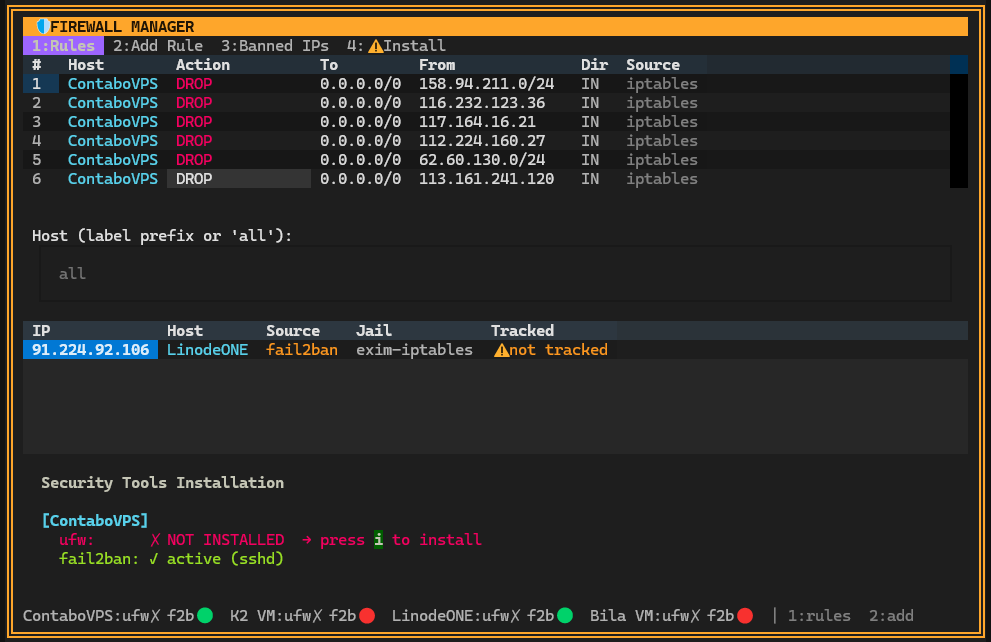
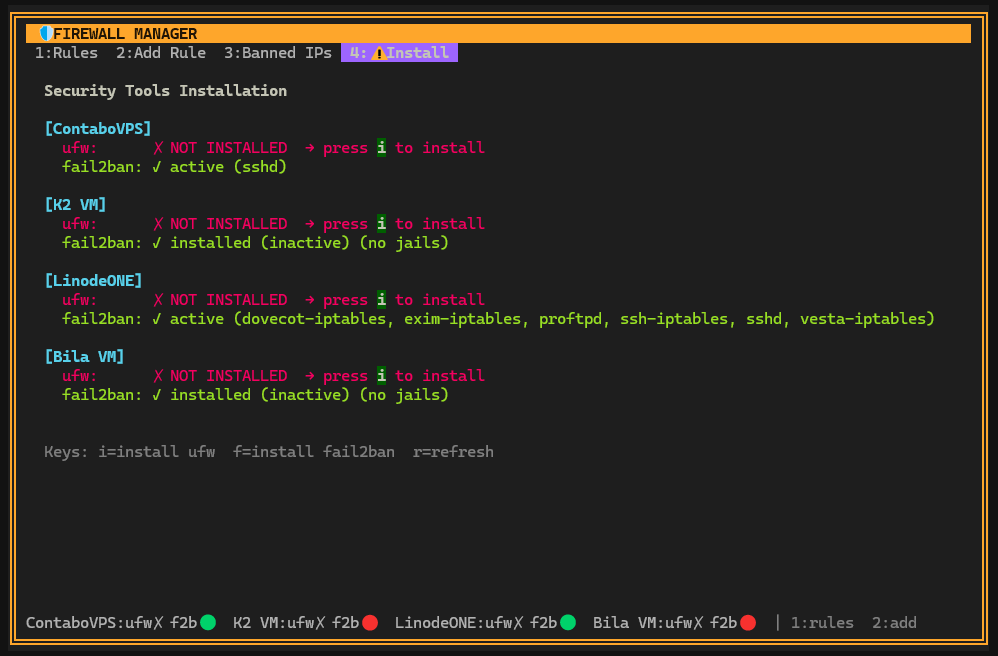
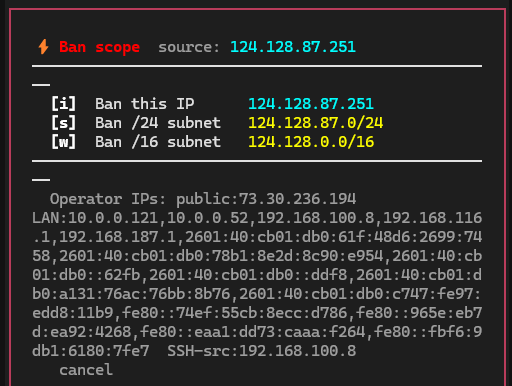
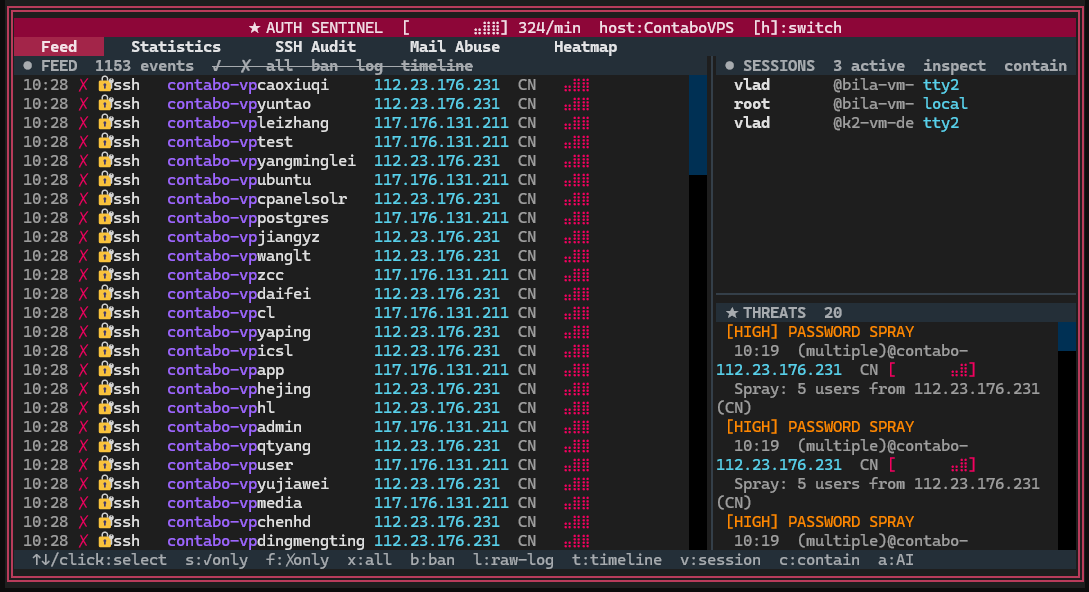
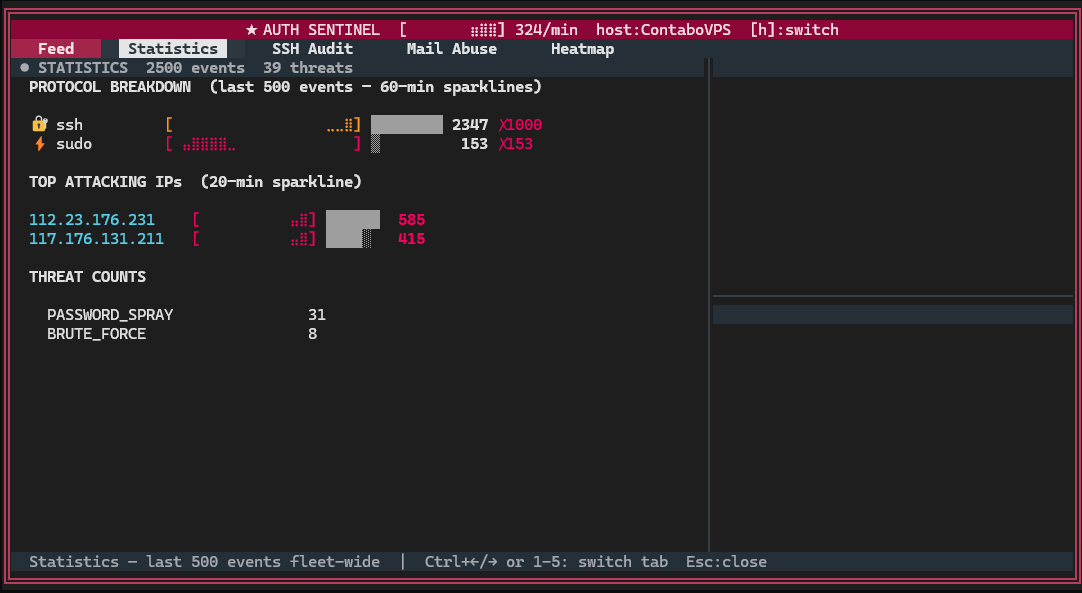
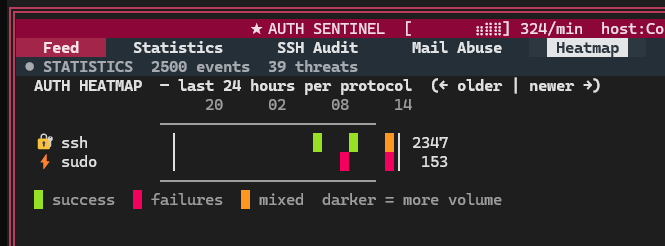
Unified surveillance across SSH, sudo, databases, mail, FTP, and web panels. Live auth event stream with anomaly detection (brute force, credential stuffing, impossible travel, privilege escalation chains). Session activity forensics: SSH command history, live SQL queries, SMTP envelope inspection. Per-host auth health scoring. sshd hardening auditor with auto-fix. One-click P1 containment workflow: block IP → kill session → disable account → rotate credentials.
Health score badges (0-100 with color gradient). Inline Docker container list with status navigation. Hostname pinned to card title. CPU/RAM trend arrows. Keyboard shortcuts and card reordering.
Welcome screen on cold launch: demo mode, add host, or import from ~/.ssh/config. SSH config sync with credential write-back (backup included). Restore deleted hosts from 7-day archive.
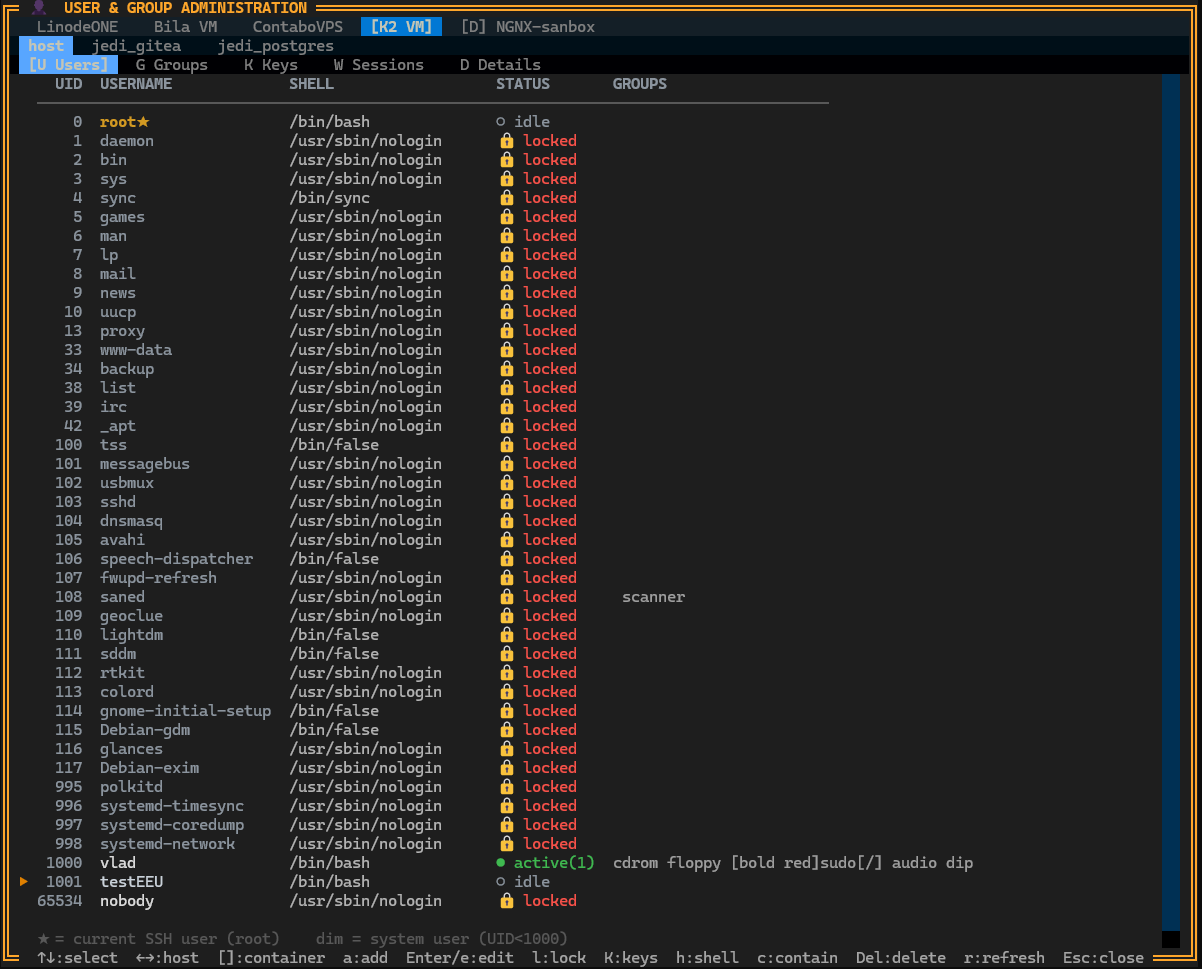
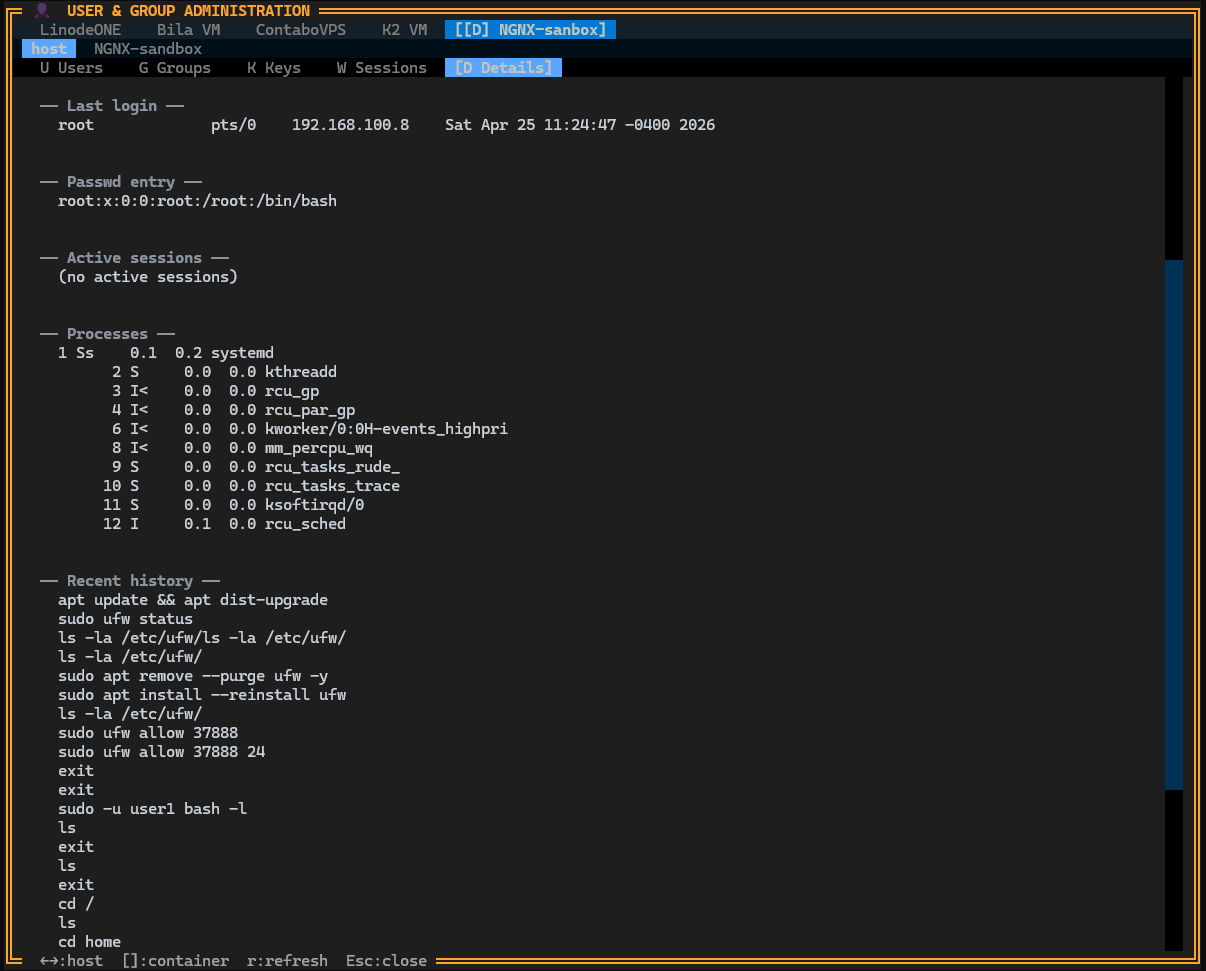
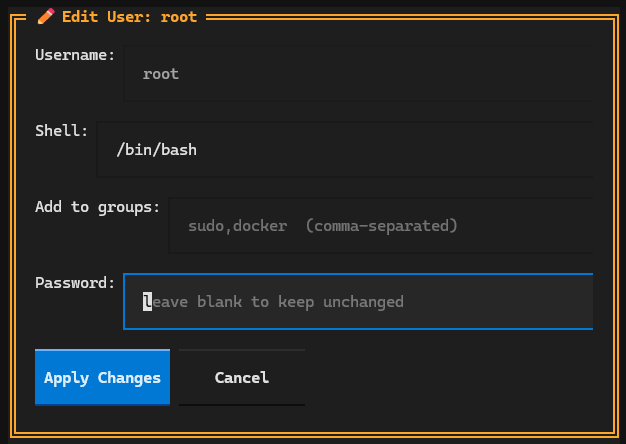
Full Linux user and group management over SSH — create, edit, lock accounts, manage SSH keys, view active sessions and audit details. Safety guards prevent accidental self-lockout.
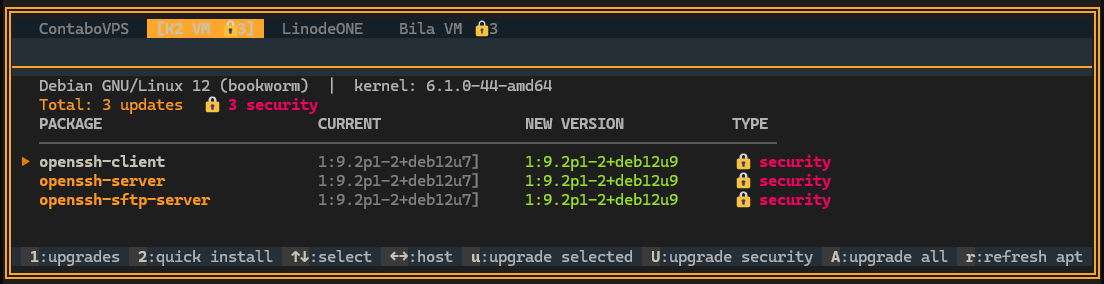
Full apt integration: view available updates, security patches, and install packages - across all hosts from one screen.
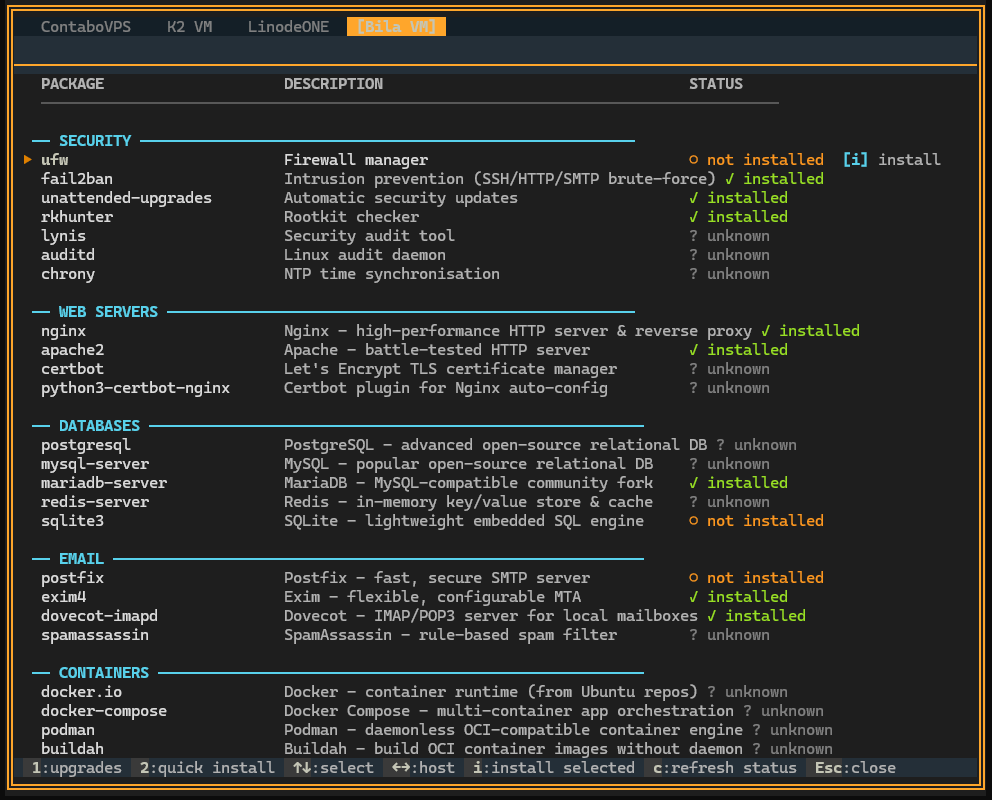
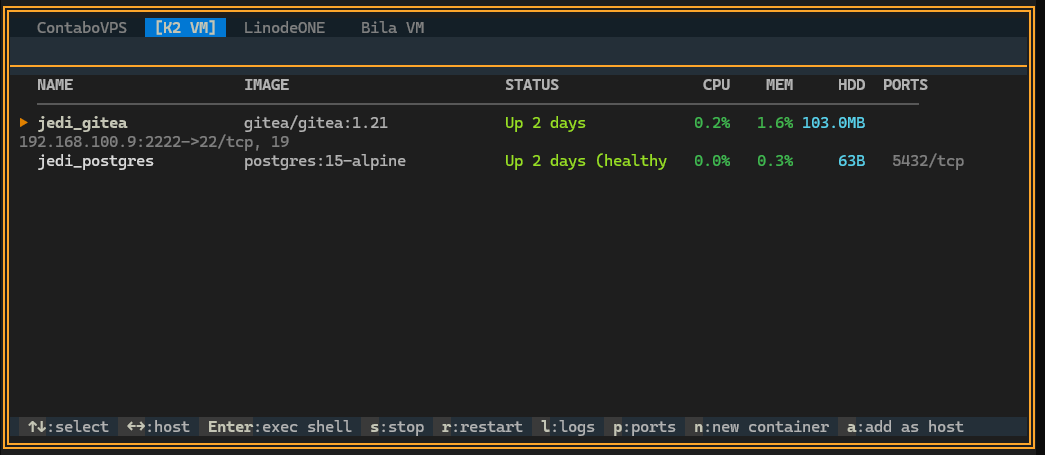
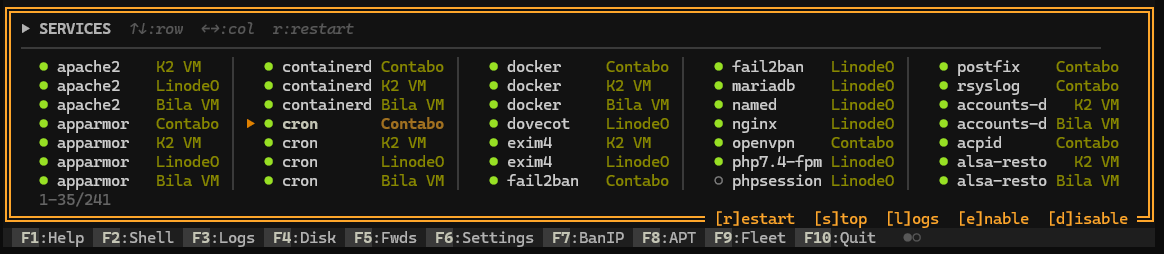
Manage containers, images, and systemd services without leaving the terminal.
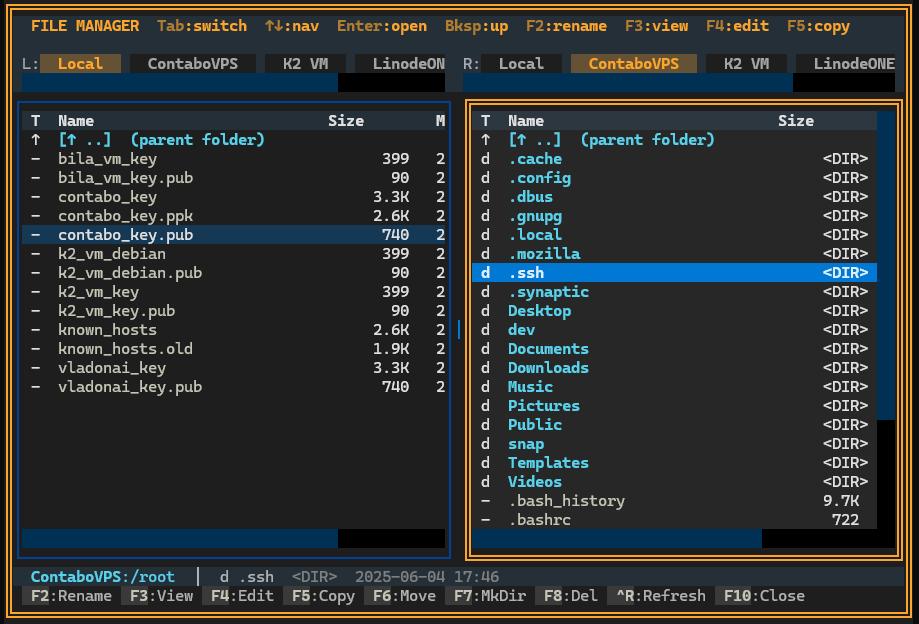
Dual-panel SFTP/SSH file manager - browse, upload, download, edit, copy files between hosts. Midnight Commander style.
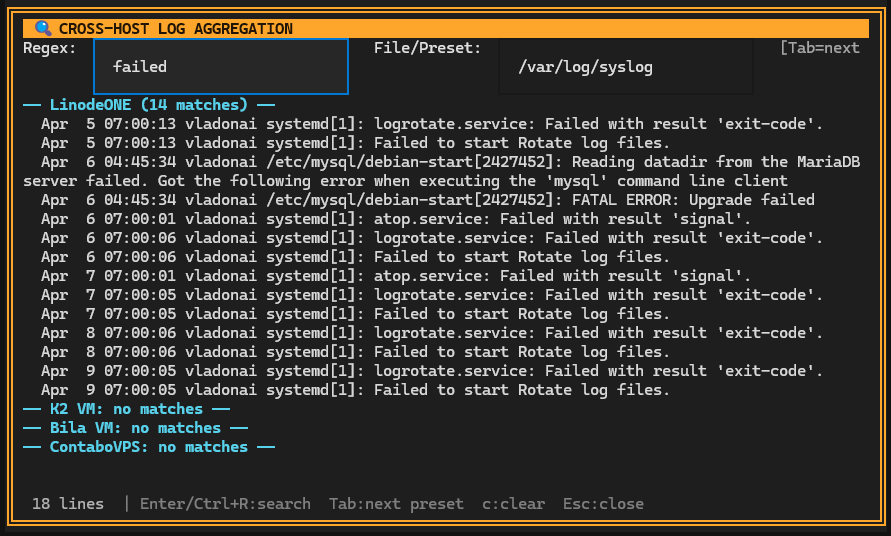
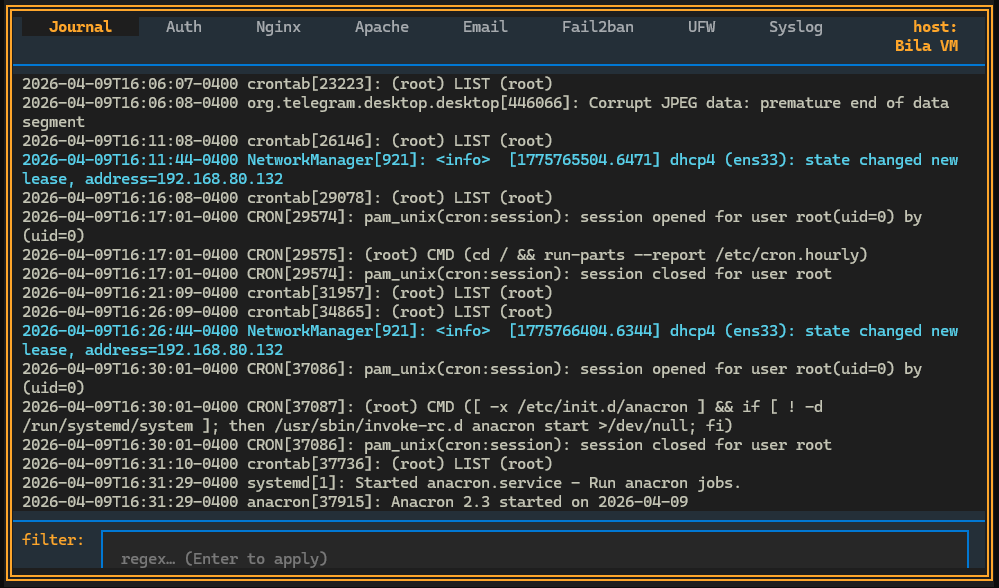
Cross-host regex log search and live journalctl tailing with 8 preset tabs.
MTA queue monitoring, account overview, error rates - across all hosts.
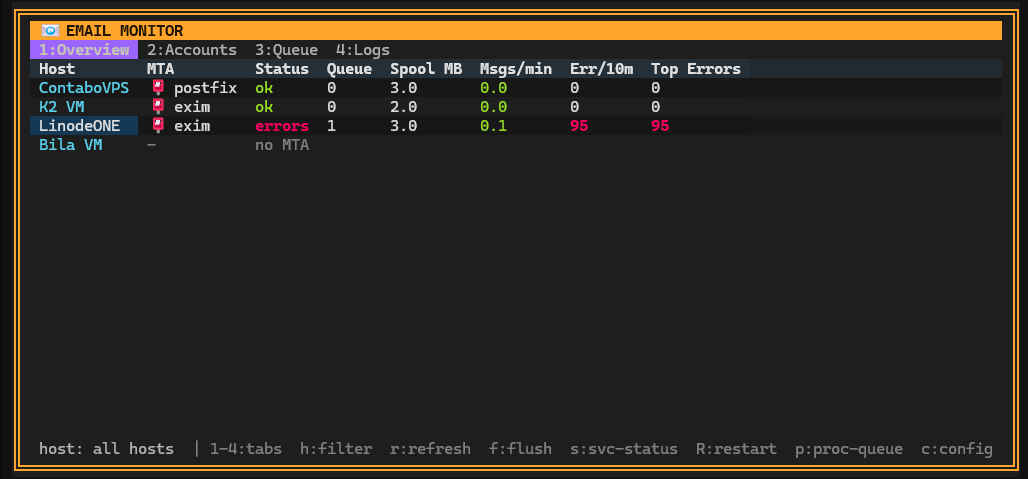
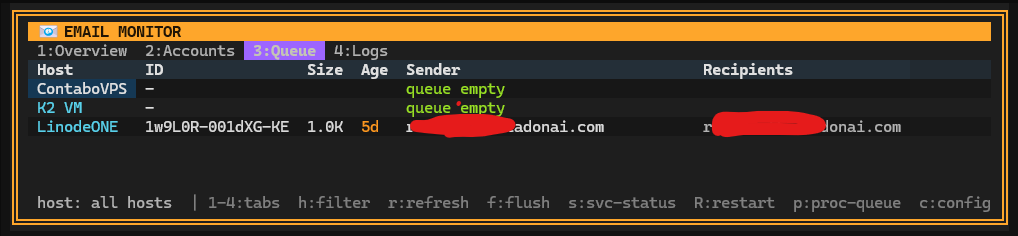
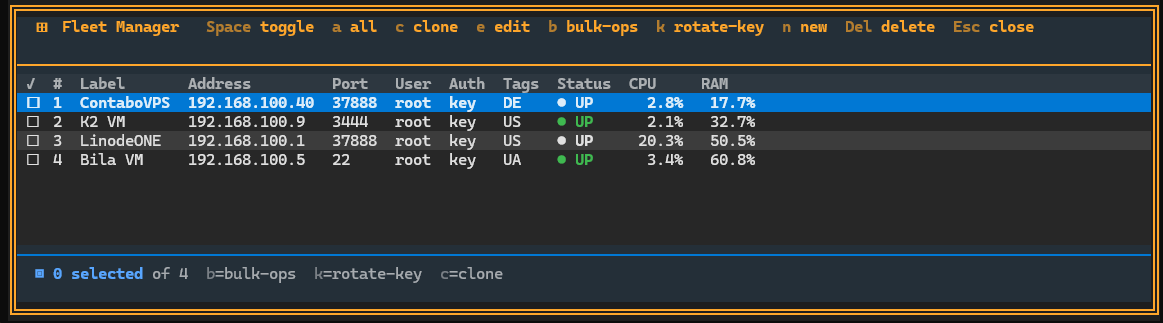
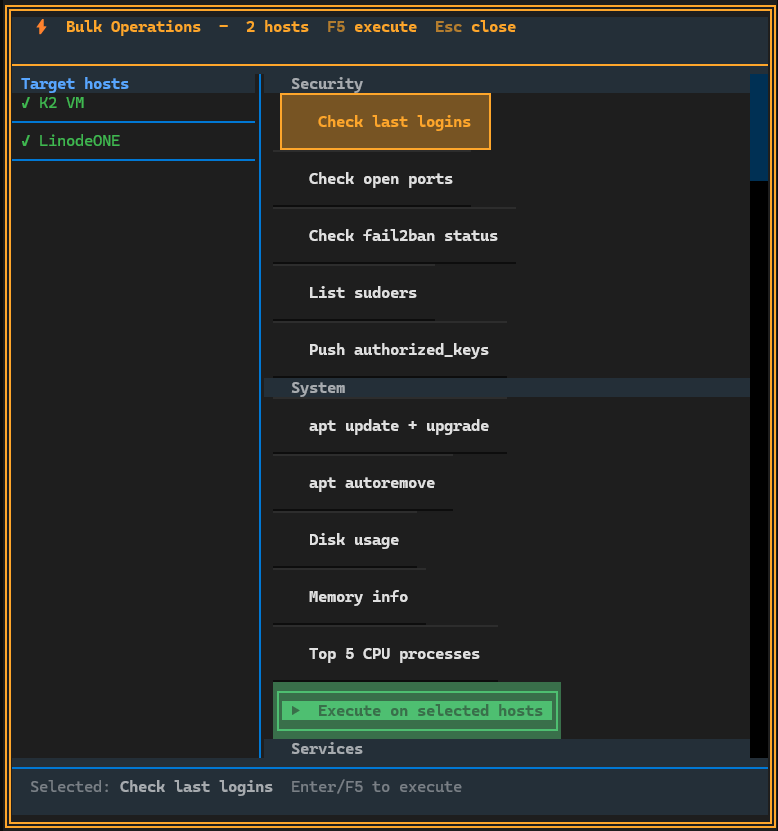
Manage your entire server fleet: bulk DevOps commands, SSH key rotation, host management.
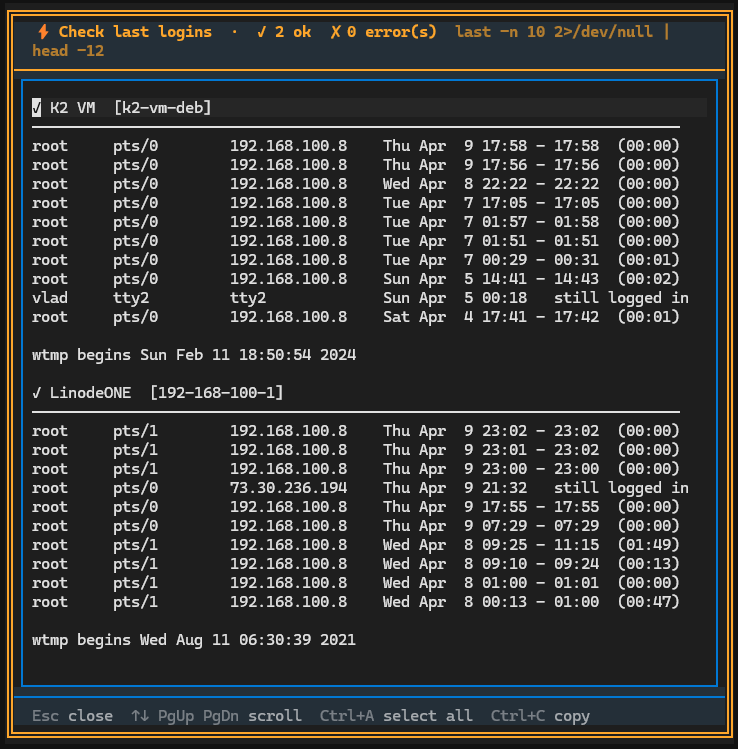
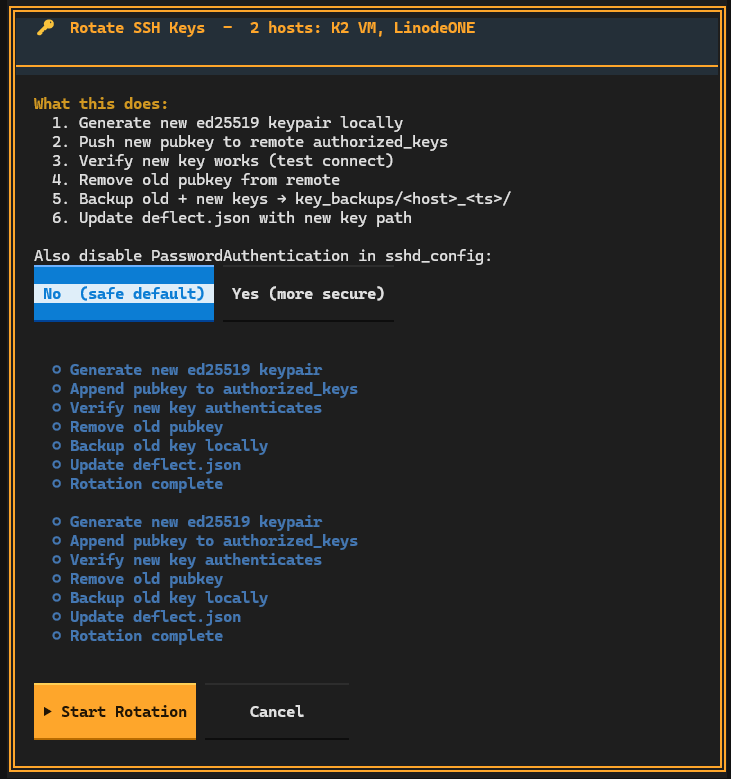
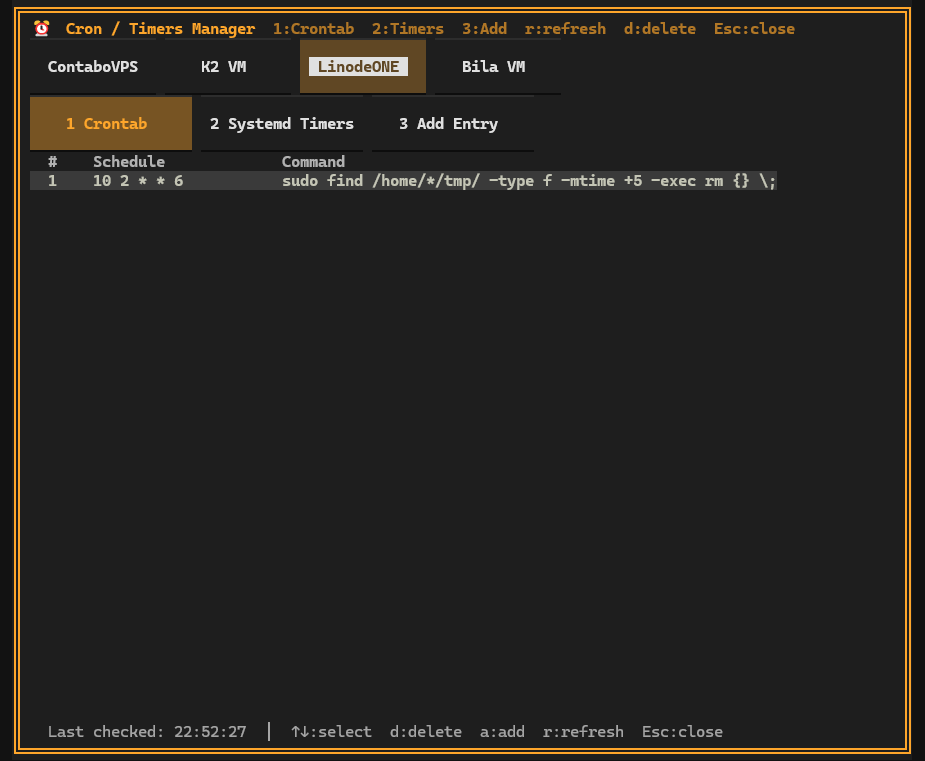
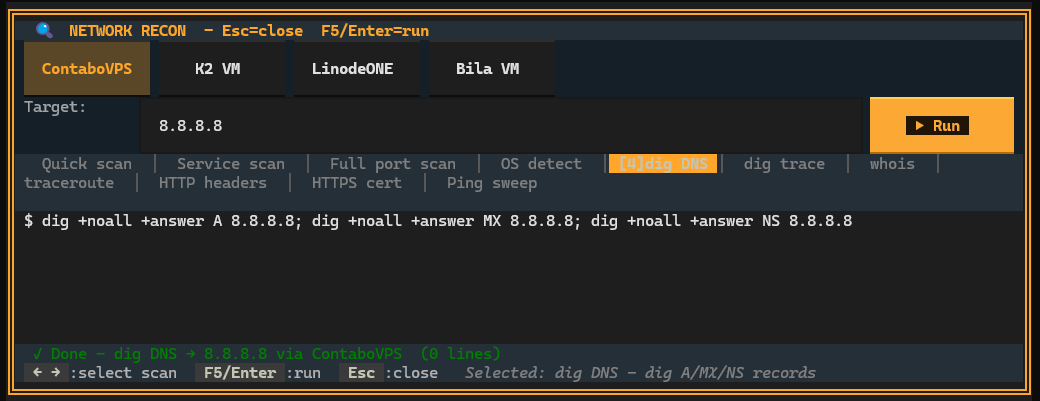
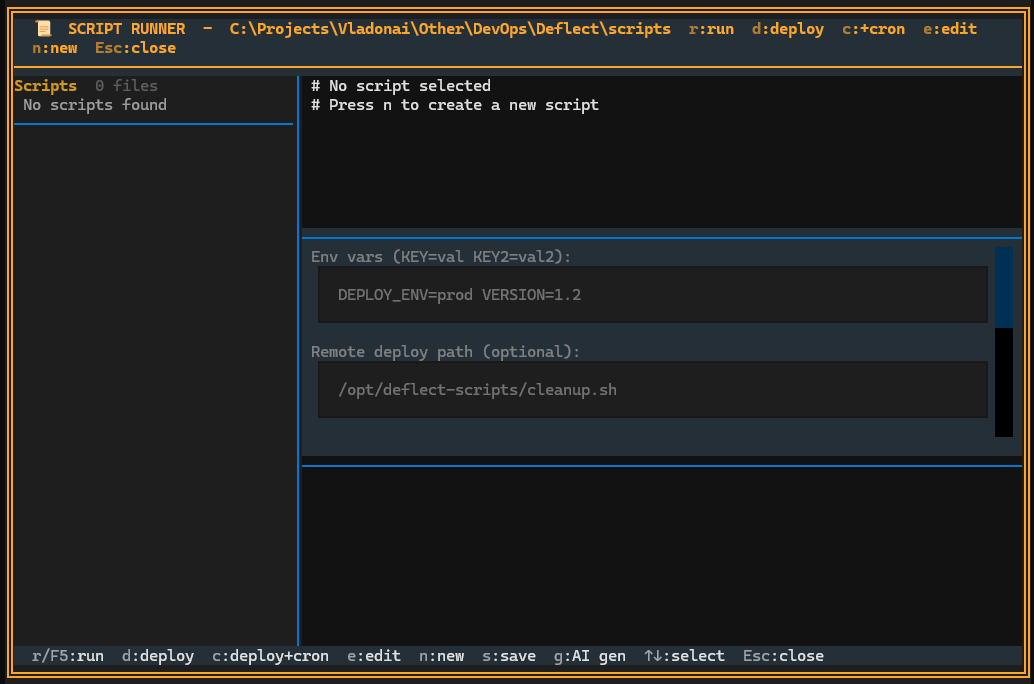
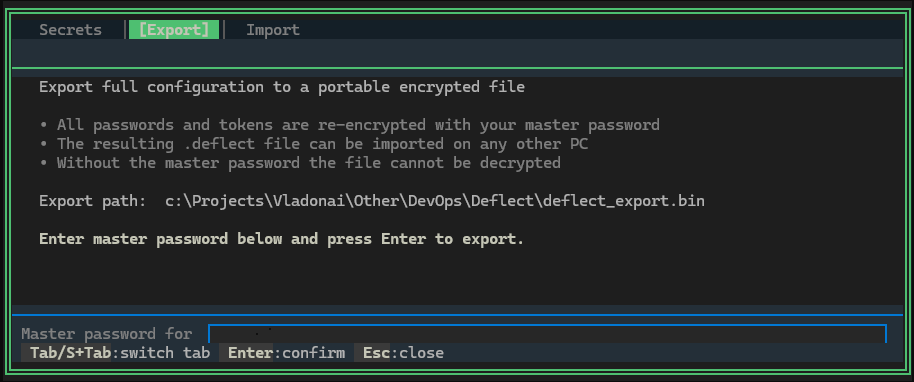
Cron & systemd timer management, network reconnaissance, script runner, config export.
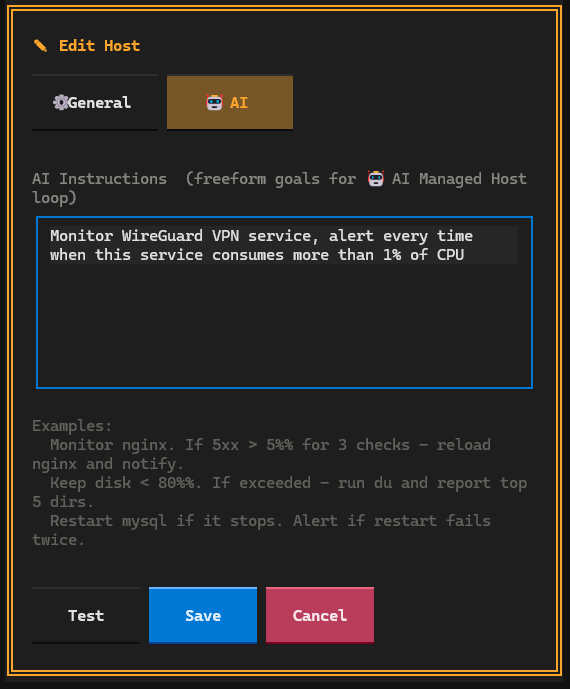
Unified AI engine: Claude, GPT-4, Gemini, Mistral, Groq, LM Studio. Per-host LLM instructions enable background governance loops - "restart /home/bot1/BotService if /home/bot1/tests.log file is older than one day" - running 24/7 without you watching.
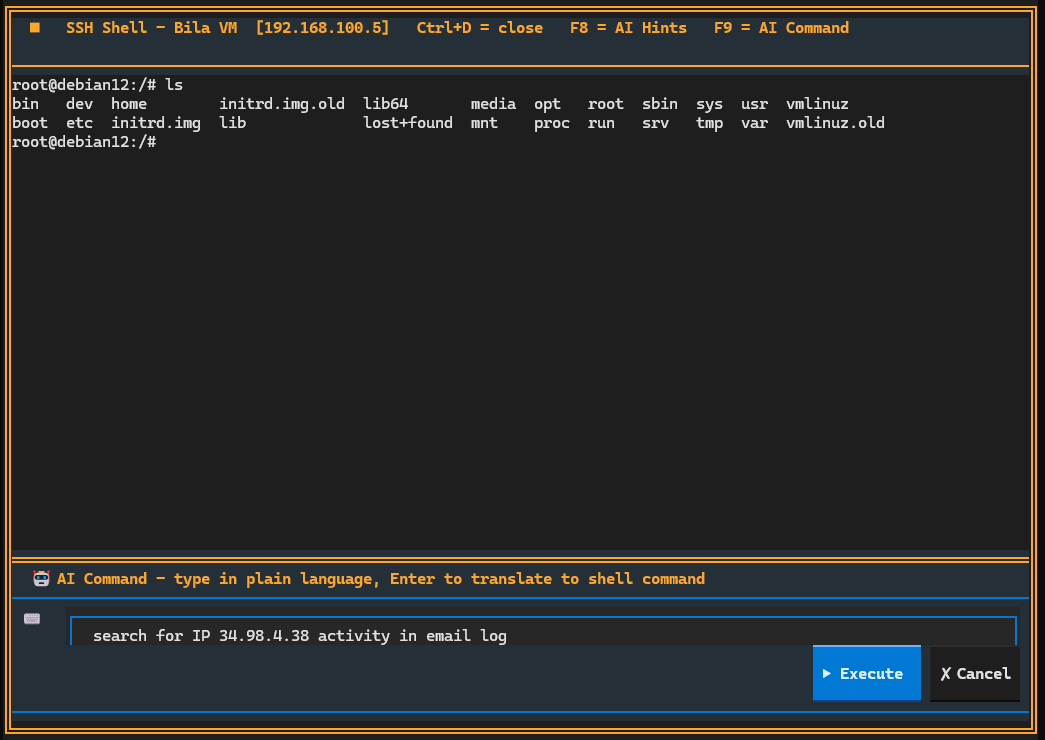
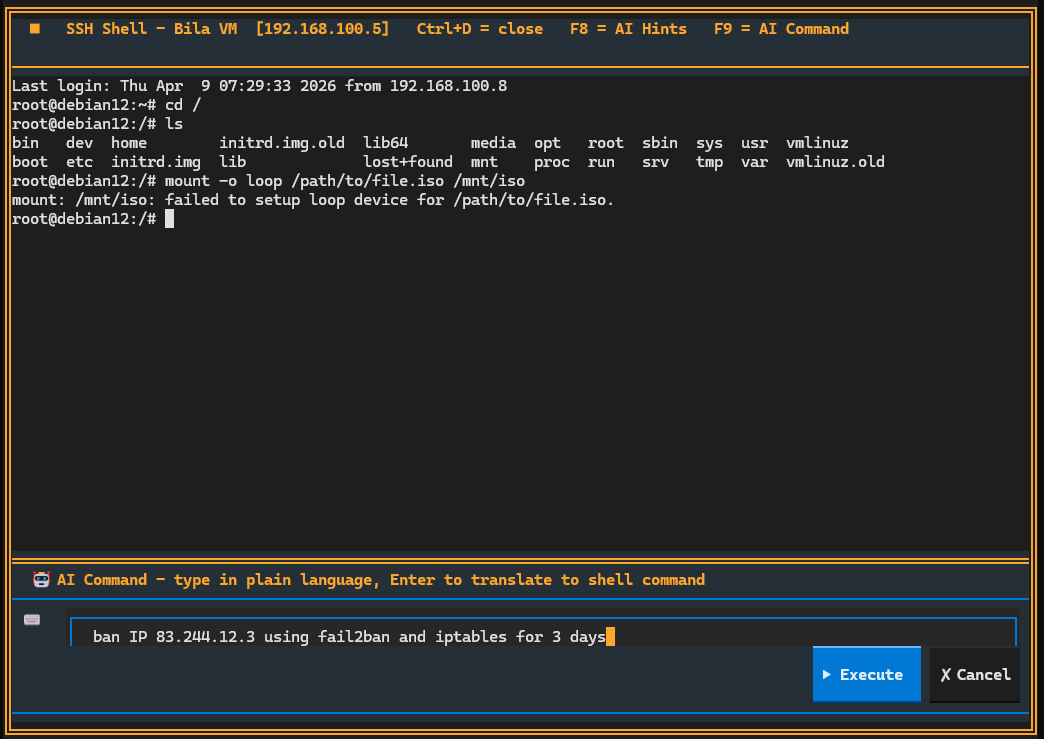
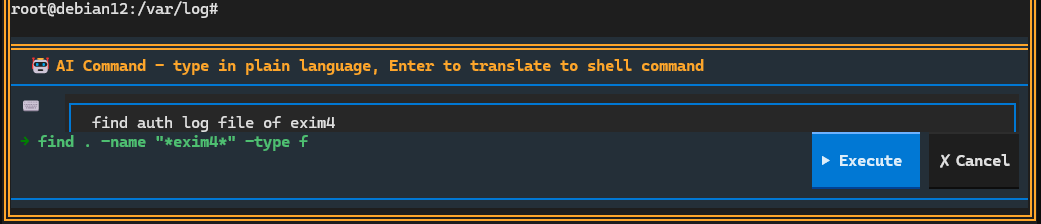
Ctrl+A → describe what you want in plain English → Deflect One translates to CLI/SSH/Bash and executes it.
But why not?

# Install via pip
pip install deflect-one
deflect --demo    # demo mode, no SSH required
deflect           # real mode
# Or run directly without installing
pip install textual paramiko cryptography
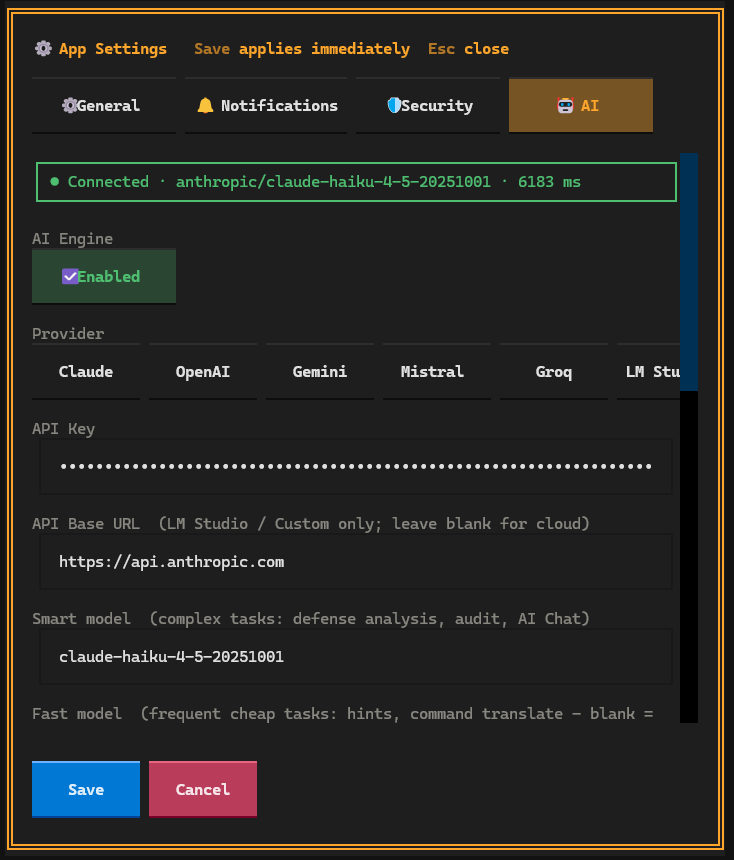
python deflect.py --demoConfigure AI: F6 → 🤖 AI tab → choose provider → enter API key → Test Connection
| Key | Screen | Notes |
|---|---|---|
F1 |
Help | All shortcuts, version, donate link |
F2 |
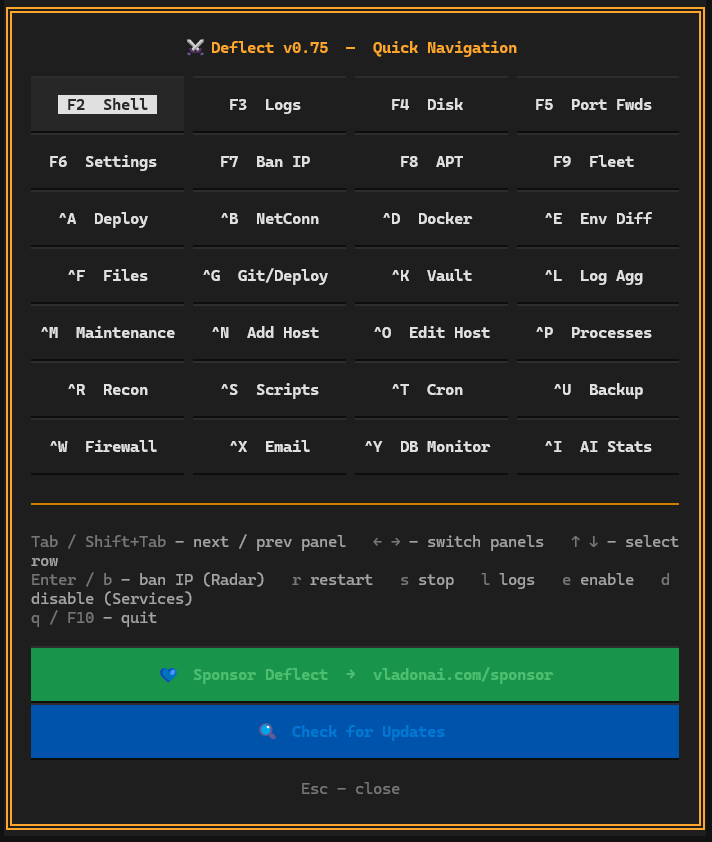
SSH Shell | Interactive paramiko shell · F8 AI Hints · F9 AI Command |
F3 |
Log Tail | Live journalctl/tail - 8 tabs: Journal · Auth · Nginx · Apache · Email · Fail2ban · UFW · Syslog |
F4 |
Disk Usage | Mount points with bar graphs + ETA to full, top-10 dirs |
F5 |
Port Forwards | SSH tunnel editor, live toggle per host |
F6 |
Settings | General · Notifications · Security · 🤖 AI (provider, models, defense mode) |
F8 |
APT Upgrades | Upgradable packages per host, OS/kernel info |
F9 |
Fleet Manager | All hosts, checkboxes, bulk ops, SSH key rotation, 🤖 AI Audit All |
⚠️ Windows Terminal interceptsF5andF6- disable its system shortcuts to use them.
| Keys | Screen | Notes |
|---|---|---|
Ctrl+B |
Network Connections | ss -tnp, state filters, anomaly summary |
Ctrl+D |
Docker | Containers, images, resource usage · rename · add as host |
Ctrl+E |
Env / Config Audit | .env diff between hosts, SSH authorized_keys audit |
Ctrl+F |
File Manager | Dual-panel Local + SFTP (Midnight Commander style) - see below |
Ctrl+G |
Git / Deployments | Repos status (behind/ahead/dirty), pull, restart service |
Ctrl+L |
Log Aggregation | Cross-host regex grep, 5 presets, live results |
Ctrl+M |
Email Monitor | MTA queue depth, bounce rate, postfix/dovecot/exim errors |
Ctrl+P |
Process Monitor | Cross-host top, kill PID, OOM events |
Ctrl+R |
Network Recon | nmap/dig/whois/traceroute/curl via SSH, 11 presets |
Ctrl+S |
Script Runner | Library, inline editor, SSH/SFTP deploy, cron scheduling · 🤖 AI Generate |
Ctrl+T |
Cron & Timers | crontab + systemd timers, CRUD, bulk add |
Ctrl+U |
Backup Monitor | restic · borg · rclone · rsnapshot - last run, status |
Ctrl+W |
Firewall | UFW/iptables rules, add/delete, toggle UFW · 🤖 AI Audit → hardening wizard |
Ctrl+Y |
Databases | PostgreSQL · MySQL · Redis · MongoDB - connections, QPS, cache hit% |
Ctrl+N |
Add Host | New SSH host, per-host 🤖 AI instructions |
Ctrl+O |
Edit Host | Security config, all settings, 🤖 AI instructions for focused host |
| Keys | Screen | Notes |
|---|---|---|
Ctrl+A |
🤖 AI Chat | Streaming conversation with full host context, command proposals |
Ctrl+H |
Auth Sentinel | Multi-protocol auth intelligence - SSH/sudo/DB/mail/FTP · [v0.78] |
Ctrl+I |
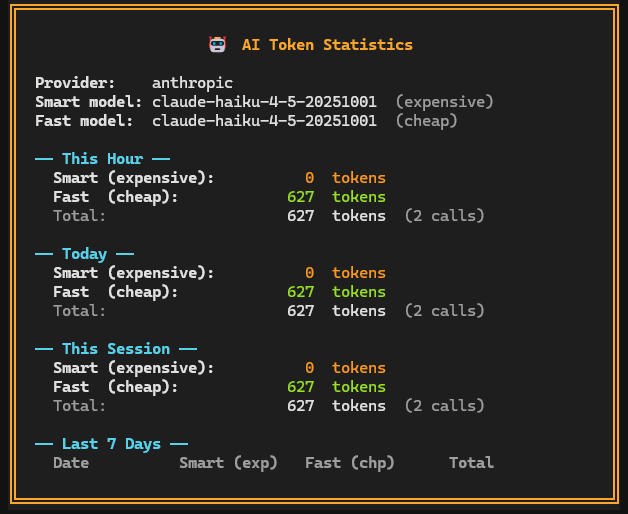
🤖 AI Stats | Token usage by tier/day, provider info, 7-day breakdown |
Ctrl+J |
User & Group Admin | Linux users, groups, SSH keys, active sessions, user details · [v0.78] |
Ctrl+K |
Secrets Vault | View/edit encrypted secrets, export/import config with master password |
| Tab | Content |
|---|---|
| Tab 1 | Live auth event feed · Active sessions · Threat summary |
| Tab 2 | Fleet auth stats · Protocol breakdown · 24h×7d heatmap |
| Tab 3 | sshd_config hardening auditor (CIS L1, auto-fix) |
| Tab 4 | Mail abuse monitor (queue flood, bounce spike) |
v SessionActivityInspector · c Containment workflow · t Incident timeline · b ban IP · a 🤖 AI Intel · l raw logs · s/f filter · h cycle hosts · r back to Attack Radar
Tab switch panel · Ctrl+U swap panels · Alt+C quick CD · Ins/Space toggle select · ^A select all · \ deselect all
F2 rename · F3 view · F4 edit · F5 copy · F6 move · F7 mkdir · F8 delete
s create/edit symlink · Ctrl+Z attributes (chmod/chown/touch) · ^1/^2/^3 sort by name/size/date
Ctrl+D favourite locations · Transfer queue: P pause/resume · C cancel · Del clear done
p Process monitor · d Docker container navigation (↑↓ select · Enter open · Esc exit)
o edit host · a toggle AI-controlled · m toggle maintenance · F2 SSH shell · f File Manager
Single-click focus · Double-click open Docker/Process · Ctrl+←/→/↑/↓ reposition card in grid
Runs on (your machine):
Linux · macOS (Intel + Apple Silicon) · Windows (Windows Terminal and Cmd) · WSL2
Any OS that runs Python 3.10+
Manages (remote servers):
Debian · Ubuntu - primary targets, fully tested
Fedora · CentOS · Arch · Alpine - works via SSH, not all features tested yet
- Python 3.10+ · Textual 8.x (TUI) · asyncio · paramiko (SSH)
- cryptography - Fernet + PBKDF2 for HardwareVault
- AI backends:
anthropic·openai·google-generativeai·mistralai(all optional, experimental)
MIT License with Attribution Requirement.
Free for personal and commercial use. Attribution to vladonai.com/deflect required.
Created by Volodymyr Frytskyy (WhitemanV)