A fast, interactive terminal browser for .safetensors files — with LoRA analysis and compactification.
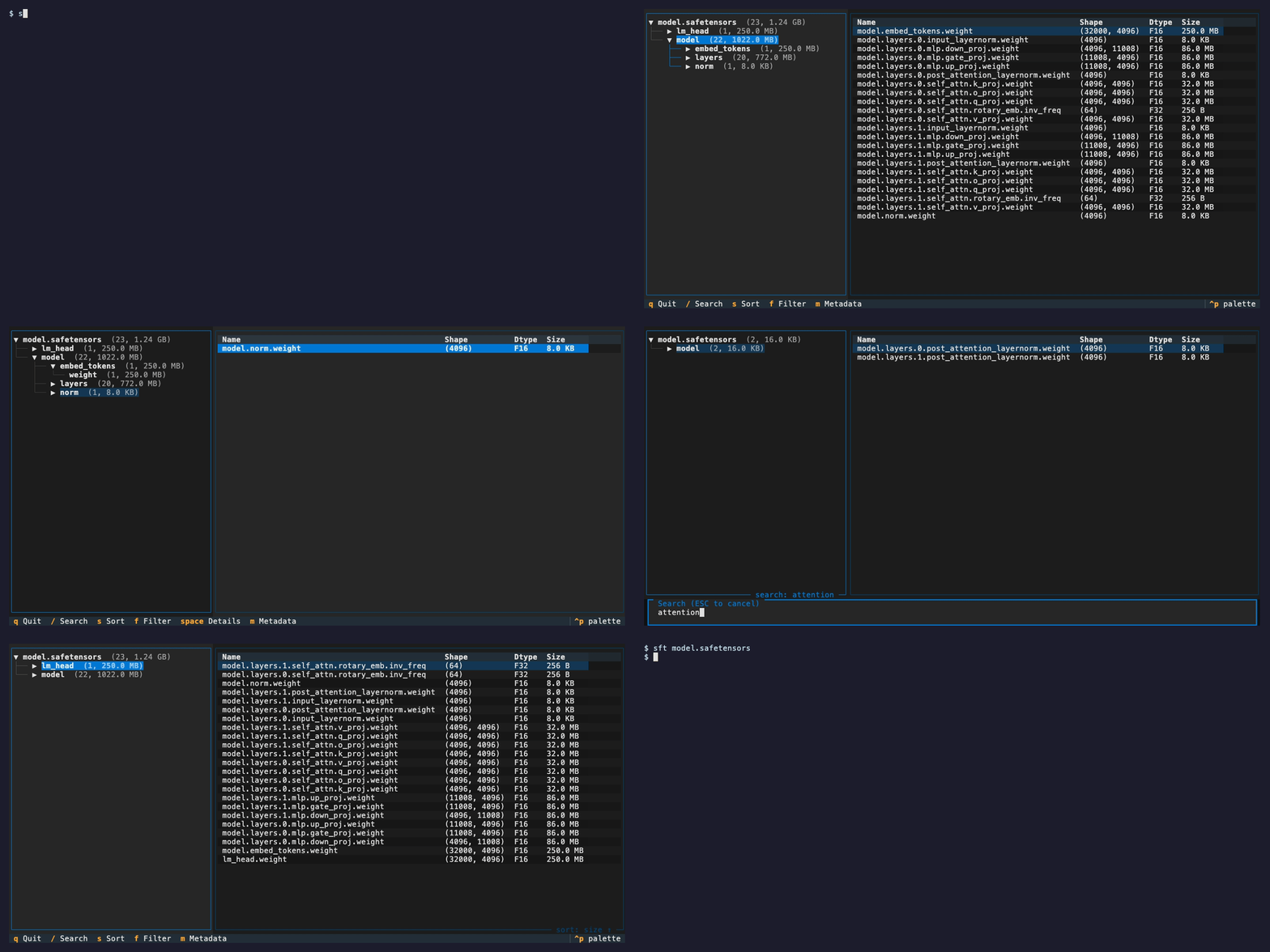
If you work with ML models, you've probably found yourself wondering "what's actually in this .safetensors file?" — the layer names, shapes, dtypes, sizes. Maybe you want to check if a model has the layers you expect, compare two checkpoints, or just explore an unfamiliar architecture.
sft lets you do that instantly from your terminal. No Python scripts, no notebooks, no waiting for tensors to load into memory. It reads only the file header, so even multi-gigabyte models open in milliseconds.
The recommended way to install is via uv:
uv tool install sft-cliThis makes sft available globally as a command.
Or install with pip:
pip install sft-clisft model.safetensorsThat's it. Navigate with arrow keys, search with /, quit with q.
- Hierarchical browser — Tensors grouped by namespace (e.g.,
model.layers.0.attention) - Instant startup — Header-only parsing, works on multi-GB files
- Search — Filter tensors by name with
/ - Sort — By name, size, or rank with
s - Inspect — View full tensor details with
Space - Metadata — See embedded file metadata with
m - Filter — Filter by dtype with
f - Read-only — Never touches your model files
- Auto-detection — Finds all LoRA A/B pairs automatically
- Per-pair stats — Frobenius norms (||A||, ||B||), mean, min/max range for both tensors
- Effective rank — Stable rank computation via fast QR-accelerated SVD
- SVD spectrum — Visual histogram of singular values per pair (
Enter) - Sortable — Sort pairs by name, rank, effective rank, or norms (
s) - Export — Save full analysis to JSON (
e)
- Rank reduction — Truncate LoRA A/B pairs to a lower rank via SVD, keeping only the most important singular values
- Fixed rank — Specify a target rank (e.g.,
8) to truncate all pairs uniformly - Auto mode — Type
autoto truncate each pair to its effective rank + 1, keeping nearly all energy while minimizing rank - Energy tracking — Shows fraction of Frobenius energy retained per pair
- Output — Saves a new
.safetensorsfile (e.g.,model_r8.safetensorsormodel_rauto.safetensors)
| Key | Action |
|---|---|
↑/↓ |
Navigate |
←/→ |
Collapse/expand tree |
Tab |
Switch panels |
/ |
Search |
s |
Cycle sort mode |
Space |
Tensor details |
m |
File metadata |
f |
Filter by dtype |
l |
LoRA analysis |
q |
Quit |
| Key | Action |
|---|---|
↑/↓ |
Select pair |
Enter |
SVD spectrum |
s |
Cycle sort mode |
c |
Compactify |
e |
Export to JSON |
? |
Help |
Esc/l |
Close |
sft reads only the safetensors file header (a JSON blob at the start of the file) to extract tensor names, shapes, dtypes, and byte offsets. No tensor data is loaded during browsing.
For LoRA analysis, computing the SVD of B@A directly would require forming the full (out_features × in_features) matrix — potentially 4096×4096 or larger. Instead, sft QR-factors both thin matrices and computes SVD on the small (rank × rank) product, making it orders of magnitude faster.
Rank reduction works by computing the SVD of each LoRA pair's effective matrix B@A, truncating to the top-k singular values, and reconstructing new smaller A' and B' matrices with √σ split equally between them. This is the optimal rank-k approximation (Eckart–Young theorem).
MIT