Environment
Platform: Rancher
Kubernetes/Platform Version(s): 1.22.15+rke2r2
Describe the bug
Under Assets->Registries it is not possible to add a repository if the browser is scaled (for example half of the screen vertical). If the browser is maximized to full screen it works as expected. The Add button works fine, but in the settings window the input fields are not working. It is not possible to add values for all fields (Name, Registry, User Name, Password and Filter).
To Reproduce
Steps to reproduce the behavior:
- Scale the browser window down to half screen
- Click on Assets
- Click on Registries
- Click on Add
- Try to modify the input field
Expected behavior
The fields should be editable and the user should be able to write or copy text in there.
Screenshots
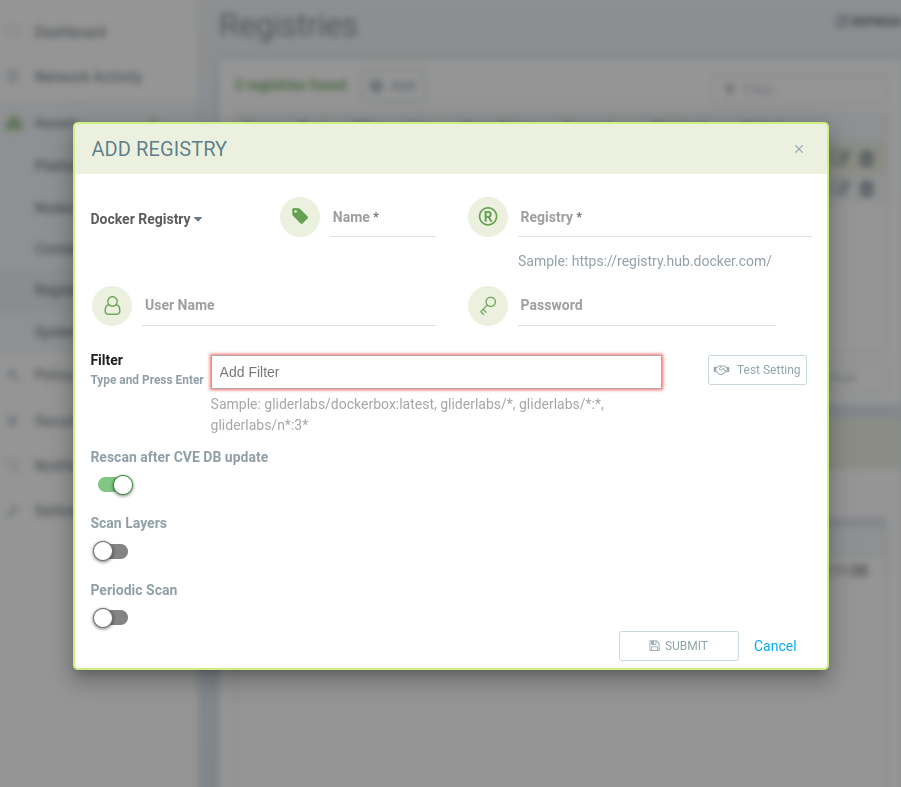
UI Issue
Desktop (please complete the following information):**
- OS: Linux Mint 20.3 x86_64
- Browser Chromium
- Version Version 106.0.5249.119
- Browser Firefox
- Version 105.0.3
Environment
Platform: Rancher
Kubernetes/Platform Version(s): 1.22.15+rke2r2
Describe the bug
Under Assets->Registries it is not possible to add a repository if the browser is scaled (for example half of the screen vertical). If the browser is maximized to full screen it works as expected. The Add button works fine, but in the settings window the input fields are not working. It is not possible to add values for all fields (Name, Registry, User Name, Password and Filter).
To Reproduce
Steps to reproduce the behavior:
Expected behavior
The fields should be editable and the user should be able to write or copy text in there.
Screenshots

UI Issue
Desktop (please complete the following information):**