

Render static map images from Python using MapLibre Native.
Platform: Linux x64, ARM64
Python: 3.12+
Uses the maplibre-native Rust crate for high-performance native rendering.
pip install mlnativeCheck the local install and native renderer binary:
python -m mlnative doctor
# Optional full renderer check, no network tiles required:
python -m mlnative doctor --render
from mlnative import Map
with Map(512, 512) as m:
png = m.render(center=[-122.4194, 37.7749], zoom=12)
open("map.png", "wb").write(png)For geocoding examples, install the optional extra:
pip install 'mlnative[geo]'- Zero config - Works out of the box with OpenFreeMap tiles
- HiDPI support -
pixel_ratio=2for sharp retina displays - Batch rendering - Efficiently render hundreds of maps
- Optional geocoding extra - Use
mlnative[geo]for address lookup examples - Custom markers - Add GeoJSON points, lines, polygons
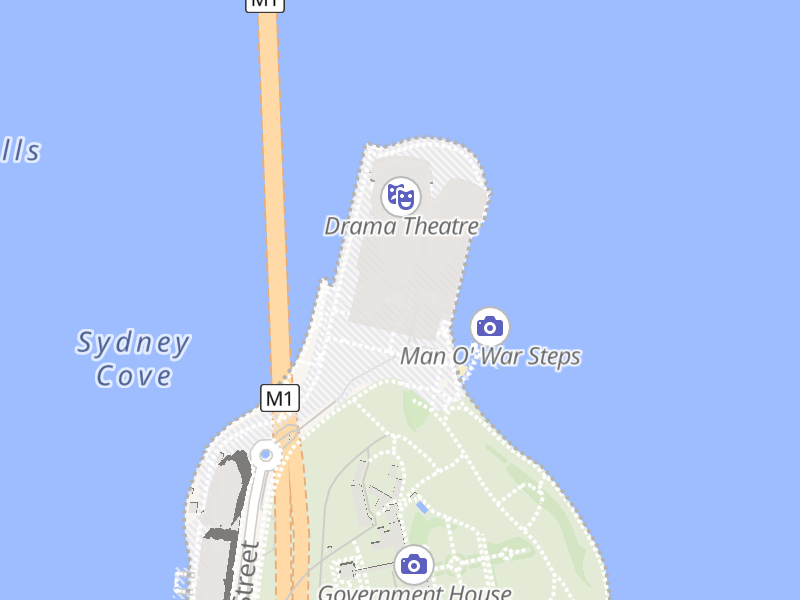
Different OpenFreeMap styles (rendered from "Sydney Opera House"):
| Liberty (default) | Positron (light) | Dark Matter |
|---|---|---|
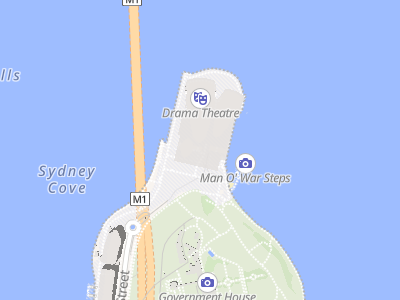 |
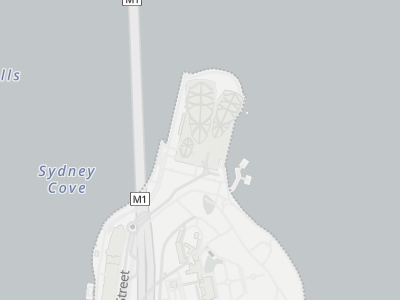 |
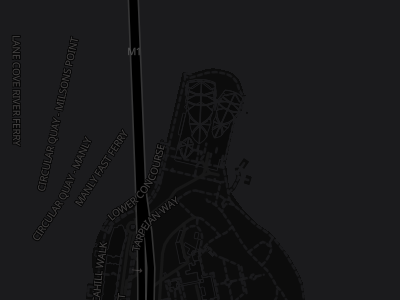 |
Styles from OpenFreeMap
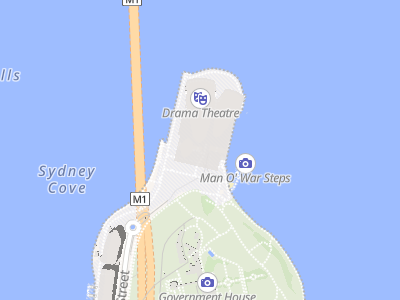
Same location, different pixel ratios:
| Standard (1x) | HiDPI (2x) |
|---|---|
 |
 |
| 400x300 px | 800x600 px |
Both displayed at 200px width. The 2x version has 4x more pixels for sharper details.
Both images show the exact same geographic area. The 2x version has 4x more pixels for sharper text and details on retina displays.
For the complete API reference, see docs/API.md.
from geopy.geocoders import ArcGIS
from mlnative import Map

geolocator = ArcGIS()
location = geolocator.geocode("Sydney Opera House")

with Map(512, 512) as m:
    png = m.render(
        center=[location.longitude, location.latitude],
        zoom=15
    )
Install first with pip install 'mlnative[geo]'.
from mlnative import Map, feature_collection, point

# Show multiple locations
markers = feature_collection([
    point(-122.4194, 37.7749),  # SF
    point(-122.2712, 37.8044),  # Oakland
])

with Map(800, 600) as m:
    # Load style as dict to modify it
    style = {"version": 8, ...}  # your style
    m.load_style(style)
    m.set_geojson("markers", markers)

    # Fit map to show all markers
    center, zoom = m.fit_bounds(
        (-122.5, 37.7, -122.2, 37.9),  # xmin, ymin, xmax, ymax
        padding=50
    )
png = m.render(center=center, zoom=zoom)from geopy.geocoders import ArcGIS
geolocator = ArcGIS()
# Geocode multiple cities
cities = ["London", "New York", "Tokyo"]
locations = [geolocator.geocode(city) for city in cities]
# Create views for each city
views = [
{"center": [loc.longitude, loc.latitude], "zoom": 10}
for loc in locations
]
with Map(512, 512) as m:
pngs = m.render_batch(views) # Returns list of PNG bytes
# pngs[0] = London, pngs[1] = New York, pngs[2] = TokyoUse pixel_ratio to render high-resolution images for crisp display on retina/HiDPI screens.
center = [2.3522, 48.8566]  # Paris

# Standard display (1x) - 512x512 image
with Map(512, 512, pixel_ratio=1) as m:
    png = m.render(center=center, zoom=13)

# Retina/HiDPI display (2x) - 1024x1024 image
with Map(512, 512, pixel_ratio=2) as m:
    png = m.render(center=center, zoom=13)
    # Same geographic area, but text appears sharper
Key points:
pixel_ratio=2creates an image 2x larger in each dimension (4x total pixels)- Shows the exact same geographic area as
pixel_ratio=1 - Text, icons, and lines are rendered sharper, not smaller
- Common values: 1 (standard), 2 (retina), 3 (ultra-HD)
Create map renderer. Context manager ensures cleanup.
Parameters:
width,height: Output dimensions in CSS/logical pixelspixel_ratio: Scale factor for HiDPI (1=normal, 2=retina, 3=ultra-HD)- Output image dimensions will be
width × pixel_ratiobyheight × pixel_ratio - Geographic coverage remains the same regardless of pixel_ratio
- Output image dimensions will be
timeout: Optional renderer command timeout in seconds. Defaults toMLNATIVE_TIMEOUTor 30.
Render single view. Returns PNG bytes.
center:[longitude, latitude]- Center can be a list or tuple of two finite numbers.
zoom: 0-24bearing: Rotation in degrees (0-360)pitch: Tilt in degrees (0-85)
Render multiple views efficiently.
views = [
    {"center": [lon, lat], "zoom": z},
    {"center": [lon, lat], "zoom": z, "bearing": 45},
]

# Per-view GeoJSON updates are not supported here. Use set_geojson()
# and render() in a loop when each image needs different source data.
# Large batches are capped to keep memory use predictable.Calculate center/zoom to fit bounding box. Bounds must stay within Web Mercator latitude limits (about ±85.0511°).
Bounds can be a list or tuple: (xmin, ymin, xmax, ymax).
center, zoom = m.fit_bounds((xmin, ymin, xmax, ymax))
png = m.render(center=center, zoom=zoom)Update GeoJSON source in style (requires dict style, not URL). Each update reloads the full style in the current backend, so keep source payloads modest.
m.set_geojson("markers", {"type": "FeatureCollection", "features": [...]})Load custom style (URL, file path, or dict).
# OpenFreeMap styles
m.load_style("https://tiles.openfreemap.org/styles/liberty")
m.load_style("https://tiles.openfreemap.org/styles/positron")

# MapLibre demo
m.load_style("https://demotiles.maplibre.org/style.json")

# Custom style dict
m.load_style({"version": 8, "sources": {...}, "layers": [...]})from mlnative import point, feature_collection, from_coordinates, from_latlng, bounds_to_polygon
# Create point
sf = point(-122.4194, 37.7749, {"name": "San Francisco"})
# From coordinate tuples
fc = from_coordinates([(-122.4, 37.8), (-74.0, 40.7)])
# From GPS (lat, lng) order
fc = from_latlng([(37.8, -122.4), (40.7, -74.0)])
# Convert bounds to polygon
poly = bounds_to_polygon((-122.5, 37.7, -122.3, 37.9))The pixel_ratio parameter controls the resolution of the output image:
| pixel_ratio | Output size | Use case |
|---|---|---|
| 1 | 512x512 → 512x512 | Standard displays |
| 2 | 512x512 → 1024x1024 | Retina/HiDPI displays |
| 3 | 512x512 → 1536x1536 | Ultra-HD displays |
- Higher
pixel_ratio= larger output image - Same geographic area shown regardless of pixel_ratio
- Text and icons scale properly (sharper, not smaller)
- fit_bounds() automatically accounts for pixel_ratio
- Default style: OpenFreeMap Liberty (no configuration needed)
- GeoJSON updates: Requires style loaded as dict, not URL
- Platform: Linux x64 and ARM64 wheels are published. Other platforms require a source build and compatible native dependencies.
- Start with
python -m mlnative doctor; add--renderfor a local renderer smoke check. - Native renderer binary not found: install a platform wheel or run
just build-rustfor source builds. PATH lookup is disabled unlessMLNATIVE_USE_SYSTEM_BINARY=1is set. - Protocol version mismatch: rebuild the Rust renderer with
just build-rust; the Python package and binary are out of sync. - Timeout waiting for renderer: increase
MLNATIVE_TIMEOUTfor slow tile/style services. A timed-out renderer is stopped; create a newMapto retry. set_geojson()fails with URL-loaded style: load the style as a dict before mutating sources.
The FastAPI and web UI examples bind to 127.0.0.1 and use a small style allowlist. Before exposing a render endpoint publicly, add authentication, per-client quotas/rate limits, cache hot responses, cap worker concurrency, and restrict renderer network egress.
See CONTRIBUTING.md for local development, CI/CD, style, and release guidance.
Apache-2.0