This Redmine plugin allows you to generate pivot table for issue analysis.
It uses PivotTable.js as a user interface.
With this plugin you can:
- Analyze issues and activities by dynamically creating pivot tables and graphs
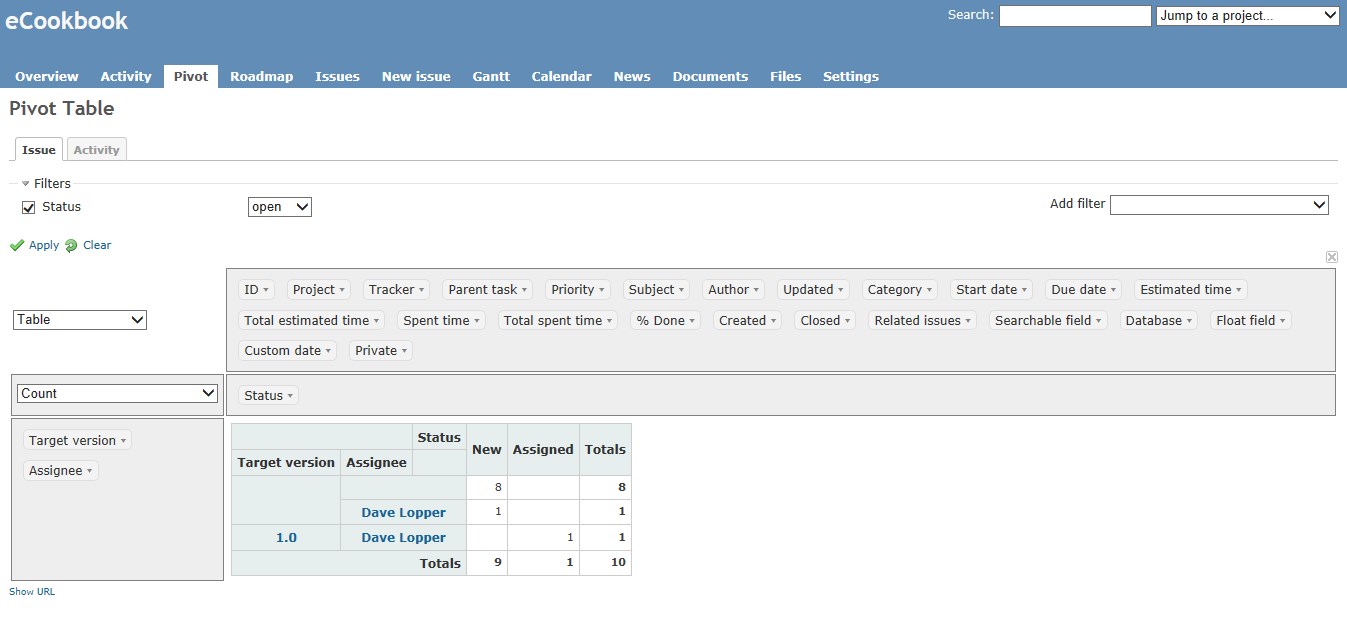
Requieres IE8 and above. PivotTable.js version included: 2015-09-08
-
Follow the Redmine plugin installation steps at: http://www.redmine.org/wiki/redmine/Plugins
-
Enable Pivot module for your project.
-
Go to Pivot tab.
No migration required.
Drag and drop attributes to dynamically create your own pivot table.
For more information on usage, visit PivotTable.js Home page.
If you want to keep the configuration and save it for the future, click on "Show URL" at the bottom, copy the shown link, and then create a wiki entry with that URL. The link can also be used as a browser favorites.
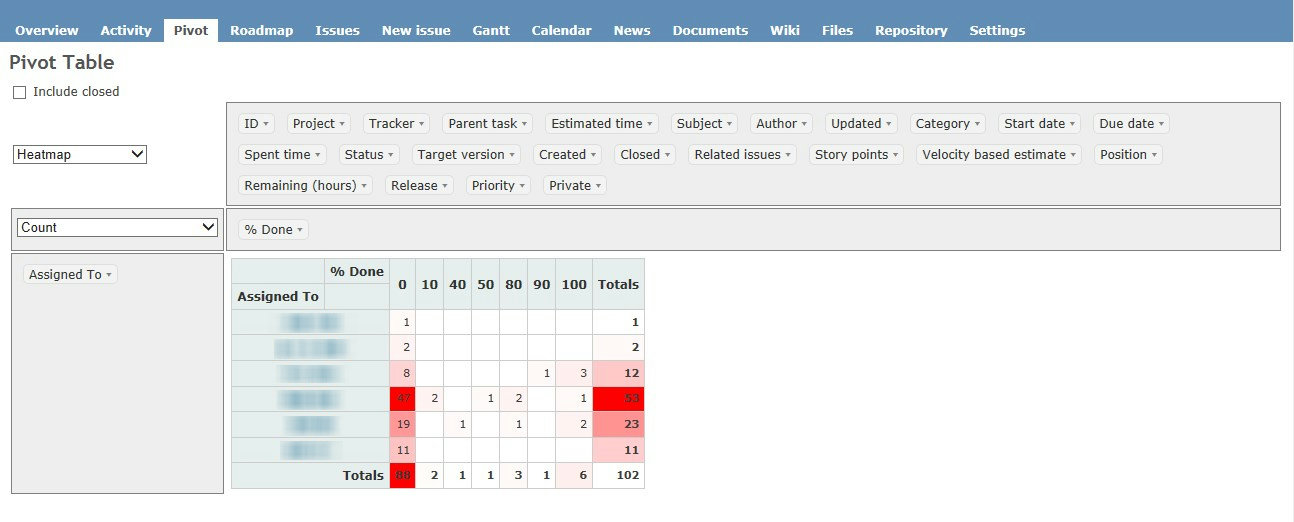

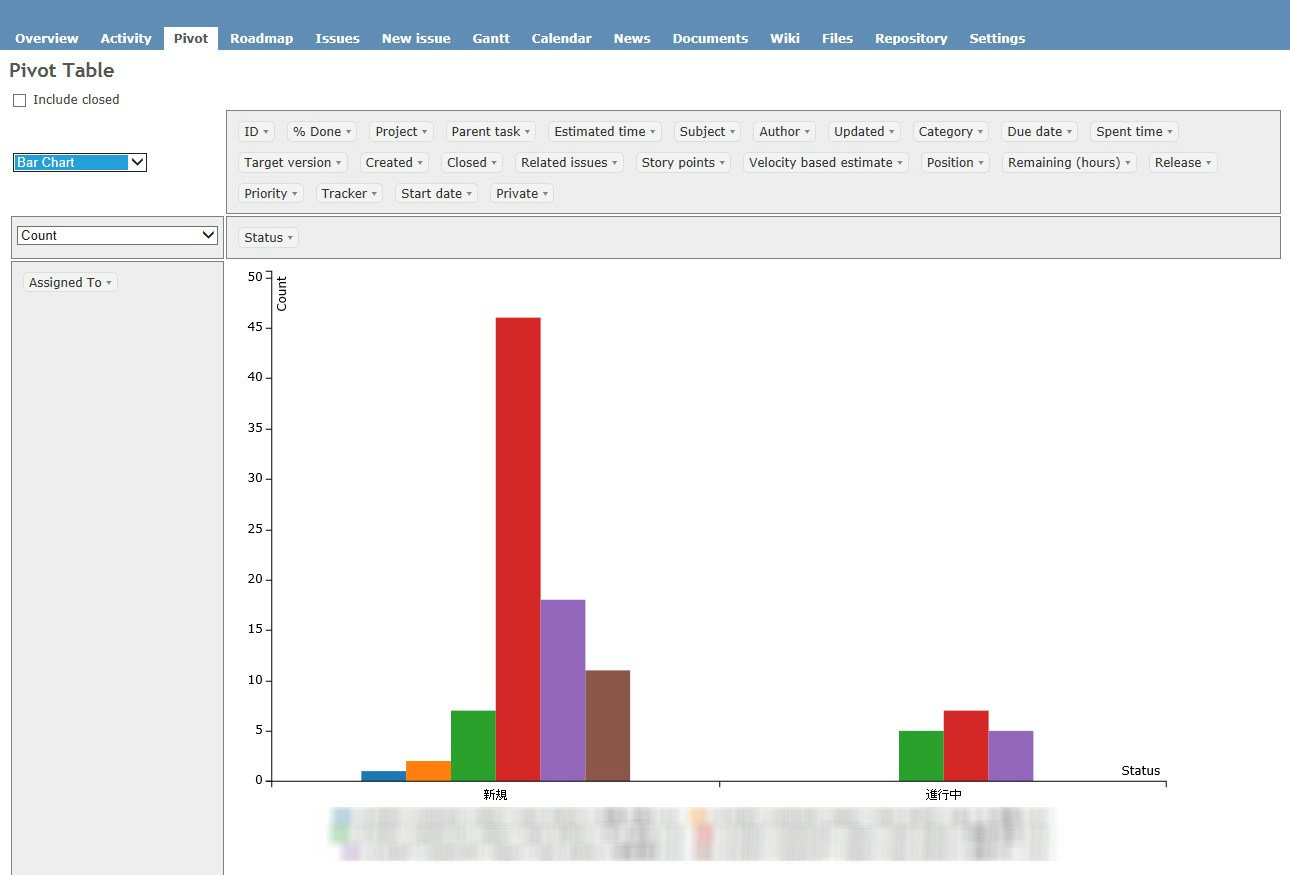
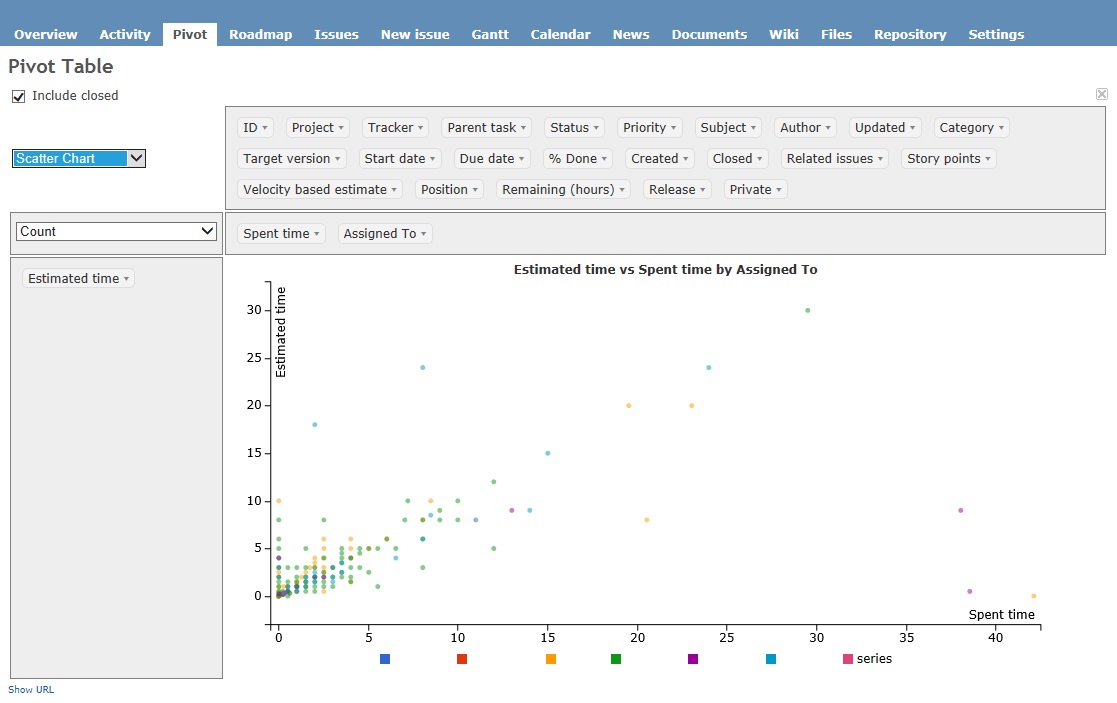

- i18n of renderers and aggregators.
Pivot Table, Graphs, Analysis, Redmine, Plugin
Support will only be given to the following versions or above:
- Redmine version 2.6.0.stable
- Ruby version ruby 2.1.5p273
- Rails version 3.2.19
This plugin is licensed under the MIT license.