分享一些我常用的第三方模組
平台:Windows 10, Python 3.11.x
| Module Name | Description | Introduction Index | PyPI | Github | Tags |
|---|---|---|---|---|---|
Rich |
提供豐富的文字效果及格式輸出 | #rich | rich | Textualize/rich | #pretty-print #output |
Pretty Errors |
優化錯誤訊息 | #pretty-errors | pretty-errors | onelivesleft/PrettyErrors | #errors |
Requests |
請求網路上的資源,用於爬蟲 | #requests | requests | psf/requests | #request #HTTP |
Pycord |
用於編寫Discord Bot | #pycord | py-cord | Pycord-Development/pycord | #discord-bot |
Pipx |
在虛擬環境裡安裝Python模組 | #pipx | pipx | pypa/pipx1 | #package-manage |
PDM |
構建虛擬環境並整合 | #pdm | pdm | pdm-project/pdm | #environment #package-manage |
Beautiful Soup 4 |
解析html/xml文件 | #beautiful-soup-4 | beautifulsoup4 | None | #HTML #XML #parser |
| Tag Name | Description |
|---|---|
#pretty-print |
美化輸出 |
#output |
輸出 |
#errors |
錯誤 |
#request |
網路請求 |
#HTTP |
HTTP 相關 |
#discord-bot |
Discord 機器人 |
#package-manage |
模組管理 |
#environment |
虛擬環境 |
#HTML |
HTML相關 |
#XML |
XML相關 |
#parser |
解析器 |
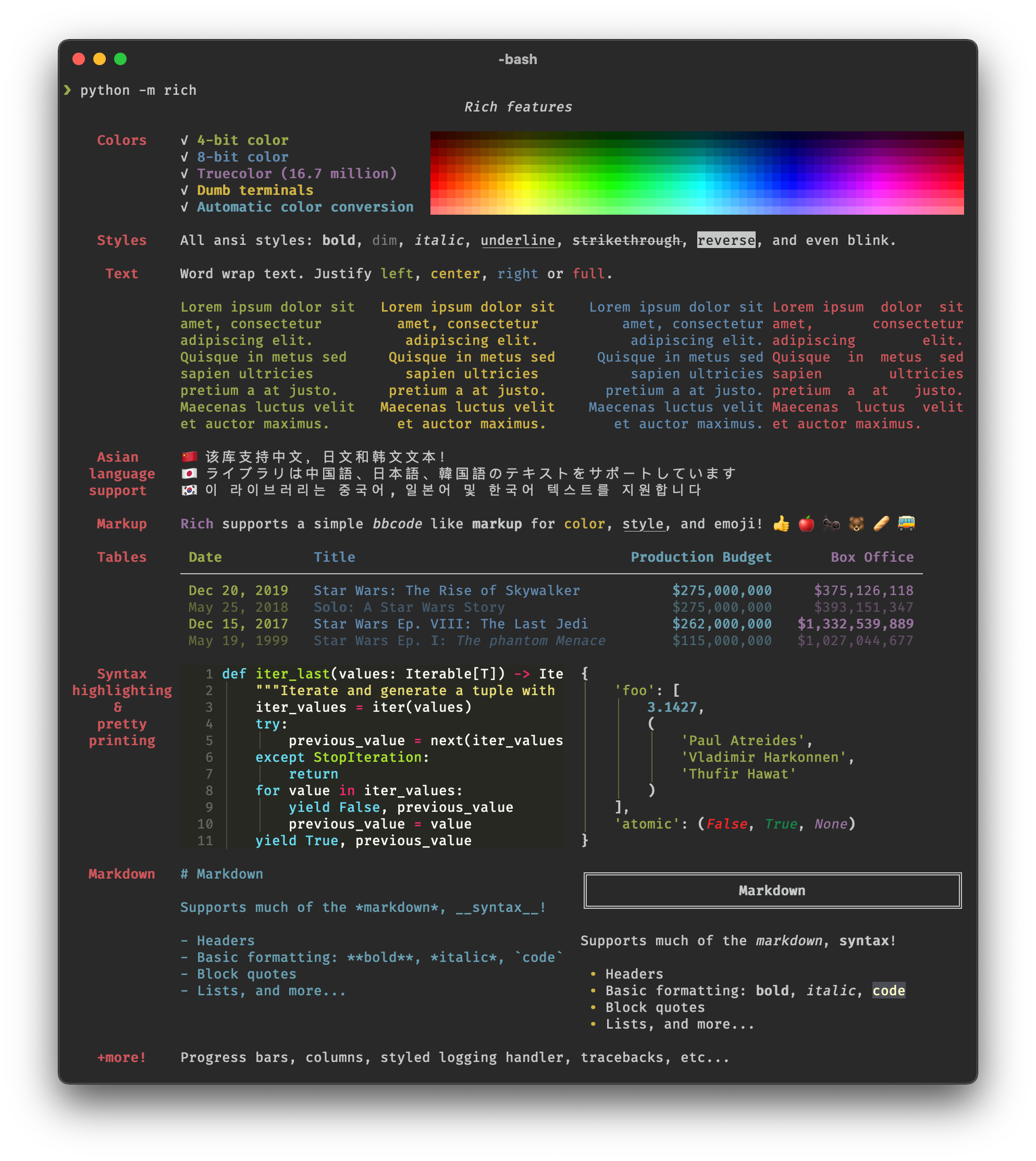
Rich 是一款提供終端機介面中 豐富的 文字效果及精美的格式設定的 Python 函式庫。 Rich API 讓終端機介面加上色彩及樣式變得易如反掌。Rich 也可以繪製漂亮的表格、進度條、Markdown、語法醒目標示的程式碼、Traceback(追溯)……。
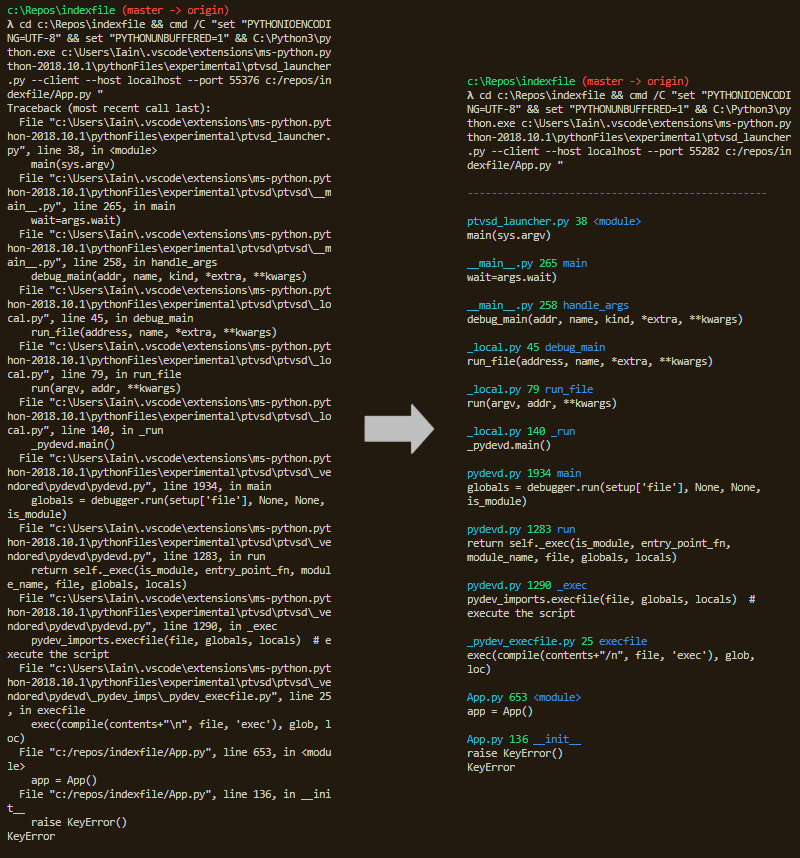
Pretty Errors 能將錯誤訊息美化,使開發者更好的追蹤錯誤
Requests 是一個簡單且優雅的HTTP模組
>>> import requests
>>> r = requests.get('https://httpbin.org/basic-auth/user/pass', auth=('user', 'pass'))
>>> r.status_code
200
>>> r.headers['content-type']
'application/json; charset=utf8'
>>> r.encoding
'utf-8'
>>> r.text
'{"authenticated": true, ...'
>>> r.json()
{'authenticated': True, ...}
Pycord 是一個基於 discord.py 編寫的 Discord 機器人模組
import discord

bot = discord.Bot()

@bot.slash_command()
async def hello(ctx, name: str = None):
    name = name or ctx.author.name
    await ctx.respond(f"Hello {name}!")

@bot.user_command(name="Say Hello")
async def hi(ctx, user):
    await ctx.respond(f"{ctx.author.mention} says hello to {user.name}!")

bot.run("token")
Pipx 將模組安裝於虛擬環境,使其可以在安裝多個包時不衝突

PDM 用於管理與整合虛擬環境,讓同個Python版本可以安裝多個模組並互相不衝突
Beautiful Soup 是一個可以從HTML或XML文件中提取數據的Python庫。 它能夠透過你喜歡的轉換器實現慣用的文件導航、查找、修改文件的方式。
>>> from bs4 import BeautifulSoup
>>> soup = BeautifulSoup(html_doc, 'html.parser')
>>>
>>> html_doc = """
... <html><head><title>The Dormouse's story</title></head>
... <body>
... <p class="title"><b>The Dormouse's story</b></p>
...
... <p class="story">Once upon a time there were three little sisters; and their names were
... <a href="http://example.com/elsie" class="sister" id="link1">Elsie</a>,
... <a href="http://example.com/lacie" class="sister" id="link2">Lacie</a> and
... <a href="http://example.com/tillie" class="sister" id="link3">Tillie</a>;
... and they lived at the bottom of a well.</p>
...
... <p class="story">...</p>
... """
>>>
>>> soup.title
'<title>The Dormouse\'s story</title>'
>>>
>>> soup.title.name
u'title'
>>>
>>> soup.title.string
u'The Dormouse\'s story'
>>>
>>> soup.title.parent.name
u'head'
>>>
>>> soup.p
'<p class="title"><b>The Dormouse\'s story</b></p>'
>>>
>>> soup.p['class']
u'title'
>>>
>>> soup.a
'<a class="sister" href="http://example.com/elsie" id="link1">Elsie</a>'
>>>
>>> soup.find_all('a')
['<a class="sister" href="http://example.com/elsie" id="link1">Elsie</a>',
 '<a class="sister" href="http://example.com/lacie" id="link2">Lacie</a>',
 '<a class="sister" href="http://example.com/tillie" id="link3">Tillie</a>']
>>>
>>> soup.find(id="link3")
'<a class="sister" href="http://example.com/tillie" id="link3">Tillie</a>/