

A Streamlit web application that monitors system performance in real time (CPU, RAM, swap, battery, network and per-process usage), detects anomalies with a lightweight ML pipeline and generates downloadable PDF reports.
Built as a fully modular Python project with JWT-based session persistence, bcrypt-hashed credentials, role-based admin access and SQLite-backed storage designed to be readable, low-latency and easy to deploy.
⚠️ Live Demo - For reference only. It Monitors the cloud container, not your machine. Shows how the app works on your own machine when run locally.
- 🔐 Authentication - username/password login with bcrypt + JWT session cookies (survives reload)
- 🔍 Live monitoring - sample CPU, RAM, swap, battery, network throughput and the top-N processes on a fixed interval, persisted to SQLite
- 📊 Interactive analytics - Plotly charts for system, process and network metrics, browsable per day
- 🧠 Anomaly detection - Isolation Forest on CPU/RAM, z-score ranking on processes, threshold alerts on network spikes
- 🏥 Health score - single 0-100 grade (A-F) summarising the day's behaviour
- 📥 PDF reports - one-click download with all charts, generated on demand via ReportLab
- 👥 Admin panel - toggle self-signup, cap monitoring duration, manage users, download a DB backup
System-Performance-Analyzer/
├── main.py
├── requirements.txt
├── pyproject.toml
├── .streamlit/config.toml
├── .python-version
├── .gitignore
├── LICENSE
├── README.md
├── .env
└── src/
    ├── analysis.py
    ├── config.py
    ├── database.py
    ├── logger.py
    ├── ml_engine.py
    ├── report_generator.py
    ├── user_auth.py
    ├── user_session.py
    ├── services/
    │   ├── base_service.py
    │   ├── network_monitor.py
    │   ├── process_monitor.py
    │   ├── service_orchestrator.py
    │   └── system_metrics.py
    └── pages/
        ├── admin.py
        ├── auth_page.py
        ├── dashboard.py
        ├── monitor.py
        ├── report.py
        └── setting.py
# 1. Clone the repository
git clone https://github.com/abhishek-tiwari-nitrr/System-Performance-Analyzer.git
cd System-Performance-Analyzer

# 2. Install dependencies
uv sync

# 3. Configure secrets - create a .env file in the project root

# 4. Run
uv run streamlit run main.py
Open .env and fill in your values:
ADMIN_USER=admin-username
ADMIN_PASSWORD=admin-password
SPA_SECRET_KEY=long-random-secret-key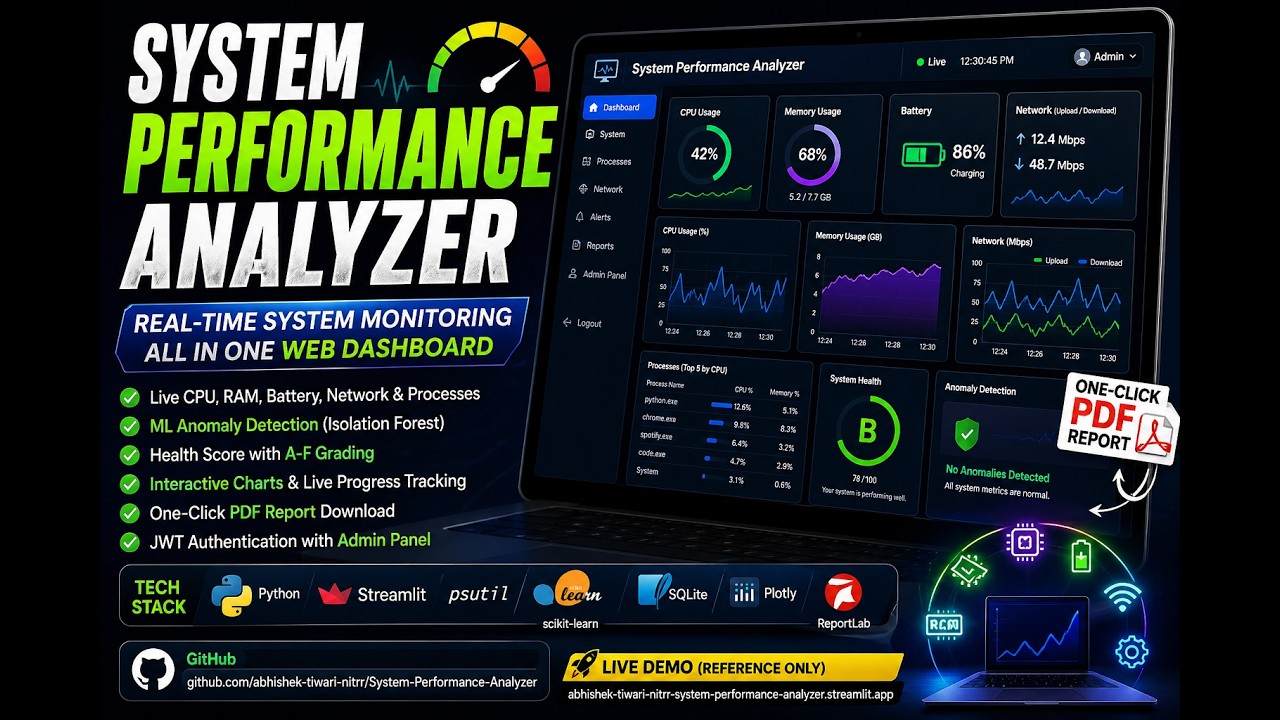
| Layer | Libraries |
|---|---|
| UI | Streamlit, Plotly, Custom CSS |
| Backend | Python 3.10+ |
| Storage | SQLite |
| Auth | Bcrypt (passwords), PyJWT (stateless sessions) |
| ML | scikit learn |
| Reports | Matplotlib (chart rendering), ReportLab (PDF) |
| Telemetry | Psutil |
| Package Management Tool | UV |